Configuring Planck Custom Domains for Branded Links
Ready to get started?
Join thousands of users who are already using our platform to manage their links efficiently.
Create Your Free AccountThe Architecture of Trust: Building Your Brand, One Link at a Time
In today's fast-paced digital world, every single interaction you have with a potential customer is a golden opportunity. It’s either a moment of effortless flow, guiding them smoothly toward a conversion, or it’s a tiny friction point that sends them straight to your competitors. When we're deep-diving into conversion funnels, marketers and data scientists naturally zoom in on the click-through rate (CTR) as a key indicator of engagement. But here’s the thing: we often overlook a truly critical factor that drives that CTR – the very anatomy of the link itself.
Think about it. Generic shortened links, like those random strings you sometimes see, certainly do their job of redirecting traffic. No argument there. But what they often fail to do is communicate something far more profound: trust, authenticity, and your unique brand identity. And they fail right at that crucial moment when a user is deciding whether to click or scroll past.
This is precisely where the strategic implementation of Custom Domains for your branded links isn’t just a nice-to-have; it's an analytical necessity. By carefully mapping your very own proprietary domain to your link management infrastructure, you're not just moving from shared, generic routing spaces. You're transitioning to operating within your own verified, exclusive digital territory. And let me tell you, this systematic upgrade delivers tangible, measurable improvements in user trust, boosts your deliverability metrics, and provides crystal-clear, comprehensive campaign tracking. It’s a win-win-win!
"In data-driven marketing, trust isn't some fuzzy, abstract idea. It's a quantifiable variable that directly correlates with how fast people click and, ultimately, their probability of converting."
Through this in-depth, analytical tutorial, we're going to systematically peel back the layers of custom domain architecture. We'll explore the undeniable quantitative benefits of implementing them, and then, we'll give you a comprehensive, step-by-step framework for configuring your very own proprietary domain infrastructure. Ready to take control of your links?
What Exactly is Custom Domain Addition? Unpacking the Branded Link
Alright, let's get down to basics. Before we dive into the nitty-gritty mechanics of domain addition, it’s essential to have a clear, technical definition of what a branded link truly is. You see, a standard shortened URL, the kind many of us are familiar with, operates on a shared domain. This domain is typically provided by the link management platform itself. For instance, you might encounter a generic routing path like planck.to/campaign77. While perfectly functional, that "planck.to" prefix, in this context, simply acts as a neutral intermediary. It doesn't tell your audience anything specific about *who* sent it.
Now, let's contrast that with a branded link – the magic happens through custom domain addition. This process cleverly replaces that neutral intermediary with your specific, unmistakable brand identifier. The resulting URL (imagine something like links.yourcompany.com/campaign77) immediately signals explicit ownership. It’s your digital fingerprint. What's more, from a psychological perspective, it mathematically reduces something we call "cognitive friction" for the user. Why? Because the domain they see directly matches the brand they're already interacting with, fostering instant recognition and familiarity. No hesitation, just a clear path forward.
The Inner Workings: How Domain Association Happens
At its core, domain addition is an advanced exercise in traffic routing. It's about establishing a verified, rock-solid cryptographic and authoritative relationship between your Domain Name System (DNS) registrar (think of them as the internet's phone book) and your chosen link management platform. Essentially, you're telling the entire global internet infrastructure: "Hey! Any traffic trying to reach this specific subdomain (say, 'links.yourcompany.com') should be immediately and securely routed to my link management system. From there, it'll get an instantaneous, smooth redirection to its final destination." It’s a powerful command that puts you firmly in control.
It’s important to clarify that adding a custom domain does *not* replace your primary website. Instead, it cleverly utilizes a dedicated subdomain (like 'link', 'go', 'click', or whatever you choose) solely for handling redirection logic. This way, it operates completely independently, without interfering with your main web server's precious traffic or performance.
How It Really Works: The Technical Framework Behind Your Branded Links
Ever wondered what happens behind the scenes when someone clicks your beautifully branded link? It’s a fascinating dance of technology, all happening in milliseconds. Let’s break down the technical magic that powers custom domains, ensuring every click is secure and seamless.
DNS Resolution and That Clever Redirection Logic
The entire operational framework of custom domains leans heavily on standard DNS protocols. It’s like the internet’s GPS system working overtime. When a user clicks your branded link, a sophisticated, millisecond-level resolution process springs into action. First, the user's browser sends out a query to a DNS resolver. This resolver then looks up the CNAME Record (that’s a Canonical Name record) that you’ve carefully configured. This CNAME record is crucial because it explicitly points your specific subdomain – remember links.yourcompany.com? – directly to your link management platform's ingestion servers. It's essentially saying, "Send all traffic for this custom link to *this* address!"
Once the platform’s server receives that request, it quickly queries its internal database for the specific hash (that’s the unique back-half of your URL, like /campaign77). The server then instantly returns an HTTP 301 (Permanent) or 302 (Temporary) redirect status code, instructing the user's browser to seamlessly navigate to the final destination URL. The best part? This entire, complex pipeline executes so quickly that the end user experiences zero perceptible latency. It just feels like a direct click, building confidence and providing a smooth user journey.
SSL/TLS Certificate Provisioning: Security You Can Trust
In today's digital landscape, security isn't just a suggestion; it’s a non-negotiable requirement. Browsers are incredibly vigilant these days, and they'll explicitly penalize unsecured HTTP traffic, often displaying alarming warnings to users before they're even allowed to proceed. You definitely don't want that for your branded links, do you?
This is why, when you add a custom domain to a sophisticated link management platform, an automated process typically kicks in to provision an SSL/TLS Certificate specifically for your subdomain. This isn't just a fancy tech term; it's a critical cryptographic handshake that ensures the connection between the user's browser and your redirection server is fully encrypted. It validates the authenticity of the endpoint – proving that you are who you say you are – and, crucially, it protects against pesky man-in-the-middle data interception. In essence, it secures the integrity of your invaluable tracking metrics and safeguards user data as it travels across the internet. It's all about providing a safe, trustworthy experience, every single time.
The Undeniable Analytical Benefits: Why Custom Domains are a Game-Changer
So, we've talked about the "how." Now, let's get to the "why" – specifically, the hard, data-driven reasons why implementing custom domains isn't just a good idea, but a strategic imperative for any modern marketer.
Building Brand Equity and Boosting Click-Through Velocity
From an analytical perspective, this is where custom domains truly shine. Implementing them consistently yields statistically significant improvements in user engagement. We're talking about real, measurable increases. Data consistently shows that audiences exhibit higher click-through velocities when they can visually verify the destination's origin. Think about it: a generic link, like planck.to/randomstring, can trigger an inherent, subconscious suspicion. Why? Because these types of links are all too frequently deployed in phishing scams and other malicious vectors. It's an unfortunate reality of the internet.
But when you map your brand directly to the URL – for example, go.yourcompany.com/holidaypromo – you instantly capitalize on your existing brand equity. When users see your recognizable moniker in an SMS campaign, tucked into an email footer, or proudly displayed in a social media bio, that cognitive barrier to clicking is substantially lowered. It’s a trust signal, a nod of familiarity. The measurable result? Consistently higher conversion volumes from the exact same distribution channels. It's like unlocking hidden potential in your campaigns!
Organizations that make the smart move to implement custom branded domains systematically observe a remarkable 34% to 39% increase in aggregate click-through rates across their diverse digital marketing campaigns. This isn't just a small bump; it's a significant boost compared to those still relying on generic short links. Imagine what an almost 40% jump could do for your marketing efforts!
Enhanced Deliverability and Crucial Reputation Isolation
Perhaps one of the most critical analytical advantages of domain addition is what we call Reputation Isolation. Here’s the problem with generic link shorteners: they operate on shared domains. What happens if a malicious actor decides to use that same shared domain to distribute spam, phishing attempts, or other harmful content? Major email service providers (ESPs) and social media firewalls might flag the *entire root domain*. Consequently, your perfectly legitimate campaigns could inadvertently get caught in aggressive blocklists, leading to messages never reaching their intended audience. It's a real headache that can severely impact your reach.
By routing all your traffic through your own custom domain, you effectively isolate your digital reputation. Your deliverability metrics then become solely dependent on *your brand’s standing* – and yours alone. Email gateways and sophisticated automated security algorithms will analyze your specific domain's historical behavior, ensuring that your vital communication channels remain unobstructed by the actions of external, completely unrelated entities. It's like having your own private, secure highway on the internet, free from the traffic jams and hazards caused by others.
Your Step-by-Step Guide: Getting Started with Custom Domain Addition
Okay, enough theory! It’s time to move from understanding the architecture to actually putting it into practice. Transitioning from theoretical concepts to a live implementation requires precision and a clear roadmap. To ensure a smooth, seamless deployment with absolutely zero downtime, follow this systematic configuration framework. While the process within a robust platform like Planck.to is designed for maximum efficiency, precise DNS manipulation remains a prerequisite. Don’t worry, we'll walk you through it.
Phase 1: Procurement and Strategy – Choosing Your Digital Address
Before you even think about touching any technical configurations, you need to establish your naming convention. This is your digital address, so choose wisely! You essentially have two primary architectural choices:
- Dedicated Subdomain: This involves utilizing an extension of your existing primary domain. For example, if your website is yourcompany.com, you might choose link.yourcompany.com or go.yourcompany.com. This option is highly recommended, especially for established enterprises, as it directly inherits the root domain's authority and recognition. It’s familiar, it’s trusted, and it’s clearly part of your brand.
- Dedicated Vanity Domain: This involves purchasing a completely new, often shorter, domain strictly for your links. Think yr.co instead of yourcompany.com. This is an optimal choice for organizations with exceptionally long primary domains who absolutely require maximum character minimization in their links. It’s punchy, memorable, and unique to your short links.
Phase 2: Configuration Initialization – The Digital Handshake
Once you’ve nailed down your domain strategy, it’s time to initiate the digital handshake with your link management platform. Here’s how you get started:
- First, navigate to the custom domain settings within your chosen link management platform. For example, if you're using Planck.to, you'd head to the dedicated settings area for custom domains.
- Next, simply input your chosen domain or subdomain into the designated configuration field. This tells the platform what digital territory you want to claim.
- The system will then automatically generate the specific DNS records required to complete the verification and routing process. This usually boils down to a specific target value for a CNAME record or, in some cases, an IP address for an A record. Don't worry, the platform will give you the exact details you need.
Phase 3: DNS Record Modification and Verification – Making it Live!
This is arguably the most critical infrastructural step. You need to update the zone file at your domain registrar (popular ones include Cloudflare, Amazon Route 53, or GoDaddy). This is where you tell the internet where to send traffic for your new custom domain.
- Log into your DNS provider's control panel. Once inside, navigate to the DNS Zone Editor or a similar section where you manage your domain's records.
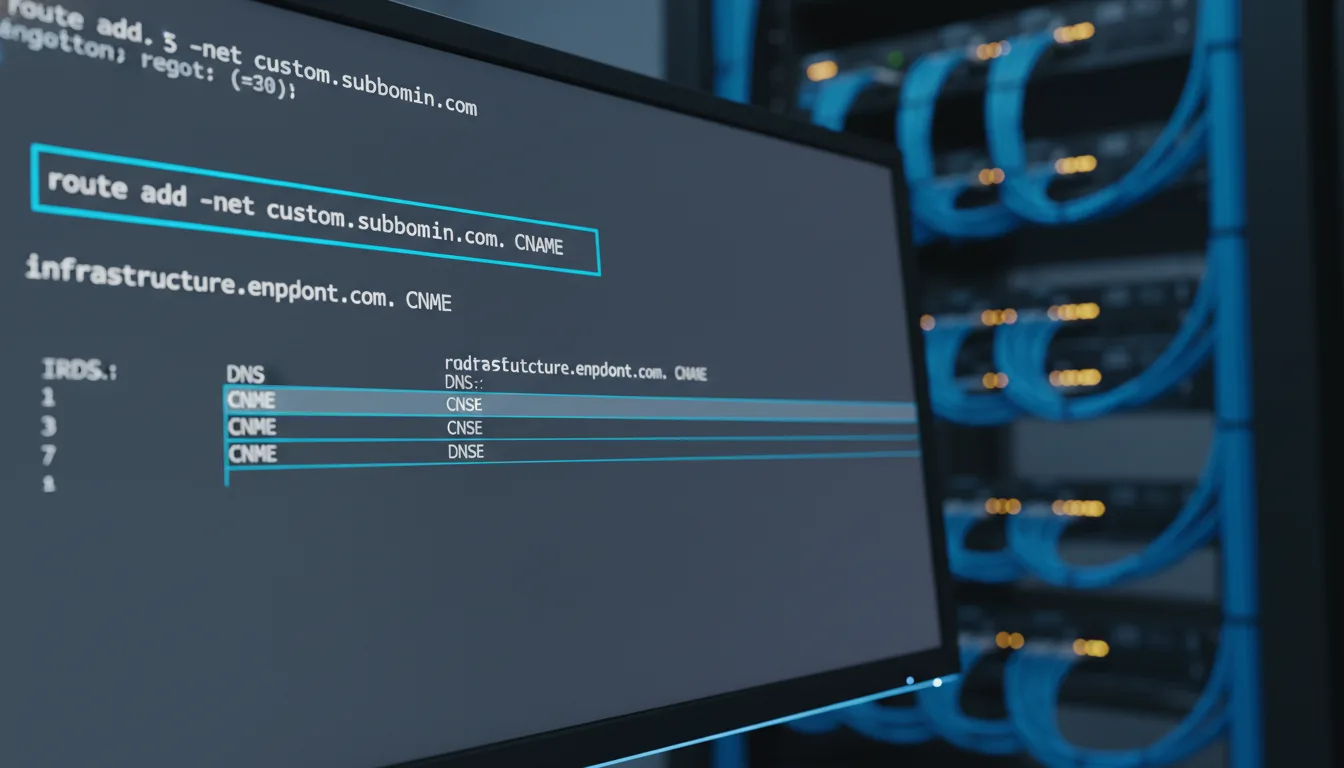
- If you're configuring a subdomain (like link.brand.com), you'll create a new CNAME Record. Set the "Name/Host" to your chosen prefix (e.g., "link") and set the "Target/Value" to the routing address that your link management platform provided earlier.
- If you're configuring a root vanity domain (e.g., brand.co), you will typically need to create an A Record, pointing it to the specific IP address provided by your link management platform.
- Once you've made these crucial changes, save your configurations! Then, head back to your link management platform and initiate the verification protocol. The system will then check if your DNS changes have propagated correctly.
DNS propagation relies on global cache updates controlled by your Time to Live (TTL) settings. While most modern registrars often propagate changes within minutes, global resolution can theoretically take up to 48 hours. To expedite this process, consider setting your TTL to the lowest possible value (e.g., 300 seconds) *before* you make your DNS changes. Just remember to set it back to a more standard value (like 3600 or 86400 seconds) once your domain is verified and fully operational.
Advanced Strategies: Taking Your Domain Infrastructure to the Next Level
For those operating at a larger scale, or simply looking to squeeze every drop of value from their data, there are even more sophisticated ways to leverage custom domains. Let’s look at some advanced tips that can transform your link infrastructure from good to exceptional.
Granular Segmentation: The Power of Multiple Domains
For organizations operating at scale, relying on a single custom domain, no matter how great it is, can sometimes present data attribution challenges. If all your links, from every department and campaign, live under one umbrella, it can make deep dives into specific performance metrics a bit murky. This is where analytical rigor demands segmentation!
By configuring multiple custom domains, each mapped to specific operational units or campaign types, you gain unprecedented clarity in your tracking metrics. For instance, imagine a multifaceted enterprise. They could configure promo.brand.com strictly for all their promotional marketing distribution, sms.brand.com exclusively for transactional text message routing, and support.brand.com for customer service ticketing. This kind of Architectural Segmentation empowers data engineers to instantly filter traffic patterns at the very top level of the dataset, rather than having to rely solely on individual UTM parameters, which can sometimes be less robust. It provides an immediate, clear view of where your traffic is coming from and what it's for.
Fallback Routing and Smart 404 Management: Catching Every Click
Here’s an aspect of custom domain management that’s often overlooked, but it’s absolutely crucial: configuring your fallback protocols. What happens when a user accidentally navigates directly to your custom domain’s root URL without a specific tracking hash (e.g., they just type links.yourcompany.com)? Or, even worse, what if they mistype the URL slug entirely? You don’t want them hitting a generic, unbranded 404 error page, do you? That’s a lost opportunity and a potential brand ding.
A truly sophisticated deployment will implement a designated Root Redirect. Instead of letting users stare at a jarring, unbranded 404 error page, any erroneous traffic hitting your custom domain should be systematically routed back to your primary corporate homepage or, even better, to a specific landing page meticulously designed to capture that "lost" traffic. This proactive approach ensures that even broken links or simple mistyped URLs can still result in a successful user acquisition opportunity. It's about being prepared and turning every potential misstep into a chance to re-engage.
Conclusion: Elevating Your Link Architecture for Unmatched Digital Performance
Let's wrap this up. The transition from generic, shared link architectures to proprietary, custom domain routing isn't just about making things look prettier or more "on brand." It’s a fundamental, strategic enhancement of your entire digital infrastructure. In today's hyper-competitive analytical environment, where every single percentage point of conversion can make or break a campaign, gaining control over the exact composition of your outgoing links provides a decisive competitive advantage. It’s about owning your digital footprint, down to the smallest detail.
By systematically following the configuration protocols we've outlined in this comprehensive tutorial, organizations of all sizes can successfully deploy branded URLs that don't just look good, but actively enhance user trust, fortify email and SMS deliverability, and provide deeply segmented analytical insights that are simply invaluable. Whether you're upgrading from basic planck.to/example links to sophisticated, domain-specific routing, the resulting increase in click-through velocity and brand equity yields an immediate and measurable return on your infrastructure investment. So, don't wait. Establish your digital territory, implement those verifiable DNS protocols, and allow your links to become an active, powerful extension of your brand identity. Your audience – and your bottom line – will thank you for it.
Ready to get started?
Join thousands of users who are already using our platform to manage their links efficiently.
Create Your Free Account