Streamline Link Workflow: Consolidate Tools with Planck
Ready to get started?
Join thousands of users who are already using our platform to manage their links efficiently.
Create Your Free AccountDitch the Link Chaos: Consolidate Your Tools for a Smarter Workflow
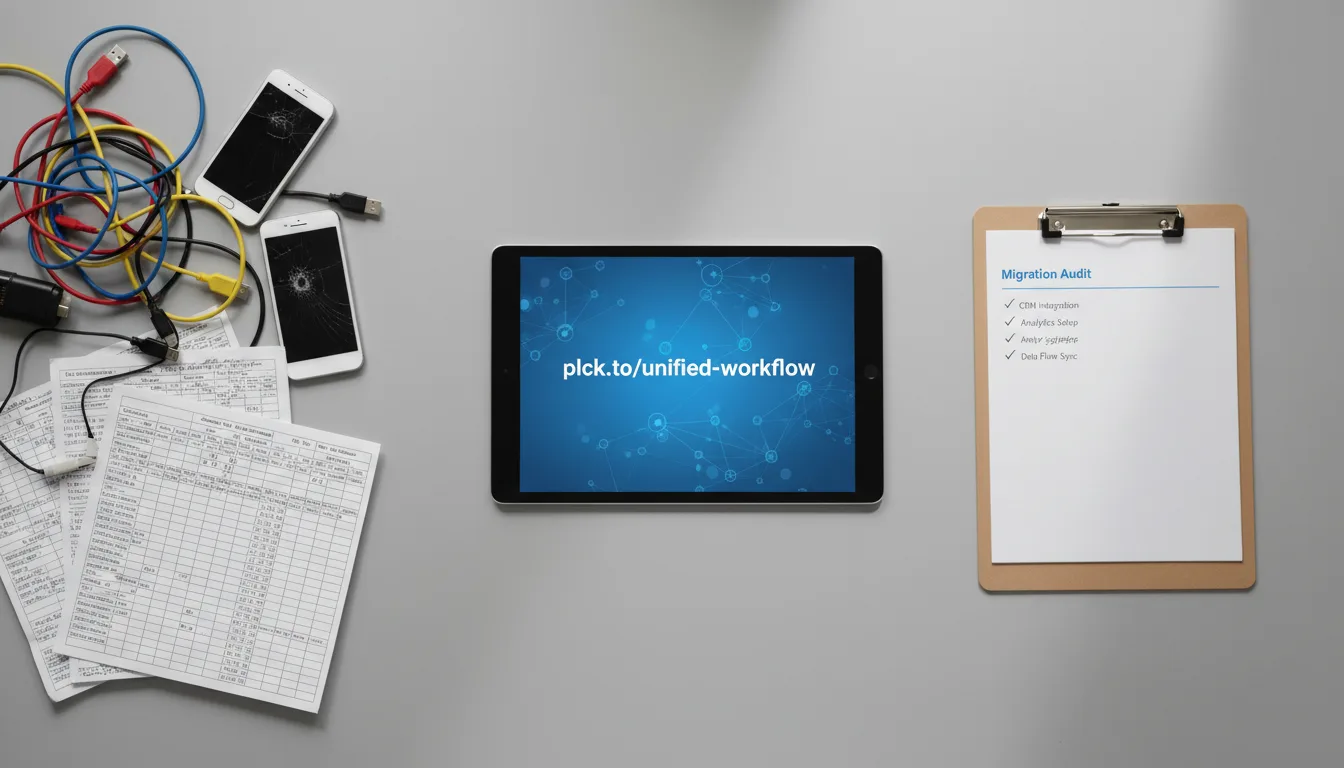
Ever feel like you’re juggling a dozen different apps just to manage your links? You’re not alone. In today's lightning-fast digital world, many teams find themselves grappling with what we like to call "tool sprawl." It's that frustrating situation where you've got one piece of software for generating tracking parameters, another entirely separate platform for basic URL shortening, a different service for those handy QR codes, and yet another dashboard for click analytics. Sound familiar?
This fragmented approach isn't just a headache; it's a real drain on your budget and a dangerous creator of data silos. When your link data is scattered everywhere, understanding your customer's journey holistically becomes practically impossible. You miss connections, misinterpret trends, and ultimately, lose out on opportunities.
But here's the good news: there's a better way. By embracing Tool Consolidation, you can transform your messy link management into a streamlined, efficient workflow. Imagine securing your brand identity across all your digital touchpoints and aggregating all your performance data into one single, undeniable source of truth. That's the power we're talking about!
In this comprehensive guide, we're going to walk you through the exact steps needed to transition from that chaotic, multi-tool setup to a centralized, high-performance link management infrastructure. Whether you're an agile startup or a sprawling enterprise marketing team, mastering this workflow optimization isn't just a good idea—it's a game-changer. It'll give you back countless hours in your week and significantly boost your tracking accuracy. Now, let’s get started!
Getting Ready: The Essential Prerequisites for Link Consolidation
Before you dive headfirst into migrating links and waving goodbye to those old, clunky tools, it's absolutely crucial to lay down a solid foundation. Think of it like building a house – you wouldn't start framing before pouring the concrete, right? Successful workflow optimization hinges on a crystal-clear understanding of your current assets and where you want to go. Trust us, skipping this preparation phase is the number one reason migrations fail or, even worse, result in lost traffic and frustrated users.
First Things First: Auditing Your Current Link Stack
The very first step? A full-blown, no-holds-barred audit of every single link-related tool currently lurking across your organization. You might be surprised by what you find! Marketers, in their quest for quick solutions, often set up localized tools without looping in the broader IT or operations teams. Your mission is to unearth every application being used to create redirects, shorten URLs, build UTM parameters, and track clicks. No stone unturned!
Once you’ve identified them all, create a centralized spreadsheet. This isn't just any spreadsheet; it's your battlefield map. Detail the name of each tool, who's primarily using it (or which department owns it), its annual cost, the number of active links it houses, and whether it's currently using a custom domain. This meticulous audit will give you a stark, clear picture of the technical debt you're about to eliminate and help you calculate the exact, compelling ROI of your consolidation efforts.
An incomplete audit is a recipe for disaster. It leads to orphaned links. When a legacy tool gets shut down, any un-migrated links will break, sending your users to frustrating 404 errors and costing you potential revenue or engagement. Make sure to involve all department heads in your stack audit – it's a team effort!
Next Up: Defining Your Workflow Requirements
Okay, so you know *what* you're replacing. Now, you need to define *what you need* from your shiny, unified system. What features are absolutely non-negotiable for your team to thrive? Take a moment to really think about your day-to-day operations. Do you need to create links in bulk via an API? Are native integrations with your CRM or social media management tools a must-have? What about deep-linking capabilities for your mobile apps, or enterprise-grade security features like Single Sign-On (SSO)?
Beyond features, map out how your team actually works. This is crucial! Do you need a rigid approval process for every new custom short link? Or perhaps regional teams need their own localized workspaces that remain invisible to other departments? By clearly defining these workflow requirements early on, you're ensuring that the platform you consolidate into can genuinely support your daily operational tempo, not just add another layer of complexity.
Don't Forget: Establishing Link Governance
Ah, link governance. It might sound a bit dry, but it's the bedrock of a successful consolidated system. This is simply the set of rules, naming conventions, and access controls that dictate how your organization creates and manages all its URLs. When multiple tools are in play, governance is usually, well, non-existent. A unified platform absolutely demands standardized rules to prevent your new, sleek system from becoming just as cluttered and confusing as the old one.
So, establish a documented taxonomy for your UTM parameters. Decide definitively whether your organization will use "linkedin" or "LinkedIn" for the source parameter (and here's a pro tip: always use lowercase to prevent frustrating analytics fragmentation!). Determine exactly who has the authority to edit or delete those high-traffic, permanent redirects. Implementing solid governance isn't just about rules; it transforms a simple URL shortener into a reliable, powerful data engine for your entire business.
Let's Do This: Executing the Consolidation, Step-by-Step
You’ve done the homework – your audit is complete, your requirements are clear, and your governance rules are documented. Fantastic! Now, it's time for the exciting part: executing the migration. By centralizing your operations into a modern link management platform, you can systematically replace those fragmented tools with one unified, incredibly efficient workflow.
Step 1: Centralize Your Custom Domains
Your short links are more than just shortcuts; they're a direct extension of your brand identity. Why use generic domains that users might dismiss as spam when you can route all your short links through your *own* branded custom domains? It just makes sense, right? The very first step in true tool consolidation is updating your DNS configurations to point your branded short domains (think yourbrand.co or yourbrand.link) to your new centralized platform. Here’s how you’ll tackle it:
- Log into your DNS provider (this could be Cloudflare, AWS Route53, GoDaddy, or whoever manages your domain).
- Locate the existing A records or CNAME records that currently point to your legacy link shorteners.
- Update the CNAME record to point directly to your new consolidated platform's infrastructure. (Your new platform will provide the exact value for this).
- Now, play the waiting game! DNS propagation can take anywhere from a few minutes to 48 hours, depending on your Time to Live (TTL) settings. Patience is key here.
Before you even *think* about changing your DNS records, here's a savvy move: lower your TTL (Time to Live) settings to about 300 seconds (that's just 5 minutes) roughly 24 hours prior to your planned migration. This little trick ensures that when you *do* make the change, the internet recognizes the new routing almost instantly, drastically minimizing any potential downtime for your existing links. You're welcome!
Step 2: Migrate Legacy Links and Redirects
You can’t just abandon the thousands of links your team has meticulously generated over the years. We’re talking about links embedded in old social media posts, printed materials, and countless external blogs. These aren't just relics; they're still driving passive traffic and, crucially, contributing to your SEO value. Losing them is simply not an option.
Your next mission is to export your link data from all those legacy systems. Most platforms are pretty good about offering a CSV export feature. This file should ideally download the short URL, the long destination URL, its creation date, and any associated tags. Once you've got your data neatly formatted, it's time to leverage the bulk import features of your new platform. Upload that mapping! This crucial step ensures that any user clicking an old link will seamlessly hit your new infrastructure and be redirected to the correct destination without a single interruption. Smooth as silk!
Step 3: Unify Analytics and Tracking Parameters
The grand finale of your migration journey is all about training your team to effectively utilize the centralized tracking parameter builders. Think about it: no more disjointed processes where a marketer builds a UTM link in a spreadsheet, then has to paste it into a separate shortening tool. Ugh! A consolidated workflow expertly combines these actions, making life so much easier.
Here’s how you make it sing: set up parameter templates directly within your new dashboard. This way, when a team member creates a new campaign link, the system should automatically append the correct UTM source, medium, and campaign data based on predefined drop-down menus. This isn’t just convenient; it absolutely guarantees pristine data hygiene flowing into Google Analytics, Adobe Analytics, or whatever proprietary data warehouse you use. Clean data means better insights, always!
Real-World Impact: Practical Examples of Streamlined Workflows
Understanding the theoretical value of workflow optimization is one thing, but seeing it in action? That’s where the magic happens! Let's dive into a few real-world marketing and operational scenarios to truly grasp how consolidating your link management translates into tangible benefits.
Example 1: The Epic Cross-Channel Marketing Campaign
Picture this: you're launching a massive summer marketing campaign, hitting all channels – Instagram, email newsletters, and even those classic physical print flyers. In a fragmented tool stack, what happens? Your social media manager crafts one link. The email team, working in their own spreadsheet, builds another. And the print team? They're probably using some free, generic QR code generator. It’s a mess, right?
Now, envision a consolidated workflow. The campaign manager simply logs into one unified dashboard. They create a base destination URL for the summer landing page. From that single entry, they effortlessly generate three distinct tracking links using the platform's bulk creation tool. The social link becomes planck.to/summer-social, the email link transforms into planck.to/summer-vip, and the print link automatically generates a crisp, high-resolution QR code routing to planck.to/summer-print. The best part? All clicks, all scans, and all geographic data aggregate into one single, unified campaign report. Boom!
By using a single platform for this cross-channel campaign, the marketing team didn't just reduce setup time by a whopping 75%; they completely eliminated the data discrepancies that used to plague their end-of-month reporting. This newfound clarity even allowed them to reallocate budget in real-time, boosting campaign performance!
Example 2: The High-Stakes E-commerce Product Launch
During a product drop – especially one with a lot of hype – e-commerce teams need to pivot faster than ever. What happens if a hot new item sells out in minutes? You can’t just leave customers staring at a frustrating "Out of Stock" page! You need to redirect that traffic instantly to a waitlist page to capture those valuable leads.
With an optimized link workflow, e-commerce managers can harness the power of Dynamic Redirects. The promotional link, say planck.to/new-sneaker, initially points directly to the product purchasing page. The moment inventory hits zero, an automated API call or even a quick manual toggle within your centralized link manager instantly updates the destination URL to point to your email capture form. Why is this brilliant? Because the short link itself never changes! All those existing social media posts and affiliate links remain perfectly valid and continue capturing value, turning a potential lost sale into a new lead.
Example 3: Powering Your Affiliate Marketing Engine
Managing an affiliate program means distributing unique tracking links to potentially hundreds of partners. Try doing that manually across disparate tools, and you’ve got yourself an administrative nightmare! This is where a consolidated platform truly shines, allowing you to utilize an API to programmatically generate personalized links at scale – without breaking a sweat.
Imagine this: when a new influencer joins your program, your CRM triggers an integration that automatically creates a clean, branded link like planck.to/partner-name. It’s even complete with hidden sub-parameters to accurately track commission payouts. The link is then automatically emailed to the partner without any human intervention whatsoever, creating a completely zero-touch operational workflow. Talk about efficiency!
Oops! Common Mistakes to Avoid in Tool Consolidation
Even with meticulous planning, organizations can sometimes stumble during their workflow optimization journey. But don’t worry! Being aware of these common pitfalls is your superpower; it'll help you navigate your migration smoothly and confidently.
Mistake #1: Neglecting 301 Redirect Protocols
When you're migrating links, it's absolutely vital to grasp the subtle yet crucial difference between temporary and permanent redirects. A common, costly mistake is configuring your new link management platform to serve 302 (Temporary) redirects for legacy links instead of 301 (Permanent) redirects. Why does this matter so much? A 301 redirect is critical for maintaining your Search Engine Optimization (SEO) value. It essentially tells search engines like Google that the original link's authority should be passed entirely to the new destination. If you use a 302, that valuable link juice gets lost! Always, always, always verify your platform's default HTTP response codes during setup.
Mistake #2: Siloed UTM Parameter Frameworks
Consolidating your tools is a fantastic step, but it’s pointless if you don't also consolidate your methodology! If you move everyone onto a unified platform but then allow individual users to manually type whatever tracking parameters they want, your analytics will remain an utter mess. A major mistake here is failing to enforce drop-down menus or preset parameter templates during the onboarding phase. Think about it: if one team uses "cpc" and another uses "paid_social" for the exact same channel, your unified reporting will break, leaving you with fragmented data and headaches galore.
Mistake #3: Overlooking Team Access Protocols
Here’s a recipe for disaster: giving every single employee administrative access to your entire link infrastructure. One accidental deletion or modification to a high-traffic link could literally cost thousands of dollars in lost conversions. Yikes! From day one, you must implement Role-Based Access Control (RBAC). Set clear boundaries: interns should only have the ability to create links, campaign managers should be able to edit them, and only IT or Marketing Directors should possess the rights to alter custom domains or delete entire user workspaces. Protect your digital assets!
Post-Migration Peace of Mind: Troubleshooting Common Link Issues
So, your migration is complete – congratulations! Now, you'll naturally enter a monitoring phase. It's perfectly normal to experience a few technical hiccups as your team adapts to their new, streamlined workflow. Don't panic! Here’s how to troubleshoot the most frequent issues you might encounter.
Issue #1: Resolving Broken Redirects
If users start reporting that clicking a short link results in a dreaded 404 error, your first step is to calmly isolate the problem. Jump into your centralized dashboard and check the destination URL. Quite often, broken redirects occur not because your link shortener failed, but because the destination page itself was moved or taken down. If the destination URL looks correct, double-check for any hidden spaces or trailing characters accidentally appended to the end of the URL, as these sneaky culprits can corrupt the redirect path.
Issue #2: Fixing Analytics Discrepancies
You might notice that the click counts reported in your link management platform seem to differ from the sessions reported in Google Analytics. Breathe easy – this is actually quite normal! Link platforms track raw clicks (and yes, that includes bots, crawlers, and rapid repeated clicks), while web analytics platforms track fully loaded, unique user sessions. They’re measuring slightly different things, and that’s okay.
"In the world of digital analytics, discrepancy is the rule, not the exception. The goal of a unified link tool isn't to perfectly match your web analytics; instead, it's to provide an unfiltered, top-of-funnel view of intent and click volume. It's about understanding the initial touch."
However, if you're seeing severe discrepancies (like thousands of clicks but zero sessions), it's time to dig a little deeper. Verify that your tracking tags (think Meta Pixel or Google Analytics tag) are firing correctly on the destination landing page. A common culprit? A slow-loading page. Users often click a short link and then bounce before the web analytics tag even has a chance to register their visit. Optimize that page speed!
Issue #3: Handling Custom Domain DNS Errors
What if your newly branded short links are failing to resolve across different geographic locations? Chances are, you’re dealing with a DNS issue. First, grab a global DNS propagation checker tool (there are plenty of free ones online) to ensure your new CNAME records have fully propagated worldwide. If the records look correct but the links still aren’t working, the next step is to verify that you’ve properly configured the SSL/TLS certificates within your link management platform. Modern browsers are incredibly aggressive about blocking links that attempt to redirect through an unsecured (HTTP) domain, throwing up privacy warnings that will definitely prevent users from ever reaching their destination. Always aim for that secure HTTPS!
The Future is Unified: Embracing Smarter Link Management
Whew! Migrating away from that chaotic web of disparate marketing tools demands strategic planning, thorough auditing, and disciplined execution. It’s a journey, for sure. But here’s the thing: the operational benefits of standardizing your workflow far, far outweigh the temporary friction of migration. By centralizing your custom domains, standardizing your UTM parameters, and consolidating all that legacy data into a single source of truth, you're not just organizing things – you're actively eliminating bottlenecks that constantly slow down your marketing execution. You're building a foundation for growth.
Ultimately, a consolidated platform does more than just shorten URLs. It acts as the vital connective tissue between your offline efforts, your bustling social media campaigns, and your deep data analytics. When your entire organization aligns under a single, well-governed link management system, something truly transformative happens: you elevate everyday links from simple internet shortcuts into powerful, trackable assets that actively drive measurable business growth. That’s the future, and it’s within your reach!
Ready to get started?
Join thousands of users who are already using our platform to manage their links efficiently.
Create Your Free Account