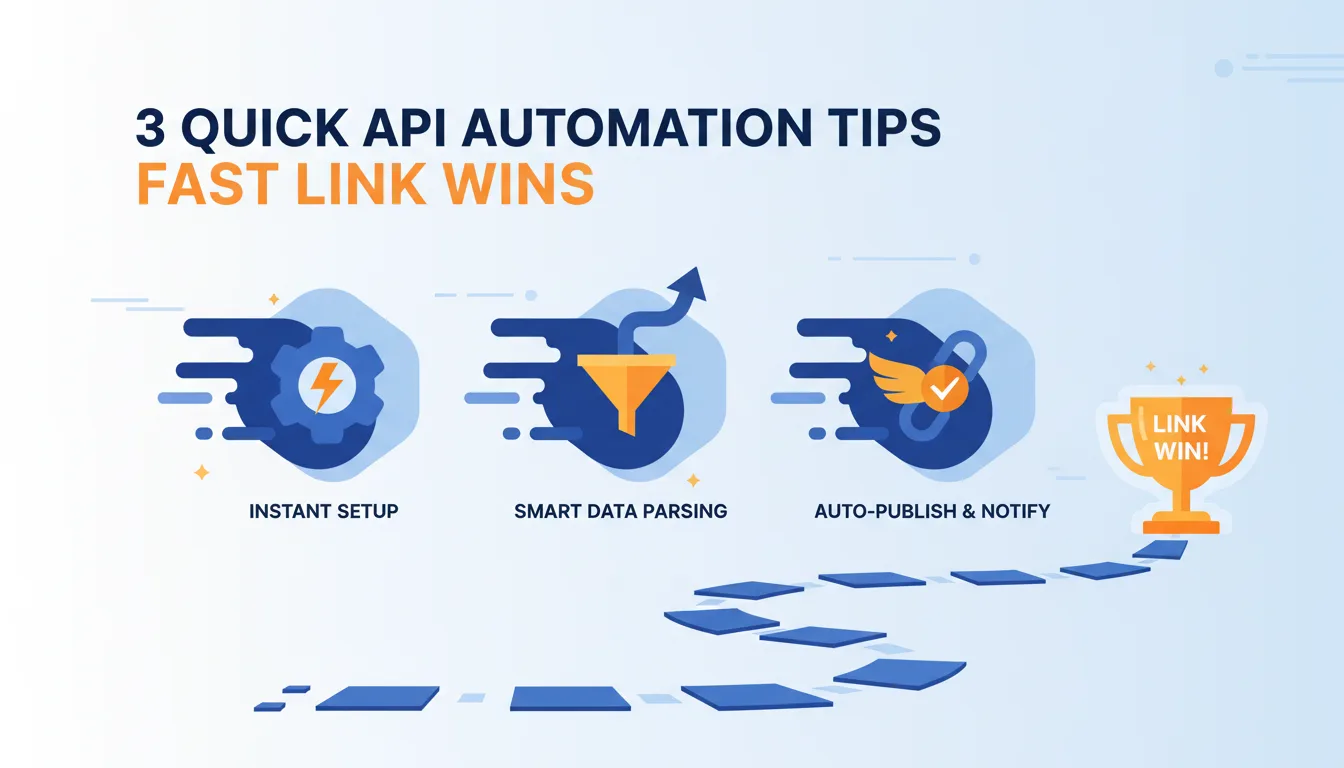
3 Quick API Automation Tips for Fast Link Wins
Ready to get started?
Join thousands of users who are already using our platform to manage their links efficiently.
Create Your Free AccountAre you still battling spreadsheets, manually shortening links for every new campaign, content piece, or product launch? Do you find yourself spending precious time painstakingly updating individual links when a destination URL inevitably changes, or compiling click data for your reports that could be better spent on strategy?
If you answered yes, you're not alone. But here's the thing: you're likely leaving significant efficiency gains on the table. In the lightning-fast world of digital marketing and content management, speed and accuracy aren't just buzzwords – they're paramount. This is precisely where API automation for link management truly shines, offering immediate, tangible benefits that transform those tedious, time-consuming tasks into streamlined, effortless processes. We're not just talking about saving a few minutes here and there; we're talking about eliminating errors, gaining much deeper insights, and unlocking unparalleled scalability for your efforts.
Now, you might be thinking, "API automation sounds incredibly complex, like a job strictly for a seasoned developer." And honestly, that's a common misconception! But with the right approach and a laser focus on quick wins, anyone with even a basic understanding of scripting or familiarity with popular no-code tools can tap into this incredible power. We're talking about making fast improvements and seeing immediate results that directly boost your workflow and impact your bottom line. Ready to dive in?
Unlocking the Power of API Automation for Link Management
So, what exactly *is* API (Application Programming Interface) automation for link management? At its core, it means you're programmatically controlling your shortened links. Instead of logging into a dashboard, clicking around, and manually entering data, you're sending direct commands to your link management platform. This hands-on, programmatic control allows for unprecedented control and remarkable efficiency that simply isn't possible with manual methods.
API automation is your secret weapon, transforming manual, repetitive link tasks into automated, scalable workflows. Think of it as letting intelligent machines handle the grunt work, freeing you up to focus on the bigger picture – your strategy, creativity, and connection with your audience.
Why do we call this a "quick win" strategy? Because many of the most time-consuming aspects of link management involve actions that are, by nature, repetitive. Consider creating dozens of unique links for a new campaign, updating multiple existing links all at once, or constantly fetching performance data for your daily reports. These are all tasks that an API can accomplish in a mere fraction of the time it would take manually, often with just a few lines of code or a simple, intuitive setup in a no-code automation platform like Zapier or Make. It's truly a game-changer!
Why API Automation Is Your Next Smart Move
Embracing API automation for your links delivers immediate, tangible benefits that are simply too good to ignore. Let's break down some of the most compelling advantages:
- Blazing Speed: Imagine generating hundreds, even thousands, of unique, perfectly trackable links in mere seconds, not hours. This incredible speed is absolutely crucial for large-scale marketing campaigns, personalized content delivery, or rapid-fire social media initiatives.
- Pinpoint Accuracy: Let's be honest: manual data entry is inherently prone to errors. A simple typo can derail a campaign. Automation completely eliminates these human errors, ensuring that every single link is correctly configured, points to the right destination, and carries all the right tracking tags. Flawless execution, every time.
- Seamless Integration: The beauty of an API is its ability to connect. You can integrate your link management directly into your existing marketing automation platforms, CRM systems, content management systems (CMS), or any internal tools you rely on. This creates beautifully cohesive workflows where links are generated and managed as an integral part of a larger process, rather than a disconnected, isolated task.
- Instant Updates: Need to make a change? No problem. With an API, you can modify destination URLs, adjust custom aliases (if available and not already permanent), or tweak tracking parameters across dozens or even hundreds of links simultaneously. The best part? These changes propagate immediately, meaning your audience always gets to the right place.
- Enhanced Data Access: Say goodbye to manual data exports! An API lets you pull detailed click analytics directly into your custom dashboards or reporting tools. This means real-time insights, granular performance monitoring, and the ability to make data-driven decisions faster than ever before.
These aren't just theoretical advantages, folks; they translate directly into saved time, significantly reduced operational costs, and dramatically improved campaign effectiveness. So, are you ready to unlock these quick wins? Let's dive into three specific, actionable tips that will help you achieve them.
Tip 1: Automate Link Creation for Campaigns and Content
Think about your daily grind. One of the most common and undeniably time-consuming link-related tasks is the creation of new shortened links. This becomes particularly draining when you need *many* of them. Picture an email marketing campaign with unique tracking parameters for each and every subscriber, a large batch of social media posts ready to deploy, or an affiliate program that requires distinct, trackable links for every single partner. Sound familiar? That's your quick win waiting to happen!
Take a moment to identify any process in your current workflow where you consistently create new links based on a template or a long list of URLs. That, my friend, is your prime candidate for automated link creation. Stop copying, start automating!
The Quick Win: Batch Creation and Dynamic Personalization
Instead of the monotonous task of copying, pasting, and shortening each URL one by one, an API empowers you to feed it a list of long URLs (or even generate them dynamically based on other data points). In return, you receive a corresponding list of perfectly shortened links, ready for action. This capability is a massive time-saver for anyone managing digital campaigns at scale. We're talking about exponential gains in efficiency here!
Practical Applications You Can Implement Today:
- Marketing Campaigns Galore: Imagine launching a major seasonal sale. You'll need unique links for your Facebook ads, Google Ads, targeted email blasts, and outreach to influencers. Each of these might require different UTM parameters to track performance effectively. An API script can generate all these variations in one swift go, keeping everything organized and trackable.
- Hyper-Personalized Content: For an email drip sequence, wouldn't it be great to have a unique shortened link for each recipient to track individual engagement? You can programmatically generate links like planck.to/welcome-john or planck.to/promo-jane. These can all point to the same base URL but with appended user-specific parameters, giving you incredible insight into individual user journeys.
- Dynamic Product Catalogs: If you're running a growing e-commerce store, automating the creation of short links for new products means they're ready for instant sharing across all your channels the very moment a product goes live. No more waiting around!
Example Scenario: Your Next Email Marketing Campaign
Let's walk through a common scenario. You're sending out an important email blast to a segmented list, and you want each user to receive a unique, trackable link to a special offer. The core long URL for this offer is https://yourbrand.com/special-offer?source=email&campaign=winter-sale. Now, you want to append &user_id=[unique_id] to each link to track individual clicks.
Instead of manually creating hundreds of these links (which, let's be real, no one has time for!):
- First, you prepare a simple spreadsheet containing all your user IDs.
- Next, a simple script (or a workflow built in a no-code tool like Zapier or Make) iterates through each user ID on your list.
- For each user, it intelligently constructs the full long URL: https://yourbrand.com/special-offer?source=email&campaign=winter-sale&user_id=12345.
- Then, it sends an API request to your link management platform (like planck.to) to shorten this long URL, perhaps even suggesting a custom alias like planck.to/ws12345.
- Finally, the API returns the freshly generated short link, which your script then seamlessly inserts into your email template for that specific user.
Boom! You've just created hundreds of uniquely trackable links in minutes, ensuring perfect consistency, virtually eliminating errors, and enabling incredibly granular performance analysis for your campaign – all without a single manual intervention. That's a quick win if we ever saw one!
Tip 2: Streamline Link Updates and Management
Here's a universal truth in the digital world: links are rarely static. Websites get redesigned, product pages relocate, promotions expire, and content pieces are constantly updated with shiny new URLs. Manually tracking and updating every relevant shortened link across your various campaigns can quickly become a monumental, soul-crushing task. And what's the result? Broken links, frustrated users, and unfortunately, missed conversion opportunities.
Anytime a destination URL changes for an existing piece of content or a product, immediately think about how quickly you could update the corresponding short links via API. This proactive approach prevents dead ends and maintains perfect continuity for your audience.
The Quick Win: Dynamic Redirection and Alias Management
The beauty of an API is its ability to let you update existing shortened links instantly. This means you can change a link's destination URL, modify its custom alias (if it's available and not already permanent), or even adjust its expiration date programmatically. This capability is absolutely invaluable for maintaining pristine link integrity and ensuring your audience always reaches the correct, most up-to-date content, no matter where they click.
Practical Applications to Boost Your Workflow:
- Website Migrations & Redesigns: Moving your content to new URLs after a site overhaul? You can batch-update all your relevant short links to point to their new destinations in one fell swoop. No more scrambling!
- Seamless A/B Testing: Easily swap out the destination URL for a short link to point to a different landing page variant. You can conduct A/B tests without creating new short links or having to manually change your original content.
- Expiring Promotions: Set up an automation that gracefully changes a promotional short link (e.g., planck.to/limited-offer) to a general product page or an "offer expired" page once the promotion period ends. No more accidentally sending users to a deal that's no longer valid.
- Effortless Error Correction: Oops, was a link accidentally created with the wrong destination? A quick API call can fix it across all instances where that short link is used. Problem solved in seconds.
Example Scenario: Product Page Redesign
Imagine this: your e-commerce team just revamped the product page for your flagship "Smart Widget." The old URL was https://shop.yourbrand.com/products/smart-widget-v1, but the new, improved page is now at https://shop.yourbrand.com/products/smart-widget-pro. You've used the short link planck.to/smartwidget extensively across your social media, email campaigns, and even printed materials (gasp!).
Instead of manually searching for and updating every single instance of the short link (which, let's face it, is impossible if it's printed!):
- You make a single, elegant API request to update the destination URL for the short link planck.to/smartwidget.
- The API receives your request and, like magic, immediately changes the redirection rule.
- From that very moment on, anyone clicking on planck.to/smartwidget will be seamlessly redirected to the shiny new https://shop.yourbrand.com/products/smart-widget-pro. No broken links, no frustrated customers.
"Maintaining link health isn't just a good idea; it's absolutely critical for user experience and your SEO standing. API automation makes real-time, large-scale updates a reality, effectively eliminating the dreaded 'broken link' nightmare."
Just like that, you've updated hundreds of references to your product page with a single command, ensuring continuous, uninterrupted traffic flow to the correct, most up-to-date content. This protects your valuable SEO, maintains a flawless user experience, and saves you countless headaches. Another quick win in the bag!
Tip 3: Integrate Link Analytics into Your Reporting Workflow
Collecting and analyzing performance data is, without a doubt, crucial for understanding the true effectiveness of your campaigns. But let's be honest: manually logging into a dashboard, meticulously applying filters, exporting data, and then painstakingly importing it into your various reporting tools can be an incredibly repetitive and time-intensive process. This becomes particularly true if you require daily or even hourly updates. Sound like a drain on your valuable time?
Identify any report or dashboard that you regularly update with link click data. This is an excellent candidate for API automation. The goal here is simple: get the data where you need it, exactly when you need it, without lifting a finger.
The Quick Win: Real-Time, Custom Reporting
This is where the API truly flexes its muscles. It allows you to programmatically fetch detailed analytics for all your shortened links. We're talking total clicks, unique clicks, crucial referrer data, geographical insights, and so much more. By automating this data retrieval, you can feed these invaluable insights directly into your custom dashboards, sophisticated business intelligence (BI) tools, or even simple spreadsheets. The result? A dynamic, always up-to-date view of your link performance that helps you make smarter decisions, faster.
Practical Applications to Empower Your Reporting:
- Automated Daily Reports: Imagine setting up a script to run automatically overnight, pulling the previous day's click data for all your key links, and then emailing a concise summary report directly to your team. Waking up to actionable insights? Yes, please!
- Live, Dynamic Dashboards: Integrate link click data directly into your Power BI, Tableau, or Google Data Studio dashboards for truly real-time performance monitoring. You'll always have your finger on the pulse of your campaigns.
- Proactive Anomaly Detection: Build an automation that immediately alerts you if a particular link experiences an unusual surge or sudden drop in clicks. This could signal potential issues, or even better, unexpected virality!
- Streamlined A/B Test Analysis: Automatically compare click-through rates (CTRs) for different short links pointing to your A/B test variants. This makes it incredibly easy to quickly declare a winner and optimize your strategies.
Example Scenario: Monitoring an Ongoing Ad Campaign
Let's say you're running an active ad campaign utilizing several short links, perhaps planck.to/ad-fb-q1 for Facebook and planck.to/ad-tw-q1 for Twitter. You need to provide a daily report to your manager, detailing the clicks, unique clicks, and top referring sources for these links.
Instead of manually extracting this data every single morning (which quickly eats into strategic time):
- A scheduled script automatically executes an API call to your link management platform's analytics endpoint for each relevant short link.
- The API, in turn, returns the raw click data for the specified time range, perfectly formatted.
- Your trusty script then processes this data, intelligently aggregates it, and formats it into a highly digestible report (like a CSV file or a direct update to a Google Sheet).
- Finally, this meticulously prepared report is then automatically emailed to your manager or seamlessly pushed to a shared dashboard.
Voila! You now have automated, precise, and timely reports delivered directly to your stakeholders, freeing up your valuable time for deeper analysis, strategic planning, and creative thinking, rather than being bogged down by manual data compilation. That's a massive win!
Getting Started with API Automation: Your Practical Guide
The truly wonderful thing about these "quick wins" is that you absolutely don't need to be a coding wizard to implement them. Seriously! The key is to start small, identify just one repetitive task that's bothering you, and focus on automating that single thing. Many modern link management platforms, like Planck.to, offer robust APIs that are specifically designed for ease of use, making them accessible even for those new to automation.
1. Accessing the API: Your First Step
Your very first step on this automation journey is to locate your API key within your chosen link management platform's settings. This unique key is like your digital passport; it authenticates your requests, ensuring that only *you* can make changes to your links. Once you have that, familiarize yourself with the platform's API documentation. Don't let the word "documentation" scare you! This is your instruction manual, detailing all the available endpoints (like specific commands for creating links, updating them, or fetching analytics), the required parameters for each command, and what kind of responses you can expect back.
2. Choosing Your Automation Tool: Pick Your Weapon
You've got options, and the best choice really depends on your current comfort level and technical skills:
- Simple Scripts (Python, Node.js, PHP, etc.): If you possess some basic coding skills, writing a small script will give you the most flexibility and power. Libraries like Python's requests make sending HTTP requests incredibly straightforward, often just a few lines of code.
- No-Code/Low-Code Platforms (Zapier, Make, Pipedream): These tools are absolutely fantastic for non-developers, or for those who want to get things done quickly without deep coding. They allow you to connect different applications and define sophisticated workflows using simple triggers and actions. You can typically use their "Webhooks" or "HTTP Request" modules to interact with virtually any API, including your link management platform's.
- Custom Applications: For more complex or deeply integrated solutions, where you need highly specific logic or a bespoke user interface, you might consider building a dedicated application that interacts with the API.
3. The Basic Workflow: It's Simpler Than You Think
Regardless of the tool you choose, the fundamental steps for interacting with an API are remarkably similar:
- Authentication is Key: Always include your API key in your request (usually in a header) to prove your identity and authorize the action.
- Make Your Request: Send an HTTP request (this could be a GET, POST, PUT, or DELETE request) to the appropriate API endpoint, making sure to include all the necessary parameters (for example, the long URL when you're creating a new link, or the short link ID when you're updating an existing one).
- Handle the Response: The API will then send back a response, typically in a structured JSON format. This response will indicate whether your request was successful or if there was an error, and it will also provide any requested data (like your shiny new short link, or the detailed analytics data you asked for).
Remember, Rome wasn't built in a day, and neither will your entire automation system! Don't try to automate absolutely everything at once. Instead, pick just one of the tips above – like batch creating campaign links – and focus on getting that single automation working flawlessly. Build confidence, see the immediate benefits, and then gradually expand your automation efforts. You've got this!
Conclusion: Your Journey to Smarter Link Management Begins Now
The era of manual, painstaking link management? It's officially over. By wisely embracing the power of API automation, you can unlock immediate and truly significant efficiency gains, effortlessly turning those tedious, repetitive tasks into genuine quick wins for your business. We've explored three incredibly practical tips to get you started:
- Automating link creation for campaigns and content, which saves you countless hours of manual data entry and ensures accuracy.
- Streamlining link updates and management, safeguarding your link integrity and ensuring a consistently seamless user experience for your audience.
- Integrating link analytics into your reporting workflow, providing you with real-time, custom insights without the chore of manual exports.
These aren't just minor adjustments to your workflow; they represent foundational shifts that empower your team to operate with far greater speed, accuracy, and strategic focus. The time you save by automating these tasks can then be intelligently reinvested into deeper analysis of your results, developing more creative strategies, and connecting more meaningfully with your audience. Think about it: the initial effort to set up these automations will pay dividends almost immediately, and continue to do so for the long haul. That's a return on investment you can't ignore!
So, please, don't let the term "API automation" intimidate you. Start with one simple task, leverage the fantastic resources and tools available to you, and witness firsthand just how quickly you can achieve significant, impactful improvements in your link management strategy. Your path to smarter, faster link wins truly starts today. What are you waiting for?
Ready to get started?
Join thousands of users who are already using our platform to manage their links efficiently.
Create Your Free Account