Branded Links & Bad Data? A Planck Fixer's Tale
Ready to get started?
Join thousands of users who are already using our platform to manage their links efficiently.
Create Your Free AccountThe Midnight Call: A Tale of Missing Data
It was 11:45 PM on a Thursday. My phone buzzed, cutting through the quiet of my apartment. The caller ID? "Sarah - CMO, Aura Athletics." Now, Sarah and I go way back, having navigated the choppy waters of digital marketing together for years. A late-night call from her usually meant one of two things: either we’d hit a viral home run, or we were staring down a full-blown digital marketing disaster. Given the increasingly frantic Slack messages I’d received all evening, my gut told me it was definitely the latter.
"Our data is a complete mess," Sarah blurted out, no time for pleasantries. "We just launched our massive Q3 influencer campaign this morning, all decked out with our shiny new custom domains. The links themselves? Gorgeous, truly. But Google Analytics is showing a terrifying 40% drop in attributed traffic. Everything’s just dumping into the dreaded 'Direct' bucket, and my conversion tracking dashboard looks like a ghost town. Oh, and the CEO? He wants a full report by 9 AM."
Sarah was living a classic digital nightmare. On the surface, she’d done everything right. She knew that generic, ugly short links often scream "spam," so she smartly invested in a custom domain. Her goal? To create fully Branded Links, ensuring every single customer touchpoint perfectly reflected Aura Athletics. Sounds like a solid plan, right? The problem wasn't the beautiful facade; beneath that glossy exterior, the crucial data plumbing had sprung a catastrophic leak.
I sighed, grabbed another cup of coffee – because, let's be real, you don't fix a multi-million dollar campaign on lukewarm coffee – and fired up my laptop. It was time to open the fixer's playbook. This is the story of how we dove headfirst into the bad data, patched those invisible leaks, and ultimately rescued a massive campaign from an analytics black hole.
The Panic Room: Formulating the Problem Statement
Before you can even think about patching a leak, you first have to figure out exactly where the water's gushing from. Here's the thing about branded links: they’re incredibly powerful tools for any digital marketer. By baking your brand name directly into the shortened URL (think yourbrand.com/sale, for instance), you're instantly building trust, boosting click-through rates, and ensuring consistent brand messaging across every channel – social media, SMS, email campaigns, you name it.
However, and this is where many marketers hit a snag, when you introduce a custom domain into your link management setup, you're essentially adding a new routing station into the journey between a user's click and their final destination. If this routing station isn't configured with meticulous attention to Data Accuracy, it won't just misroute traffic; it'll aggressively strip away the very tracking parameters that make digital marketing measurable in the first place. And without those, you're flying blind.
The Expectation vs. Reality
Sarah's vision, like any good CMO's, was wonderfully straightforward: An influencer shares a shiny branded link. A user clicks it. The link registers the click and then, like magic, smoothly forwards that user to the product page with all the crucial UTM parameters still attached. Her CRM would then read those UTMs, confidently attribute the sale to the right influencer, and everyone would pop champagne. Simple, right?
The reality, unfortunately, was a fractured, messy nightmare. Her custom domain wasn't acting like a helpful guide; it was more like a zealous bouncer at an exclusive club. It was letting visitors in, sure, but it was aggressively stripping them of their tracking IDs – those all-important UTM parameters – before they ever made it through the front door of the product page. Talk about a rude awakening!
When Vanity Metrics Turn Vain
"I’m staring at the click dashboard, and it says we’ve got 50,000 clicks," Sarah recounted, her voice still laced with panic. "But my Shopify dashboard? It’s only showing 12,000 sessions from these links. Where on earth did the other 38,000 go?"
That stark discrepancy? That's the signature mark of a tracking failure. Her vanity metrics – like those impressive raw click counts – were wildly inflated, while the actionable business metrics, the ones that truly matter for conversions and ROI, were utterly starving for data. We couldn't trust anything we were seeing. Clearly, we needed to go beyond the numbers and really dig into the symptoms.
The Symptoms Checklist: Decoding the Mess
With Sarah on the line, I had her share her screen. My troubleshooting process for link management issues is pretty systematic; I always run through a specific checklist of symptoms. In the fascinating (and sometimes frustrating) world of link data accuracy, these symptoms typically point directly to a misconfiguration. Think of it like a doctor diagnosing an illness – the symptoms tell you where to look.
Symptom 1: The Traffic Black Hole (Direct Traffic Surge)
The first thing that screamed at me from Sarah's Google Analytics dashboard was a massive, inexplicable spike in "Direct / None" traffic. When a link doesn't redirect correctly, it often drops all the precious referral data. To the analytics platform, it looks completely bonkers: thousands of users suddenly woke up, opened their browsers, and perfectly typed out a complex, 60-character product URL by sheer memory alone. Yeah, right.
- Crucial referrer data? Completely missing.
- UTM parameters (source, medium, campaign)? Nowhere to be found on the landing page URL.
- And worst of all, attribution models? Failing entirely.
Symptom 2: The Bot Invasion
Next up, we dove into the raw click logs. Sarah's links were registering thousands of clicks within seconds of being posted on social platforms like X (Twitter) and Facebook. Now, she definitely works with popular influencers, but these click patterns were entirely, unequivocally non-human. It was a digital stampede, but one powered by algorithms, not actual people.
If you're ever seeing a massive, sudden spike in clicks accompanied by a chilling 0% conversion rate and a 100% bounce rate, I've got some news for you: you aren't going viral. What you're experiencing is likely your links being indexed by social media platform scraper bots that generate those handy preview cards. They're clicking, but they're not converting!
Symptom 3: The Security Warning (SSL Mismatch)
And finally, perhaps the most damaging symptom of all. For a subset of users, particularly those clicking links from older email clients, they weren't even making it to the product page. Instead, they were greeted by a terrifying, bright red browser warning: "Your connection is not private." Can you imagine the immediate distrust? This alone was costing Sarah thousands upon thousands of dollars in abandoned clicks and lost potential customers.
The Root Causes: Why Good Links Gather Bad Data
With all the symptoms meticulously documented, the whole picture became crystal clear to me. Sarah wasn't wrestling with some obscure software bug; she was up against fundamental infrastructure misconfigurations. You see, branded links need a precise, almost elegant, handshake between Domain Name Servers (DNS), SSL certificates, and URL redirect rules. If any part of that handshake falters, you've got problems.
Cause 1: Naked Domain vs. Subdomain Conflicts
Sarah had bravely set up her custom link domain as aura.link. However, and this is a common pitfall, she hadn't properly configured the A-records for the root domain. Instead, only the CNAME for the www subdomain was correctly pointing. So, when users clicked a link formatted as aura.link/summer, the DNS resolver simply got confused. Some browsers might have been clever enough to auto-correct it, but many others just dropped the connection entirely, leaving users stranded.
Cause 2: The HTTP to HTTPS UTM Stripper
Ah, this was the big one. The main culprit for all that heartbreaking data loss. Sarah's branded links were initially routing through an insecure HTTP connection. Before they could reach their final, secure destination, the server was trying to force an HTTPS upgrade. During this security upgrade redirect, the server was executing a standard 301 redirect – which is fine in itself – but it was critically failing to append the query string (the UTMs!) to the new, secure URL. Poof! All that valuable tracking information, gone in a single hop.
Here’s the absolute truth: data accuracy hinges entirely on the preservation of the Query String. If your branded link redirects a user without meticulously passing those ?utm_source=xyz parameters along to the final destination URL, then your analytics tools will be utterly blind to where that user actually came from. It's like sending a detective on a case but stripping them of all their clues at the first turn.
Cause 3: Lack of Intelligent Bot Filtering
Those wildly inflated click counts? They were a direct result of a lack of intelligent bot filtering. Picture this: an influencer posts a link, and immediately, platforms like Meta and X (formerly Twitter) dispatch their scraper bots. Their mission? To "read" the link and generate that lovely image preview. Sarah's basic link setup, however, was mistakenly counting these automated server pings as unique, human clicks. This wasn't just misleading; it was completely destroying her Conversion Rate (CVR) metrics, making it impossible to gauge actual campaign performance.
The Fixer's Playbook: Step-by-Step Resolutions
It was 1:15 AM. The diagnosis was complete, and the clock was ticking. No more theorizing; it was time to get down to business and execute a step-by-step plan to restore data accuracy to Aura Athletics' multi-million dollar campaign. The pressure was on, but that's where the real fun begins.
Step 1: Repairing the DNS Foundation
First things first, we had to fix the routing. We logged into Sarah's domain registrar, and I guided her through deleting the conflicting A-records that were, quite unhelpfully, pointing to an old, unused web server. It was like clearing out old, irrelevant road signs.
- We then established a single, clean CNAME Record, precisely pointing her custom domain directly to Planck.to's designated host.
- Crucially, we made sure both the root domain (e.g., aura.link) and the 'www' version (e.g., www.aura.link) were correctly routing to the same destination. This prevents any accidental drop-offs, ensuring every click finds its way home.
Step 2: Enforcing Secure, Parameter-Preserving Redirects
Next up, the notorious missing UTMs. This was the core data leak we needed to plug. We migrated her setup to Planck.to, which, thankfully, natively handles secure custom domain routing. Within the platform's settings, we provisioned a brand-new, fresh SSL certificate specifically for her branded domain. This was a game-changer.
By securing the link right at its point of origin, we completely eliminated that problematic HTTP-to-HTTPS redirect hop that had been so ruthlessly stripping her UTMs. Now, whenever a branded link was clicked, Planck.to would execute a pristine, secure 301 redirect. The best part? It was explicitly configured to forward all query strings appended to the short link, every single time. Data integrity restored!
Establishing end-to-end SSL encryption on the custom domain delivered immediate results. The terrifying browser security warnings vanished instantly, rescuing countless abandoned mobile clicks and, most importantly, fully restoring the integrity of all those vital tracking parameters.
Step 3: Activating Intelligent Bot Filtering
To finally clean up that messy click data, we simply toggled on Planck.to's advanced bot-filtering mechanism. This clever feature cross-references all incoming clicks against a comprehensive database of known IP addresses belonging to social media scrapers, search engine crawlers, and server farms. It intelligently registers the bot hit – so the preview image still loads perfectly – but then strategically excludes it from the human analytics dashboard. This meant Sarah would finally see legitimate click counts, not phantom visitors.
Verification: Proving the Plumbing Works
By 2:30 AM, the fixes were fully implemented. But here’s a golden rule in the world of data accuracy: you never, ever assume something works until you can unequivocally prove it with live traffic. We weren't out of the woods yet; we needed rock-solid verification.
Live Testing the Links
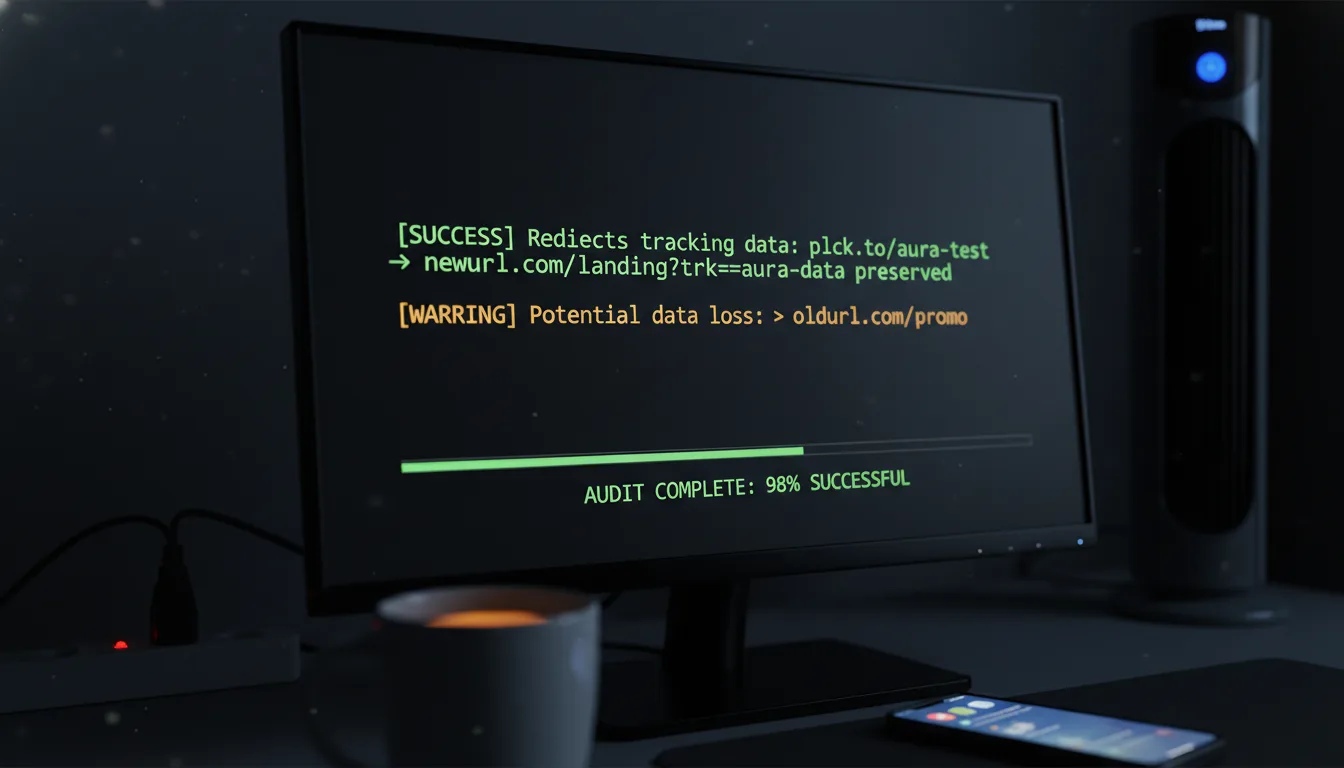
I quickly generated a test link using a neutral domain we keep specifically for these kinds of scenarios: planck.to/aura-test. To make it undeniable, we attached a heavily customized UTM string to it: ?utm_source=fixer_test&utm_medium=late_night&utm_campaign=rescue. Unique, memorable, and impossible to mistake.
I clicked that link from my phone, intentionally off the corporate Wi-Fi to perfectly simulate a real user out in the wild. On her end, Sarah watched the real-time analytics dashboard in Google Analytics with bated breath.
"I see it!" Sarah cheered, her voice bursting with relief over the phone. "Source is fixer_test. Medium is late_night. The data is passing through perfectly!" It was a moment of pure triumph.
Auditing the Analytics Handoff
We didn't stop at just one click. Oh no. We painstakingly ran those test links through Facebook Messenger, sent them in a test SMS blast, and even drafted a tweet to ensure that no platform-specific wrappers or oddities were breaking our brand-new, pristine setup. Every single test showed up cleanly, accurately, and without a hitch in the analytics dashboard. The dreaded direct traffic spike was completely halted, and attributed traffic was finally flowing again. The plumbing worked, beautifully!
Always, always, always perform a "Real-Time Tracking Audit" before you even think about launching a massive campaign. Seriously, open your analytics platform, click your own test links using various network environments (your home Wi-Fi, cellular data, a VPN), and then obsessively verify that your unique UTMs register accurately. It’ll save you a whole lot of midnight calls.
The Shield: Prevention Tips for Future Campaigns
The fire was out, the CEO’s 9 AM report was saved, and Sarah’s branded links were finally performing exactly as intended. Disaster averted! But a truly good fixer doesn't just patch a gaping hole; they help you build a robust shield to prevent the next one. With the dust settled, here's the comprehensive playbook we put together for Sarah and her team to ensure rock-solid data accuracy for all their future campaigns.
Tip 1: Lock Down Your Naming Conventions
Here’s a truth bomb: inconsistent data is just as bad, if not worse, than missing data. Why? Because it makes analysis a nightmare. We immediately implemented a strict rule for Sarah's team: all branded links must adhere to a standardized UTM taxonomy. Think about it: if one influencer link uses utm_source=Instagram and another uses utm_source=ig, your analytics will fracture into meaningless silos. The solution? Use lowercase, replace spaces with underscores, and most importantly, document that taxonomy thoroughly. Make it a team-wide mandate.
Tip 2: Standardize the Link Architecture
When you're creating branded links, always define the expected behavior for your base domains. What happens if someone just types aura.link without a specific slug? We configured a default redirect for her root domain. Now, if someone accidentally types only the branded domain, they're safely redirected to the main Aura Athletics homepage instead of hitting a frustrating, campaign-killing 404 error page. It's about gracefully handling every possible user interaction.
Tip 3: Monitor Link Health Proactively
Don't wait for a horrifying 40% drop in traffic to clue you in that something's wrong with your link health. That's a reactive approach, and as Sarah learned, it can lead to sleepless nights! Instead, set up automated reports within your link management platform to alert you to any anomalies. If clicks suddenly spike by 10,000% in five minutes, or if your error rates creep up unexpectedly, you should be the absolute first to know – not the last person to find out when the CEO is asking questions.
Data accuracy isn't a one-and-done setup; it's an ongoing, diligent discipline. As browsers continually update their privacy protocols and social networks tweak their scraper bots, your link infrastructure needs to be agile and adapt. Staying on top of these changes is key to maintaining clear, actionable tracking visibility for your campaigns.
Conclusion: The Power of Perfect Plumbing
Branded links, when done right, are truly incredible assets for any digital marketer. They transform those clunky, untrustworthy strings of random characters into polished, recognizable touchpoints that build confidence with your audience. But as Sarah discovered during our very late-night troubleshooting session, a link, no matter how pretty, is only as good as the data it carries. Without accurate data, those pretty links are just… pretty links.
By simply ensuring your DNS records are clean and pointing correctly, your SSL certificates are actively provisioned, and your redirects are meticulously configured to preserve every single query string seamlessly, you’re doing more than just fixing a technical glitch. You're actively protecting the very lifeblood of your marketing campaigns: your invaluable data. It's the difference between guessing and knowing, between floundering and truly thriving.
The next morning, right on time, Sarah sent me an email. The subject line was short, sweet, and perfectly descriptive: "Report delivered. CEO is thrilled." Inside, she shared the fantastic news: the remaining influencers had posted their new, perfectly configured links – like planck.to/aura-jessica and planck.to/aura-mike – and her dashboard was finally lighting up with perfect, attributed, and highly accurate data. The panic room was officially closed, the campaign was back on track, and this fixer could finally, finally get some much-needed sleep.
Ready to get started?
Join thousands of users who are already using our platform to manage their links efficiently.
Create Your Free Account