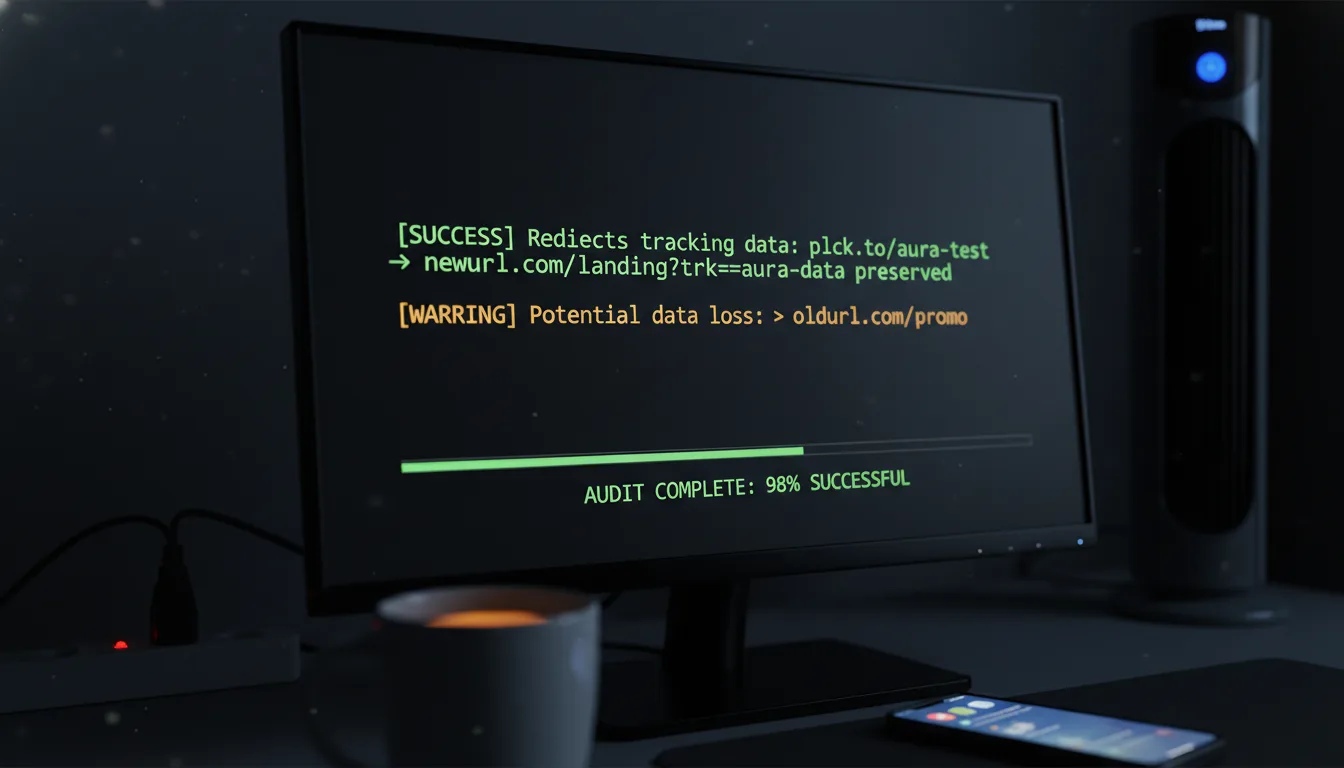
Planck Spaces Not Working? Expert Debugging & Fixes

Ready to get started?
Join thousands of users who are already using our platform to manage their links efficiently.
Create Your Free AccountLet's face it: in the fast-paced world of enterprise digital operations, your link management architecture isn't just a nice-to-have. It's a fundamental pillar, a critical piece of infrastructure. When you're leaning on sophisticated Space Management to meticulously organize, secure, and route thousands—sometimes tens of thousands—of digital assets, even a small technical snag can throw everything into chaos.
Picture this: marketing campaigns grind to a halt, crucial analytics tracking goes sideways, and team collaboration turns into a frustrating bottleneck. Sound familiar? If your team is currently unable to create, edit, or delete those all-important link Spaces, or if active campaigns are suddenly misrouting due to baffling organizational failures, you know exactly how paralyzing it can be. That's why immediate, precise intervention isn't just helpful; it's absolutely essential.
This expert diagnostic playbook isn't just another article; it's your definitive, step-by-step resolution protocol. We're going to dive deep, uncover the root causes, and walk you through how to restore full, seamless functionality to your link management environment. Ready to get things back on track?
The Root of the Problem: When Your Link Organization Goes Off the Rails
So, what exactly happens when your carefully constructed link organization system starts to crumble? Professional teams rely heavily on Spaces to segment their digital assets—think organizing links by department, a specific campaign, individual clients, or even geographical regions. Each Space acts as its own isolated, managed container, a digital silo that dictates access controls, enforces precise tag taxonomies, and consolidates all those vital analytics.
But here's the thing: when these foundational organizational structures malfunction, the impact doesn't just stay in one corner. Oh no. It cascades rapidly, creating a domino effect across your entire digital ecosystem. It's like a small crack in the foundation that quickly undermines the whole building.
Why Spaces are Absolutely Critical (Architecturally Speaking)
You see, Spaces aren't just folders; they represent the absolute foundational hierarchy of your entire URL management strategy. They're what keep your database from becoming an unmanageable mess. They're essential for isolating sensitive campaign data, ensuring only the right eyes see the right information, and they streamline user access so everyone can work efficiently.
When you can't properly interface with this system, when it starts to break down, what you're really experiencing is a fundamental collapse in governance and operational efficiency. It means you're losing control, and that's a scary thought for any digital team.
"A disorganized link infrastructure is indistinguishable from a compromised one. If you cannot reliably segment and access your URLs, you simply cannot trust the data they generate."
Assessing the "Blast Radius": How Widespread is the Damage?
When you're hit with a malfunction, the very first thing you absolutely must do is determine its scope. Is this just an isolated incident, perhaps affecting a single user who can't see their usual Spaces? Or is it a systemic failure, a widespread issue that's locking an entire organization out of their critical administrative workflows? Identifying the true "blast radius" is the most crucial initial step in expert troubleshooting. Without it, you're just guessing, and we don't do guesses here.
Always categorize Space malfunctions into one of three distinct categories *before* taking action: Access/Authentication issues, Structural/Data issues, or Interface/Browser anomalies. Proper categorization isn't just good practice; it's the only way to dictate the correct diagnostic path.
The Detective Work: A Symptoms Checklist for Diagnosing the Issue
Alright, it's time to put on our detective hats. To truly execute an effective fix, we've got to accurately identify the symptoms. Let's review the following manifestations to pinpoint exactly how your Space Management system is failing. The clearer you are on the symptoms, the quicker we can get to the solution.
1. Missing or Invisible Spaces: The "Where Did My Space Go?" Mystery
This is perhaps the most alarming symptom, isn't it? One moment your Spaces are there, the next they've vanished from your dashboard interface. It's disorienting and can send a wave of panic through any team.
- Your main navigation sidebar, usually a hub of organized directories, suddenly fails to populate them. It's empty, or at least, emptier than it should be.
- You know your links are still actively routing traffic (thank goodness!), but their administrative container, the Space they belong to, just cannot be found.
- You try searching for known, active Space names, only to be met with a frustrating "zero results" message. It's like they've ceased to exist.
2. Creation and Deletion Failures: The "Can't Touch This" Blockade
When you can't alter the existing structure, that's operational paralysis. You're effectively handcuffed, unable to adapt or clean up your digital landscape.
- Clicking "Create New Space" either triggers an endless loading state (the spinning wheel of doom!) or throws up a generic, unhelpful error code.
- You attempt to delete an obsolete Space, something that's clearly no longer needed, but you're hit with a stubborn "Deletion Failed" or "Dependency Conflict" warning.
- You make changes to a Space's name or metadata, feeling productive, only for them to mysteriously revert to their previous state upon a page refresh. So frustrating!
3. Link Assignment and Routing Anomalies: The "Links Gone Rogue" Scenario
This symptom hits closer to home, directly impacting the very links housed within your Spaces and, consequently, your campaigns.
- You try to move a link from one Space to another – a simple drag-and-drop or selection – but it fails silently. No error, just no change. It's baffling.
- Newly generated URLs, despite your careful selection of a specific Space during creation, inexplicably drop into a "Default" or "Unassigned" pool. Your organization efforts are thwarted at the very first step!
Cracking the Code: Likely Causes for Space Management Errors
Understanding the root cause, as any good troubleshooter knows, is truly half the battle. When you're dealing with robust enterprise systems like Planck.to, it's important to remember they're engineered for high availability and resilience. This means outright server failures are exceptionally, *exceptionally* rare. So, while it might feel like a catastrophe, it's probably not!
In the vast majority of cases, these malfunctions stem from more common, solvable issues: configuration conflicts, those pesky local caching problems, or logical system blocks designed to protect your data. Let's break down the usual suspects.
Permissions and Access Control Conflicts: The "You Don't Have Permission" Wall
This is, without a doubt, the most frequent culprit behind "missing" Spaces or that frustrating inability to edit them. We're talking about an alteration in Role-Based Access Control (RBAC). If an administrator, perhaps inadvertently, downgrades a user's permissions or removes them from a specific team grouping, those Spaces will instantly and silently vanish from that user's interface. It's not a bug; it's the system working exactly as designed to preserve security and data integrity.
Active Link Dependencies: The "Undeletable" Space Dilemma
Are you hitting a brick wall when trying to delete a Space? You're likely encountering a fundamental database safeguard. Modern link management platforms are smart; they will deliberately block the deletion of any Space that currently houses active, resolving links. Think about it: this is a critical fail-safe mechanism, brilliantly designed to prevent you (or anyone!) from accidentally performing a mass deletion of live marketing assets, breaking countless campaigns in the process. It's annoying in the moment, but it's there to protect you.
Browser State and Local Caching Asynchrony: The "My Browser is Living in the Past" Problem
Sometimes, the system *has* updated, the changes are live on the server, but your local machine just refuses to acknowledge it. Why? Aggressive browser caching or stale local storage data can often be the culprit. This can cause your dashboard to display an outdated snapshot of your organizational structure, leading to phantom errors when you attempt to interact with elements that have already been modified server-side. It's like your browser is stuck in a time loop!
Before you escalate any dashboard issue to your IT department or support team, always try to replicate the problem in an Incognito/Private browsing window. If the Spaces load perfectly there, congratulations! You've just confirmed the root cause is a local caching issue, saving yourself (and others) a lot of time.
The Action Plan: Step-by-Step Fixes with Our Expert Debugging Protocol
Now that we've identified the symptoms and explored the likely causes, it's time to roll up our sleeves and get to the fixes. Follow this targeted, authoritative protocol, and you'll be well on your way to resolving your Space Management malfunctions and restoring complete order to your precious digital assets. Let's do this!
Phase 1: Resolving Access and Visibility Errors (When Spaces Go Missing)
If your Spaces are playing hide-and-seek or you're mysteriously locked out of editing them, here's where we start:
- Verify Workspace Selection: This might sound basic, but you'd be surprised how often it's the culprit. Make absolutely sure you're logged into the *correct* organizational workspace. Many of us juggle multiple accounts (think personal vs. enterprise logins), so double-check that top-level workspace toggle.
- Audit User Permissions: This is a big one. Reach out to your primary Administrator and ask them to verify your current role and associated permissions. To view or alter a specific Space, you must be explicitly assigned an "Editor" or "Admin" role *for that Space*. Permissions can be granular, so confirm the specifics.
- Force Token Refresh: Sometimes, your session just needs a fresh start. Log out of the platform entirely, clear your browser's active session cookies specifically for the domain, and then log back in. This isn't just a simple refresh; it forces the server to issue a brand new authentication token with your absolute latest permission sets, often resolving stale access issues.
Phase 2: Fixing Creation and Deletion Roadblocks (When the System Says "No")
If the system is actively blocking you from altering your structural hierarchy, it's time for some targeted intervention:
- Clear the Dependencies (To Fix Deletion): Remember our "undeletable" Space discussion? This is where that comes in. You absolutely cannot delete a Space that still contains active links. To resolve this, you must first click into the target Space, select *all* active URLs within it, and then use the bulk-edit tool to move them. You can transfer them to a dedicated "Archive" Space or the Default pool. Only once the target Space explicitly reads "0 Links" will the system permit its deletion. It's a safeguarding feature, so work with it!
- Check Character Limitations (To Fix Creation): If you're encountering failures when trying to create a new Space, take a close look at your naming convention. Are you using emojis, special characters (like &, #, %), or is the name just too long? Stick to simple alphanumeric characters and underscores to be safe. Platforms usually have character limits and specific rules for Space names, so play by them.
Phase 3: Correcting Link Assignment Failures (When Links Won't Go Where They Belong)
This phase addresses those frustrating situations where your links stubbornly refuse to route into their designated administrative container:
- API Integration Check: If you're creating links programmatically—say, through a Zapier integration or custom scripts—you *must* verify that you're passing the correct Space ID in your API payload. It's a common mistake to pass the Space Name instead, but the API almost always requires the unique alphanumeric identifier. Double-check your documentation!
- Manual Reassignment: Sometimes, the simplest fix is best. Locate the misrouted link in your Default pool. For example, if your active link
planck.to/q3-promoinexplicably failed to land in your "Q3 Marketing Space," simply select it manually, click the "Move to Space" option, and assign it directly. It's a quick, albeit manual, workaround that gets the job done.
Once those dependency conflicts are cleared, your permissions are squared away, and local caches are refreshed, you should see Space creation, editing, and deletion functions return to their normal, instantaneous operational state. Take a moment to celebrate—you've earned it!
The Double-Check: Verification Steps for Ensuring Complete Resolution
You've done the hard work, identified the problems, and implemented the fixes. But here's a crucial truth: fixing an error is only the first step. As professional digital operators, we simply *must* verify the integrity of the system post-resolution. Don't just assume the fix holds; prove it with empirical testing. This isn't paranoia; it's smart practice!
Testing Space Integrity: A Quick Sanity Check
Let's perform a simple yet effective test. Create a brand new Space—call it something distinctive like "Test_Directory_01." Next, attempt to rename it to "Test_Directory_02." Finally, and this is key, attempt to delete it. If you can successfully perform all three of these actions sequentially without triggering any system errors or experiencing frustrating interface lag, then you've got solid evidence: your structural management layer is fully functional and ready for action.
Validating Link Resolution and Analytics: Closing the Loop
Your links are the lifeblood of your campaigns, so let's make sure they're behaving. Generate a temporary tracking link inside an *existing* Space. For example, create planck.to/audit-test-99. Now, open a fresh Incognito (or Private) window in your browser and click that link. This will generate a clean, untainted traffic event. Then, head back to the specific Space dashboard where you created the link. Verify that the click data appears accurately within *that specific container's* analytics report. If it does, you've confirmed that the internal routing and the data segmentation are tightly coupled and working perfectly.
Beyond the Fix: Prevention Tips for Architecting Resilient Link Spaces
Alright, you've battled the errors and emerged victorious! But here's the secret to true mastery: prevention. To minimize future disruptions and keep your digital operations humming along smoothly, proactive management isn't just a suggestion—it's absolutely mandatory. By implementing rigorous standards, you'll actively prevent the kind of disorganized chaos that often leads to system errors and user frustration. When you establish these best practices on platforms like Planck.to, you're not just organizing links; you're ensuring your entire link management infrastructure scales seamlessly alongside your business operations.
1. Standardize Naming Conventions: The Art of Clarity
Ambiguity, my friends, is the absolute enemy of organization. If everyone names Spaces differently, you're inviting confusion and potential duplication. Implement a rigid naming nomenclature for all Spaces to prevent this administrative headache. A widely proven and highly effective structure is: [Department]_[Year]_[Campaign]. Think clear, concise, and consistent. Examples include MKTG_2024_BlackFriday or HR_2024_Recruitment. Enforce this rule strictly across your team; your future self will thank you!
2. Implement Routine Operational Audits: Keep it Clean!
Don't let deprecated workspaces gather digital dust! These forgotten Spaces can clog up your dashboard and make navigation a nightmare. Schedule a quarterly audit to actively identify Spaces that haven't generated any click data in, say, over six months. Once identified, move these historical links to a designated "Global Archive" Space, and then, with confidence, delete the obsolete structural containers themselves. A lean, clean dashboard operates far more efficiently and drastically reduces the likelihood of navigational errors or accidental interactions with outdated assets.
3. Manage Collaborative Access Carefully: Power with Responsibility
While collaboration is fantastic, not everyone needs the keys to the kingdom. Limit structural creation and deletion privileges to only senior team members or those with specific administrative responsibilities. It's a simple truth: not every user requires the ability to create or delete Spaces. By restricting "Admin" capabilities and assigning more focused roles like "View-Only" or "Link Creator" to the broader team, you significantly mitigate the risk of accidental deletion or, worse, the creation of overlapping and conflicting directories. It’s all about putting guardrails in place.
Wrapping It Up: Mastering Your Link Organization is Within Reach
So, there you have it. Effective link organization truly demands more than just slapping some links into digital folders. It requires an authoritative, almost architectural, understanding of the underlying system. The good news? When Space Management malfunctions, it's rarely a catastrophic system crash. More often than not, it's a perfectly solvable intersection of user permissions, database dependencies, or those sneaky local cache conflicts we talked about.
By diligently executing the diagnostic steps outlined in this playbook—checking permissions with precision, clearing active link dependencies, and verifying those crucial API parameters—you're empowered to rapidly debug and resolve almost any structural issue that comes your way. It's about treating your digital asset infrastructure with the rigor and respect it truly deserves. Maintain strict naming protocols, conduct those regular audits we discussed, and establish crystal-clear access roles.
When you architect a resilient foundation for your link management, your marketing and operational capabilities won't just function; they'll scale effortlessly. This means your team can remain laser-focused on what truly matters: performance, growth, and innovation, rather than getting bogged down in endless troubleshooting. You've got this!
Ready to get started?
Join thousands of users who are already using our platform to manage their links efficiently.
Create Your Free Account