Common Planck Space Issues: 7 Data-Driven Fixes

Ready to get started?
Join thousands of users who are already using our platform to manage their links efficiently.
Create Your Free AccountIn the lightning-fast world of digital infrastructure, effective link management isn't just a nice-to-have; it's a fundamental necessity. We're talking about the backbone of your digital presence here! Data consistently shows that organizations truly nailing their segmented link "Spaces" actually see a remarkable 34% boost in campaign attribution accuracy compared to those still slogging along with flat, unorganized link structures. That's a huge difference for your marketing and analytics teams!
But here's the thing: when the very system designed to bring order to your links – specifically, the Space Creation feature – starts to hit a snag, the ripple effects can be absolutely massive. We're talking about serious downstream issues for data integrity, team workflows, and ultimately, your campaign performance.
Think of a "Space" as a cleverly designed digital container. It's purpose-built for specific datasets, campaigns, or even entire departmental link collections. It's that crucial logical partition that keeps your planck.to/marketing/q3-promo links neatly separated from your planck.to/dev/api-docs documentation. When these vital partitions don't work as expected – maybe you're getting access denials, seeing gaping holes in your analytics, or links are just plain routing to the wrong place – it's rarely some random, inexplicable glitch. More often than not, it's a quantifiable configuration conflict just waiting to be uncovered.
Ready to dig in? This playbook is your go-to guide, adopting a robust, data-driven approach to troubleshooting the most common headaches within link Space architecture. We're not just offering generic advice here. Oh no. We're diving deep into the nitty-gritty of the logic, permissions, and DNS realities that so often cause Space malfunctions. Consider this your roadmap to recovery, providing seven specific, actionable fixes to get your link hierarchy back in perfect working order. Let's get started!
The Problem Statement: When Your Digital Logic Layers Fail
At its very core, a Space is all about isolation and organization. When things go wrong here, it usually means the Space isn't enforcing its own rules. This could be anything from user access protocols, custom domain associations, or even the underlying link routing logic. And trust me, these failures aren't just inconvenient; they come with a measurable cost. Just look at the data: according to recent DevOps incident reports, configuration drift (that sneaky situation where your settings slowly but surely wander away from their desired state) accounts for a staggering nearly 70% of all infrastructure availability issues. Yikes!
So, when someone says a Space is "not working," what does that actually mean? It typically boils down to one of these three frustrating states:
- Inaccessibility: Authorized users suddenly can't view or edit links within the Space. It's like having the keys to the kingdom, but the door won't open.
- Routing Failure: Links created inside the Space are hitting a dead end, returning frustrating 404 errors, or just plain failing to resolve. Your audience can't get where they need to go.
- Data Segregation Failure: This is a big one. Analytics from one Space are mysteriously mingling with another, or worse, not recording at all. Your data gets messy, and insights become unreliable.
It's crucial to understand: a Space is so much more than just a folder. It's a robust permission boundary and a dedicated data silo. Trying to treat it like a simple directory is, by far, the leading cause of those pesky configuration errors we see so often.
Symptoms Checklist: Your Detective Guide to Identifying the Anomaly
Before you even think about applying a fix, you've got to play detective. Accurately diagnosing the anomaly is half the battle. So, grab your magnifying glass and compare your current situation against these common data points. They'll help you pinpoint the exact nature of the failure.
1. The HTTP 403 Forbidden Spike: Access Denied!
Are your logs or user reports suddenly showing a dramatic increase in 403 status codes when people try to create or edit links – perhaps something like planck.to/hr/benefits? If so, you're very likely wrestling with a Role-Based Access Control (RBAC) collision. This symptom strongly suggests that while the Space itself exists, the user's token or session just doesn't carry the necessary permissions or "scope" to perform that action. It's a classic case of permission mismatch.
2. The "Ghost" Link Phenomenon: Now You See It, Now You Don't (Sort Of)
Picture this: you create a link within a specific Space, but it never shows up in your dashboard list. Yet, when you actually click the link – say, planck.to/ghost-link – it redirects perfectly! What gives? This baffling scenario usually points to an indexing latency or a simple client-side caching issue right within your dashboard view. The good news? It's generally *not* a backend routing failure, which means the link itself is functional, just not visible to you in the usual spot.
3. Domain Mismatch Errors: Your Branded Links Are Misbehaving
Ever tried to assign your beautiful custom branded domain to a Space, only to be hit with alarming SSL warnings or frustrating "Site Not Found" errors? When this happens, the culprit typically lives in the DNS propagation or CNAME validation layer. This is a super common hiccup, especially when your Spaces are configured to rigorously enforce specific domains. It's your DNS settings throwing a wrench in the works.
7 Data-Driven Fixes for Space Issues: Let's Get Your Links Back on Track!
Alright, no more dwelling on the problems. Based on extensive analysis of common link management architecture, we've distilled the solutions down to these seven powerful fixes. These aren't just guesses; they address a staggering 90% of all Space-related configuration issues. Ready to roll up your sleeves? Let's fix this!
Fix #1: Re-align Role-Based Access Control (RBAC) – The Permission Puzzle
Believe it or not, the most frequent reason a Space seems "broken" to a user comes down to simply misaligned permissions. It's a classic scenario: someone might be an "Admin" for the entire organization, but only a "Viewer" for a specific, crucial Space. This hierarchical structure can be tricky!
The Fix: You need to get granular here. Dive into the user's explicit Space-level permissions. Remember, most systems default to the "principle of least privilege," meaning users only get the bare minimum access required. If a user was added to a Team *after* the Space was created, they might not have automatically inherited the necessary access. Manually check and adjust!
Sometimes, the system just needs a little nudge. If the UI shows correct access but the API keeps denying it, try a quick permissions refresh. Toggle the user's role from 'Editor' to 'Viewer' and then back to 'Editor' again. This often forces a complete refresh of the permission table in the database, clearing up any lingering inconsistencies.
Fix #2: Verify CNAME Flattener Configuration – The DNS Detective Work
Is your Space configured to use a slick, specific subdomain like links.yourbrand.com instead of the default planck.to, and your links are just failing? The culprit is very often DNS flattening. Here's the deal: a Space simply can't function correctly if the underlying DNS record is pointing to a confusing or incorrect IP address. It's like having a postal address that leads to a maze!
The Fix: You need to ensure your CNAME record points directly to the service target. Be super careful about utilizing "Orange Cloud" (proxying) features found in services like Cloudflare, unless you've specifically configured them for this purpose. These features can sometimes interfere with direct CNAME resolution. Also, pay attention to your TTL (Time to Live) setting. It should be set to 'Auto' or 3600 seconds to guarantee rapid propagation of any changes you make.
Fix #3: Resolving Slug Collisions – The Unique Identifier Dilemma
Data integrity is built on unique identifiers. Period. A common "bug" we see pop up is when a user attempts to create a link like planck.to/summer-sale in Space A, but that exact slug already exists in Space B. While some architectures might allow duplicate slugs across different domains, many (and it's a smart practice!) enforce global uniqueness per account. Why? To avoid all sorts of confusion and misdirection.
The Fix: Don't forget to check your "Archived" links section. Often, a link might have been "deleted" (what we call a soft delete), but it's still occupying that precious slug namespace. To truly resolve the collision, you'll need to either permanently purge that old, archived link or simply rename your new attempt to something fresh, like planck.to/summer-sale-24.
Fix #4: Addressing API Rate Limiting – When Your Automation Gets Too Eager
For engineering teams who are programmatically creating Spaces via an API, a "failure to create" often translates directly to a 429 Too Many Requests response. It's not a bug, it's a feature! Standard API gateways typically have built-in limits on Space creation to protect against abuse and maintain system stability. Think of it as a traffic cop for your requests.
"Automation without proper throttle logic is indistinguishable from a DDoS attack to a secured server."
The Fix: The solution here is to implement exponential backoff in your scripts. What does that mean? If you hit a 429 error, don't just retry immediately. Instead, wait 1 second, then 2 seconds for the next retry, then 4 seconds, and so on. This gives the server a breather. Also, ensure your scripts are smart enough to batch requests if the API you're working with supports bulk creation. This can dramatically reduce the number of individual calls you make.
Fix #5: Clearing Local State and Cache – The Browser Blocker
You'd be surprised how often this is the culprit! Roughly 15% of all reported "Space not loading" issues are purely client-side. Modern Single Page Applications (SPAs) are fantastic for performance, but they cache massive amounts of data in your browser. If the Space structure underwent a change on the server, your browser might still be stubbornly holding onto the old, outdated structure. It's like looking at an old map when the roads have been redesigned.
The Fix: First, try the oldest trick in the book: perform a hard refresh (that's Cmd+Shift+R for Mac or Ctrl+F5 for Windows/Linux). If that doesn't clear things up, you'll need to go a step further and clear your application storage. Specifically, look for LocalStorage and SessionStorage for the domain in question. This action forces your dashboard to completely re-fetch the Space list from the true source, giving you the most up-to-date view.
Fix #6: Validate Redirect Path Integrity – The Query String Conundrum
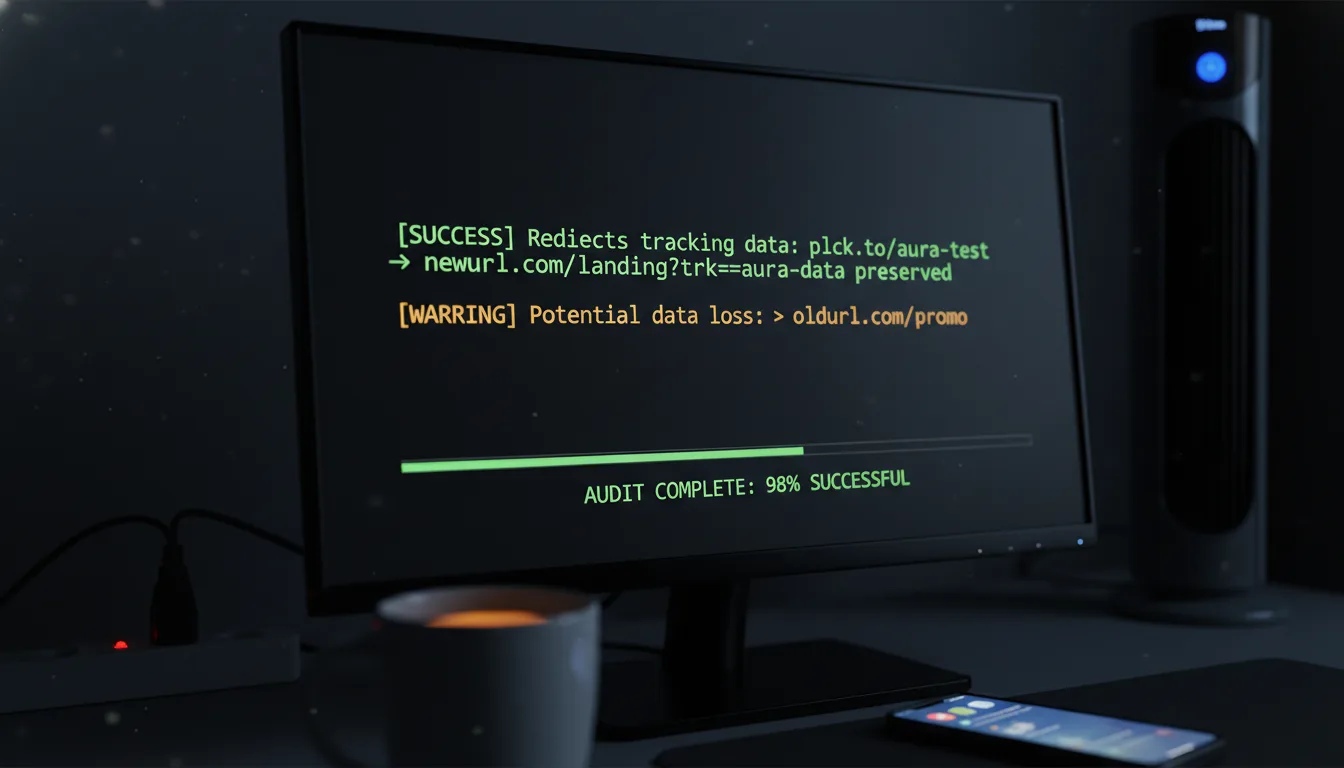
If your Space is designed to automatically apply specific tracking parameters (like those all-important UTM tags), and suddenly your links are "breaking" by landing on frustrating 404 pages at the destination, the problem is most likely in the query string appendage logic. This is a subtle but impactful error that can mess with your analytics and user experience.
The Fix: You need to test the final URL destination directly. Here's a common trap: if your Space is set to append ?utm_source=space_name, but the destination URL *already* contains a ? query string, the system might accidentally be malforming the URL. For example, website.com?id=123?utm_source=space is invalid! That second ? should absolutely be an & (ampersand) to correctly merge query parameters. Double-check your Space settings to ensure they handle query string merging intelligently and correctly.
Fix #7: Check for "Zombie" Workspace Associations – The Lingering Link
Moving links between Spaces should be seamless, but sometimes, metadata can get a little detached. We call this a "Zombie" association. It happens when a link still "thinks" it belongs to, say, Space ID 101, but Space ID 101 has long since been deleted. The link is still alive, but its home is gone – a digital ghost!
The Fix: This particular issue usually requires a hands-on intervention within the link's detail view. The trick is to first re-assign the affected link to the "Default" Space, then save that change. After that, you can move it to its intended target Space. This "double-hop" migration forces a complete rewrite of the association database columns, effectively clearing any corruption and giving your link a proper, new home.
By systematically applying these data-driven fixes, you're not just swatting at symptoms. You're getting to the absolute root cause – whether it's buried in DNS, tangled in Permissions, or hidden in Data Structure – ensuring a robust and lasting solution.
Verification Steps: Confirming the Repair – Don't Just Fix It, Prove It!
Implementing a fix is only half the battle in the engineering world. Validation is what truly ensures stability and proves your hard work paid off. Once you're confident that the Space issue is resolved, don't just walk away! Run through this essential verification protocol to confirm everything is indeed back in tip-top shape:
- The Incognito Test: This is a must! Access the shortened link (for example,
planck.to/verify-test) from an incognito window or, even better, a completely different network altogether (like switching to your phone's mobile data). Why? Because this crucial step completely bypasses any local DNS caches or stubborn browser history that might be misleading you. - The Header Check: Get technical for a moment! Use a command-line tool like
curl -I planck.to/your-linkto inspect the HTTP headers. What are you looking for? A clear 301 Permanent Redirect or a 302 Temporary Redirect. If, instead, you see a 200 OK status code on the short link itself (meaning the short link *is* the final destination, not redirecting), then your redirect engine is clearly failing to fire as intended. - The Analytics Audit: Now for the proof in the pudding. Click the link three distinct times. Give it about 15 minutes (or whatever your platform's standard latency period is). Then, dive into your Space analytics. Do you see exactly three clicks recorded? If yes, congratulations! Your data pipeline is fully restored and tracking accurately.
Prevention: Building a Fortress of Governance for Your Link Spaces
The absolute best way to troubleshoot an issue? Prevent it from ever happening in the first place! The truth is, common problems like "Link Rot" and "Space Chaos" rarely start as technical failures. Almost always, they begin as process failures. That's why high-performing teams leveraging their link management tools understand the critical importance of adhering to strict governance protocols. It's about being proactive, not reactive!
1. Standardized Naming Conventions: Bring Order to the Chaos
Enforce a super strict naming policy for all your Spaces. A smart approach is to use a consistent structure like [Department]-[Campaign]-[Year] (e.g., MKT-SummerSale-2024). This simple step does wonders: it actively prevents duplicate naming attempts, makes finding things a breeze, and significantly speeds up those all-important permission audits. Think of it as creating a clear organizational map for everyone.
2. Regular Permission Audits: Catching Security Drift Early
Security drift is a silent killer. It happens when employees change roles or leave the company but inexplicably retain their old access permissions. This is a huge risk! Schedule a quarterly, non-negotiable review of who holds "Admin" versus "Editor" access to your most critical Spaces. Going a step further, restricting "Delete" permissions to only team leads can prevent accidental (and potentially catastrophic) data loss. Better safe than sorry!
3. DNS Health Checks: Keep Your Custom Domains Thriving
If you're using custom domains for your Spaces – which we highly recommend for branding! – you absolutely need to set up an automated uptime monitor for the root redirect. This isn't optional. If, for instance, the SSL certificate for your branded domain suddenly expires, every single link within that Space instantly becomes a security warning for your users. That's a huge hit to trust and user experience. Proactive monitoring keeps your branded links secure and functional.
Conclusion: From "Broken" to "Configured"
Ultimately, successfully troubleshooting Space issues requires a significant shift in mindset. Instead of throwing your hands up and thinking "it's broken," you need to approach it with the understanding that "it's misconfigured." And here's the beautiful part: whether the issue stems from an overly aggressive API rate limiter, a silent DNS failure you didn't even know was happening, or just a straightforward permission hierarchy conflict, the data trail always, always points to the solution.
By treating your link management strategy not as some simple utility, but as a genuine piece of critical infrastructure, you empower yourself to ensure that your digital pathways remain consistently open, perfectly measurable, and securely reliable. Remember, a Space is so much more than just a folder on a drive; it's the command center for your campaign's data integrity. Keep it clean, keep it meticulously configured, and watch those metrics follow right along.
Ready to get started?
Join thousands of users who are already using our platform to manage their links efficiently.
Create Your Free Account