Create Short Links: Easy Management for Beginners
Ready to get started?
Join thousands of users who are already using our platform to manage their links efficiently.
Create Your Free AccountEver caught yourself staring at a website URL that looks less like a web address and more like your cat decided to take a nap on your keyboard? You know the kind—they stretch for what feels like miles, jammed with bizarre numbers, percentages, and enough question marks to make your head spin. And then you think, "Okay, I need to share this." But you hesitate, don't you? Why? Because it just looks… messy. Suspicious. And honestly, a little unprofessional.
If that scenario rings a bell, then welcome, my friend, to the wonderfully organized world of link management. You've landed in just the right place! Creating short, custom links isn't merely about making things look aesthetically pleasing; it's a fundamental digital literacy skill that can seriously level up your online game. We're talking about tracking engagement, building undeniable trust with your audience, and keeping your entire digital presence neat and tidy.
At its core, a short link is a clever redirection technique. It takes that sprawling, complex web address and tucks it neatly behind a short, clean, and incredibly memorable URL. The magic happens when someone clicks on this miniature masterpiece: they're instantly, seamlessly transported to the original, much longer destination without a second thought. It's like a secret portal to your content!
In this comprehensive guide, we're going to embark on an exciting journey, walking through the entire process of crafting your very first custom short links. We'll leave no stone unturned, covering everything from the simple things you'll need to kick things off, to the pro tips for customizing your links so effectively that people can't help but click them. Don't worry, there's absolutely no technical jargon, no confusing code, and zero prior experience required. Just a crystal-clear, straightforward path to making your links not just functional, but truly irresistible.
Getting Started: Your Essential Prerequisites
Before we roll up our sleeves and dive into the actual "clicking and typing," let's make sure you've got all your "ingredients" lined up and ready to go. The fantastic news is that the barrier to entry for link management is unbelievably low. You certainly don't need to be a tech wizard, own a server, or even understand web development. If you can use a browser, you're practically halfway there!
- The Destination URL: This is your "long link"—the specific web page you want your audience to ultimately land on. Think of it as the grand finale of your link's journey. It could be anything from a captivating YouTube video, an important Google Form, a hot product page on your e-commerce site, or that brilliant blog post you just published.
- A Clear Goal: Before you even think about shortening, take a moment to ask yourself, "Why am I doing this?" Is it to neatly fit a link into a character-limited social media bio? Are you hoping to track precisely how many people click it? Or is it simply to make an unwieldy link easier for folks to remember and type? Knowing your primary objective is super helpful, as it’ll guide you in crafting the perfect, most meaningful name for your short link later on.
- A Link Management Account: Sure, you might be able to occasionally shorten a link as a guest on various websites. But let's be honest, that's like making a single cookie when you want to open a bakery. For true power, flexibility, and insights, creating a free account on a dedicated platform like Planck.to is the way to go. This gives you the invaluable ability to edit your links post-creation, and, most importantly, to dive deep into crucial analytics.
Always, and I mean always, copy and paste your long destination URL into a fresh browser tab to ensure it loads exactly as intended *before* you even think about shortening it. Trust me, there’s nothing quite as frustrating as meticulously crafting the perfect short link, only to discover it leads to a dreaded "page not found" error!
Your Step-by-Step Guide to Crafting Awesome Short Links
Alright, buckle up! Now that we've got our groundwork laid, let's jump into the exciting "how-to" part of this adventure. We're about to take a messy, uninviting URL and transform it into something sleek, professional, and utterly clickable. Follow these simple steps, and you'll be managing links like a seasoned pro in no time at all.
Step 1: Grab That Long URL
First things first: navigate your browser to the exact web page you want to share. Once you're there, simply click inside the address bar at the very top of your browser window. This will usually highlight the entire URL. Then, right-click and select "Copy," or use the trusty keyboard shortcut (Ctrl+C on Windows, Cmd+C on Mac). Easy peasy!
Step 2: Head to Your Dashboard
Now, open up your preferred link management tool. If you're using a robust platform like Planck.to, you'll be greeted by your personalized dashboard. Consider this your "Mission Control" for all things link-related. It's the central hub where all your past links reside, and, more importantly, where your exciting new ones will be born.
Step 3: Paste and Initiate Creation
On your dashboard, keep an eye out for a prominent button or section that's usually labeled something like "Create Link," "Shorten URL," or perhaps just a simple "+" symbol. Give that a confident click!
A field will promptly appear, prompting you for the "Destination URL" or "Long URL." This is where the link you copied in Step 1 comes in. Simply paste it into this designated box. You're doing great!
Step 4: Customize Your Alias (This is CRUCIAL!)
Here's the thing: most beginners unfortunately skip this step. Don't be "most beginners"! While default shorteners will gladly whip up a random string of characters for you (think something like planck.to/x7z9q2), that shortens the link but tells your user absolutely nothing about where they're headed. It's a missed opportunity, big time.
Instead, take control and customize the "back-half" or "slug" of your URL. This is where you add context and personality! For instance, if you're sharing a delightful summer recipe, why stick with random gibberish? Change those characters to something meaningful, like summer-pasta. It makes all the difference.
"A well-customized link isn't just a simple redirect; it's a clear, concise promise to the user about the valuable content they're going to discover on the other side."
See? Now your link instantly looks like planck.to/summer-pasta. Isn't that infinitely better, more inviting, and just plain smarter?
Step 5: Save, Share, and Test!
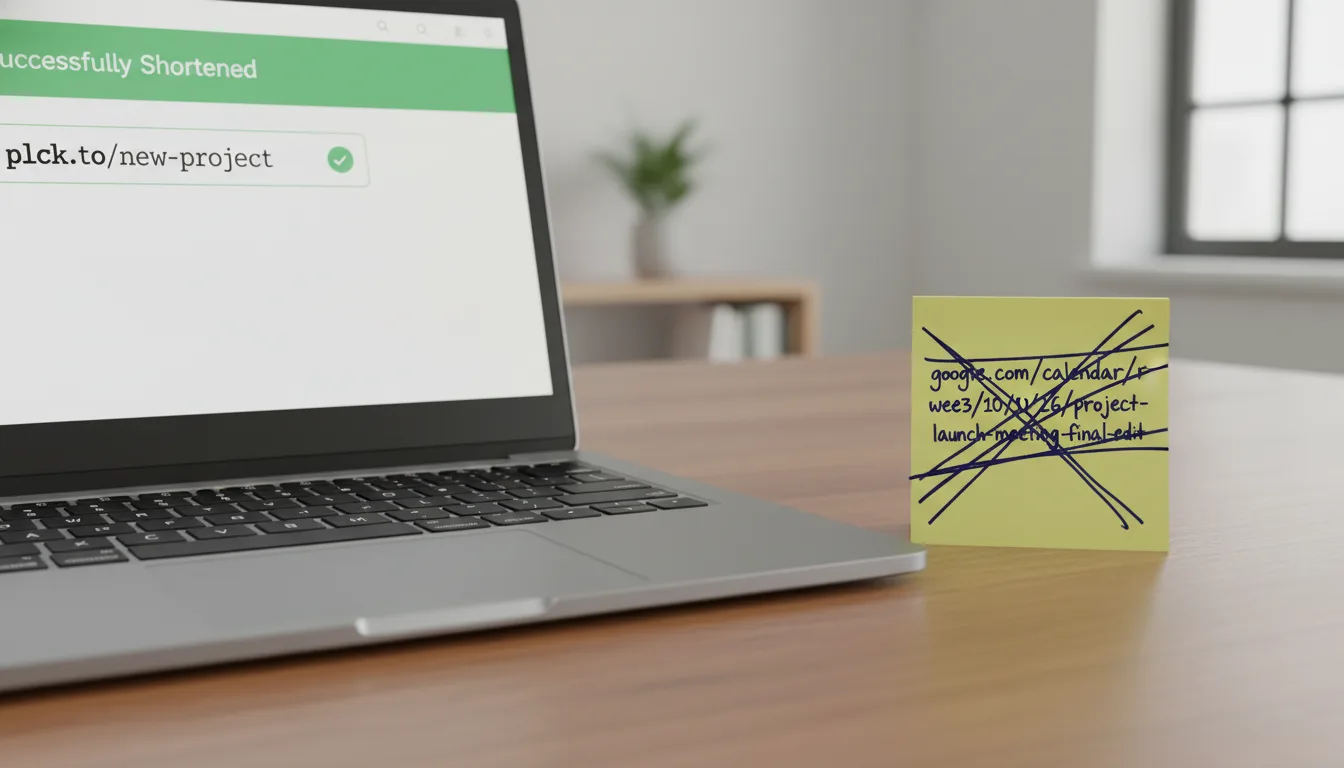
Once you're happy with your custom alias, go ahead and click the "Save" or "Create" button. Voila! Your brand-new, beautifully crafted short link is officially ready for action. But before you unleash it upon the world, here’s one final, crucial step: copy your shiny new planck.to link and paste it into a fresh browser tab. Hit enter and verify that it redirects perfectly to your original page. If it loads up correctly, then congratulations, you've totally succeeded!
You've done it! You've just created a managed short link with a custom alias. Now you can confidently paste this elegant little URL into your emails, send it via SMS, weave it into your social media posts, or even use it on print materials. The best part? You'll be able to track exactly how many people click on it, all thanks to the powerful analytics in your dashboard. Talk about smart sharing!
Real-World Scenarios: Where Short Links Truly Shine
Sometimes, it's a bit tough to fully grasp the immense value of link shortening until you see it in action—a vivid, side-by-side comparison that truly highlights the difference. So, let's explore a couple of common scenarios where opting for a short link isn't just a good idea, but a game-changer for both presentation and the overall user experience.
Scenario 1: The Super Complicated Zoom Meeting Link
- Original Beast:
https://us04web.zoom.us/j/84920184?pwd=dkfjalskdfj234890sdfjlkj - Sleek Shortened Version:
planck.to/team-meeting - The Clear Benefit: Imagine trying to dictate that original Zoom link over the phone! It's practically an exercise in futility. With planck.to/team-meeting, you can verbally share it with confidence, and your colleagues can actually type it in without any fuss. It’s concise, memorable, and removes all the friction.
Scenario 2: That Product Page with a Million Tracking Parameters
- Original Monster:
https://www.myshop.com/products/category/shoes/winter/boots?color=red&size=10&ref=facebook_ad_campaign_winter_2023 - Elegant Shortened Version:
planck.to/red-boots - The Indisputable Benefit: That original link is a prime example of "tracking parameter overload." While those parameters are useful for you, they look incredibly messy and intimidating to a potential customer. The planck.to/red-boots link, on the other hand, is clean, inspires immediate trust, and instantly communicates exactly what the user is about to discover. It's a win-win for everyone!
Steer Clear: Common Mistakes Beginners Often Make
While the process of creating a short link is wonderfully simple, there are indeed a few common pitfalls that beginners often stumble into. Knowing these ahead of time can help you proactively avoid them, ensuring your links remain effective, professional, and trustworthy.
1. Ignoring the "Slug" (Your Custom Name!)
As we emphasized earlier, simply letting the shortener auto-generate a random string of characters (like /a8b9c) is a huge missed opportunity. Custom slugs significantly boost your Click-Through Rate (CTR) because they instantly provide context and build trust. Think about it: users are naturally wary of mysterious, random-looking links. A descriptive, human-readable link, however, feels far safer and more inviting to click.
2. The "Over-Shortening" Trap (aka "Daisy-Chaining")
Please, whatever you do, resist the urge to take an already short link and feed it into another link shortener! This practice, known as "daisy-chaining," is a no-go. Not only does it needlessly slow down the loading time for the end-user (which nobody wants!), but it also frequently triggers security warnings in web browsers or email filters. Why? Because it looks like you're trying to obscure the final destination, which can appear suspicious.
3. Forgetting to Check Your Analytics
One of the single biggest advantages of using a powerful tool like Planck.to for your short links is the incredible data it provides. If you go to the effort of creating a brilliant link for a marketing campaign, but then never bother to check how many people actually clicked it, you're essentially flying blind. Make it a golden habit to log back into your dashboard a few days after sharing your link to see how it performed. Those insights are gold!
Don't think analytics are just for big corporations with massive marketing budgets. Knowing, for example, that 50 people clicked your link from Twitter but only 2 clicked from Facebook gives you incredibly valuable information. It helps you understand where your audience is most engaged and where you should focus your efforts.
Troubleshooting Common Short Link Hiccups
Even with the best intentions and careful execution, sometimes things just don't go according to plan. If your beautifully crafted short link isn't behaving quite as expected, don't panic! Here’s a quick, handy checklist to help you swiftly diagnose and resolve the most common issues.
The Link Lands on a "404 Page Not Found" Error
This is probably the most frequent issue, and it almost always points back to a problem with your original destination URL. It typically means the long URL you initially pasted was either incomplete, contained a sneaky typo, or perhaps the original page was moved or deleted. The fix? Simple! Head back to your dashboard, locate the problematic link, and edit it. Double-check the destination URL with extreme prejudice. Did you accidentally snip off the last letter? Or type htp instead of http? Correct the destination, save your changes, and then give it another test. You'll likely be good to go!
Your Short Link Gets Flagged as Spam
It can be frustrating: you try to post your brilliant new link on platforms like Facebook or Instagram, and it gets blocked or flagged. This occasionally happens when the platform's automated safety bots are being a little *too* vigilant. While it's less common with reputable, widely used domains like planck.to, it can still occur. The best course of action here is to ensure that the content at your destination URL fully adheres to the community guidelines and terms of service of the social platform you're trying to use. Sometimes, simply rewording your accompanying post can also help.
Analytics Dashboard Shows Zero Clicks (But You Know People Clicked!)
You've shared your link far and wide, you know people are clicking, but your dashboard stubbornly shows "0" clicks. What gives? First, take a moment to verify you're looking at the correct date range within your analytics. It's a surprisingly common oversight! Secondly, it's worth noting that some privacy-focused browsers or browser extensions might block tracking scripts. This means a click might genuinely have happened, but the data wasn't recorded by the analytics system. However, this usually accounts for a very small percentage of your overall traffic. If the discrepancy is massive, re-check your destination URL and ensure the link is active and configured correctly.
Wrapping It Up: Your Link Management Journey Starts Now!
There you have it! Creating and managing short links is one of those seemingly small digital habits that, over time, truly yields massive results. It's not just about aesthetics; it profoundly enhances your digital communications, making them appear cleaner, more professional, and infinitely more trustworthy. Beyond that, it empowers you with invaluable data about your audience's engagement, giving you a powerful sense of control over your online presence and how your content performs. Whether you're a bustling student sharing a meticulously crafted portfolio, a savvy small business owner promoting your latest product, or simply someone who can't stand the sight of a sprawling, ugly URL, mastering this skill is an absolute game-changer.
Always remember these golden rules: keep your links descriptive, be honest about their destination, and make it a habit to always, always test before you hit that share button. So, what are you waiting for? Take the plunge and create your very first custom short link today—perhaps something catchy like planck.to/my-first-link—and witness firsthand just how easy and impactful it is to intelligently manage your digital footprint.
Happy linking, everyone!
Ready to get started?
Join thousands of users who are already using our platform to manage their links efficiently.
Create Your Free Account