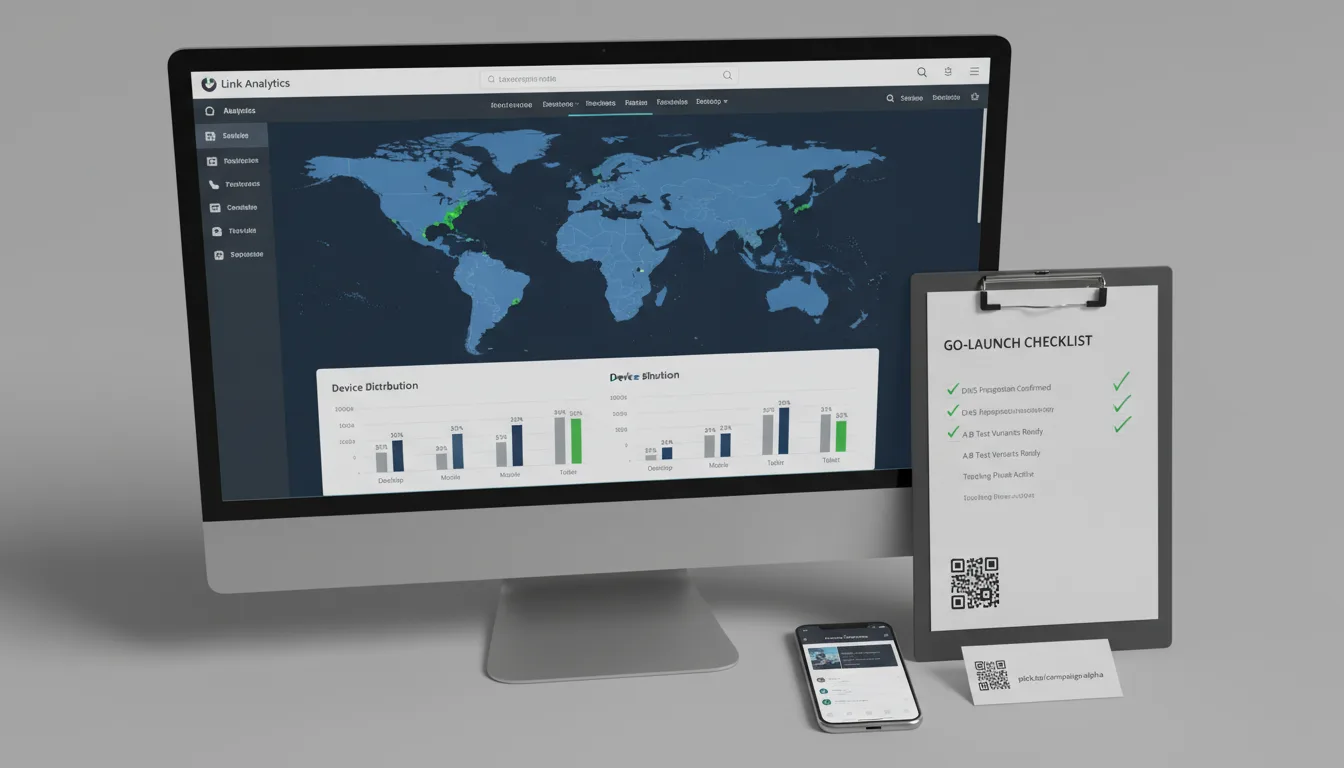
Definitive Link Tracking: Your Planck Engagement Checklist

Ready to get started?
Join thousands of users who are already using our platform to manage their links efficiently.
Create Your Free AccountMastering Your Digital Footprint: The Definitive Link Tracking Checklist
Let's be real: in today's fast-paced digital world, a link isn't just a simple clickable blue string. Oh no, it's so much more! Think of it as a super-powered data collector, a crucial node in your entire marketing ecosystem. For marketing leaders and data analysts, the truth is, the line between a campaign that skyrockets and one that crashes and burns often comes down to one thing: a solid tracking architecture.
Ever just thrown a URL out there without a proper tracking plan? We've all been there. But here's the kicker: doing that means you're literally throwing away valuable insights. You're forfeiting granular attribution, completely obscuring what your users are actually trying to do, and ultimately, you're just wasting your hard-earned advertising dollars. And who wants to do that?
That's exactly why we've put together this comprehensive checklist. It's built for pros like you who demand nothing less than absolute precision in their campaign analytics. By walking through these diagnostic and implementation steps, you won't just set up tracking; you'll establish a flawless link tracking ecosystem. One that guarantees every single click, every conversion, and every geographic data point is captured accurately and attributed correctly, giving you the full picture.
Link tracking isn't an afterthought. It's not something you bolt on once your campaign is already live. Nope! It demands a solid, foundational "pre-flight" configuration to ensure data integrity from the very first click. Trying to fix your analytics retroactively? That's a surefire way to permanently lose valuable data. Don't let that happen to you!
Phase 1: Setting the Stage – Your Pre-Launch Foundation and Architecture
Before you even think about generating a single short link, you absolutely need to design a structured tracking environment. This crucial first phase is all about making sure your data streams are uniform, consistent, and perfectly aligned with your broader business intelligence goals. Think of it as building the blueprint before you start construction.
1. Define Your Core Tracking Objectives
What does "success" actually look like for this campaign? Seriously, get specific! Are you trying to boost top-of-funnel engagement, drive localized conversions, or dive deep into multi-touch attribution? Figuring out these key performance indicators (KPIs) upfront is paramount, as they'll directly influence how complex your tracking architecture needs to be. Don't skip this step!
- Identify your primary conversion events. This could be anything from newsletter signups and product purchases to asset downloads.
- Determine the demographic data points you need. Are you interested in geography, device type, or operating system?
- Make sure your tracking goals are perfectly aligned with your CRM or primary analytics dashboard. Consistency is key!
2. Establish a Standardized UTM Taxonomy
Here's one of the biggest headaches in link management: inconsistent parameter naming. Imagine this: one team member uses utm_source=FB, while another uses utm_source=facebook. What happens? Your analytics will splinter, making it nearly impossible to get a clear picture. That's why you absolutely must institute a strict, company-wide UTM Taxonomy. No exceptions!
To prevent case-sensitive fragmentation in platforms like Google Analytics, always enforce all-lowercase lettering for all your UTM parameters. Then, document this standardized taxonomy in a centralized spreadsheet – one that's easily accessible to every single marketing team member. This isn't optional; it's essential!
3. Configure Custom Domains and Workspaces
Let's face it: generic link shorteners aren't just ugly, they dilute your brand authority and can even trigger spam filters. Not ideal, right? For truly enterprise-grade tracking, configuring custom domains is non-negotiable. Platforms like Planck.to take this a step further, letting you segment different campaigns or even entire departments into specific workspaces. This doesn't just look cleaner; it ensures operational security and crystal-clear organizational clarity.
"Did you know that brand-consistent domains can actually boost your baseline click-through rates by up to 34% compared to those generic short links? It's true! Building trust is the ultimate prerequisite to engagement, and your links are a big part of that."
Phase 2: Building Your Links – Creation and Technical Configuration
Alright, you've got your foundation locked down. Now, it's time to actually generate those tracking URLs, and this phase requires technical precision. Think of it this way: every single link you deploy needs to be armed with all the necessary parameters to survive its journey across different platforms, browsers, and devices. No room for error here!
1. Apply UTM Parameters Rigorously
This is a big one! Before you even think about shortening a URL, make absolutely certain that every destination URL has accurate UTM tags appended to it. Remember the "mandatory trinity" of UTM parameters? It includes source, medium, and campaign. Get these right every single time!
- Source: This is the exact platform that's driving your traffic. Think linkedin, facebook-ads, or newsletter.
- Medium: This refers to the overarching channel or cost structure. Examples include cpc (cost-per-click), organic_social, or email.
- Campaign: This identifies the specific promotion or initiative you're running, such as q3_product_launch or holiday_sale_2024.
2. Craft Descriptive Custom Slugs
Nobody wants to click on a random string of cryptographic characters, right? It provides zero context to your end-user. That's why leveraging a Custom Slug is so powerful. It doesn't just reinforce what the user is about to click on; it also opens up possibilities for offline attribution. Instead of something like planck.to/1a2b3c, make your links speak for themselves. Configure them to read cleanly and clearly, like planck.to/q4-report or planck.to/fb-ads-24. Much better, isn't it?
3. Implement Conditional Redirects and Expirations
When you're running time-sensitive campaigns – think a flash sale that ends next week, or a webinar registration that closes tomorrow – static links become a major liability once the campaign is over. True, authoritative tracking means actively managing the entire lifecycle of your URL, not just its initial creation.
Here's a pro-tip that saves headaches: Set automatic expiration dates on your promotional links. Once the offer ends, these links can seamlessly route users to a fallback page, like your standard product catalog, instead of a frustrating 404 error. This little trick eliminates those dead ends and keeps users engaged, even after the big event is over!
Phase 3: Going Live – Launch Distribution and Deployment
You've built your perfect links, now it's time to send them out into the wild! But executing the launch demands meticulous placement. After all, a perfectly configured link is absolutely useless if it's deployed on the wrong platform or fails to deliver the correct localized experience. Don't let your hard work go to waste in this critical phase.
1. Map Links to Specific Channels Securely
This is a golden rule: never, ever reuse the exact same short link across different channels! If you're promoting a whitepaper across X (formerly Twitter), LinkedIn, and an email blast, you need to generate three distinct URLs. Why? Because you want to know exactly which channel is performing best. For example, use planck.to/whitepaper-tw for Twitter and planck.to/whitepaper-em for your email campaign. This ensures that platform-specific performance is completely siloed and accurately measurable.
2. Configure Device and Geo-Routing
Got a global audience? Then your campaigns need to deliver dynamic, personalized user experiences. This is where advanced routing configurations really shine! Imagine a user clicking your link in London and instantly seeing pricing in GBP, while someone in New York sees USD. Or, perhaps an iOS user is deep-linked directly into your app, while a desktop user seamlessly lands on your website. This isn't just cool; it's smart marketing.
Companies that route users based on their device OS and physical location – directly at the link level – consistently report a drastic reduction in bounce rates. Why? Because they're offering a streamlined, relevant path to conversion right from the very first click. It’s all about meeting your users where they are, literally!
Phase 4: What Happened? – Post-Launch Analysis and Data Review
Okay, your links are live, and the clicks are rolling in. Now what? The focus shifts from deployment to data synthesis. Diving into the telemetry provided by your robust link tracking infrastructure isn't just about looking at numbers; it's about empowering agile, mid-campaign optimizations that can dramatically change your results. This is where you really learn and adapt!
1. Monitor Real-Time Click Velocity
Hop into your Planck.to analytics dashboard and keep a close eye on the initial click velocity. This is the speed at which clicks accumulate immediately after you deploy your link. A sudden, sharp spike? That's a strong indicator of high immediate resonance – people are loving what you're offering! But a flatline, or a slow trickle? That might be your cue for an instant pivot in your creative messaging or even a complete overhaul of your channel distribution strategy. Real-time data means real-time decisions!
2. Evaluate Browser and Device Penetration
Let's analyze the technical breakdown of your audience. What if 85% of your tracked clicks are coming from mobile devices, but your destination landing page is clearly optimized only for desktop? Bingo! You've just identified a critical bottleneck that's likely costing you conversions. Let this device data be your guide, dictating your subsequent UI/UX adjustments and ensuring your content looks great, no matter how it's accessed.
3. Audit Geographic Performance
Where are your clicks geographically concentrated? This isn't just a fun stat; it's powerful intelligence. Unanticipated engagement from specific regions could uncover entirely new, untapped markets you didn't even know existed! On the flip side, if you're running a hyper-local ad campaign and seeing clicks from all over the globe, it's a huge red flag that your ad platform's targeting settings might be severely misconfigured. Geographic data helps you refine and expand your reach wisely.
Don't Get Tripped Up: Common Pitfalls in Link Tracking
Even the most seasoned marketing professionals can occasionally stumble when it comes to link management. It happens! But being aware of these prevalent operational errors is half the battle. Stay vigilant against these common traps:
- The "Copy-Paste" Error: This is a classic! You might duplicate a previously shortened link, like planck.to/summer-sale, from an old email campaign and then paste it directly into a new SMS campaign. What happens? You've just permanently corrupted your attribution data, making your SMS sales look like they came from email. Oops! Always create a fresh link for each unique channel.
- Ignoring Link Expirations: Leaving promotional URLs active indefinitely is a recipe for disaster. Months down the line, a client might click an old link expecting a 50% discount that's no longer valid. This creates incredibly poor user experiences and can damage trust.
- Over-complicating UTMs: We get it, custom parameters sound cool. But adding too many that your analytics software isn't actually configured to read is just adding noise, not insight. Stick to the standard parameters (source, medium, campaign) unless you have explicitly mapped custom dimensions in your reporting tool. Keep it clean!
- Neglecting the SSL Certificate: This is a critical security step! Always ensure your custom domains are secured with HTTPS. Modern browsers are quick to flag HTTP redirect links as insecure, which can severely damage user trust and drastically lower your click-through rates.
Your Final Check: Quick Pre-Flight Verification Steps
Before you hit that big "Launch" button, pause! Seriously, do not send your campaign live until you've successfully verified every single item on this expedited checklist. A few minutes here can save you hours of headaches later on.
- Link Destination: Click that shortened link. Does it resolve to the absolute correct landing page, every single time?
- UTM Presence: Once the link resolves, are the UTM parameters visible and correctly formatted in the browser's address bar? Check for typos!
- Mobile Responsiveness: Test the link natively on both iOS and Android devices. Does it render properly and look fantastic on all screens?
- Analytics Registration: After clicking, immediately verify in your real-time analytics dashboard that the click registered under the correct source and medium.
- Fallback Logic: If you're using conditional routing (based on location or device), use a VPN or developer tools to meticulously verify that the fallback routing functions exactly as it should.
Conclusion: Stop Guessing, Start Growing!
Here's the takeaway: authoritative link tracking isn't just some optional layer you can add to your digital marketing efforts. It's the absolute structural framework that underpins actionable business intelligence. By sticking rigidly to this engagement checklist – from setting up a rigorous UTM taxonomy to configuring advanced device routing – you're not just tracking clicks; you're guaranteeing that your data is pristine, your attribution is undeniable, and your budget is continuously optimized for maximum impact.
It's time to stop guessing which channels are truly driving your business forward. Implement these powerful methodologies today. Start treating every single URL not as just a link, but as an invaluable data asset. Do this, and you'll transform your link management strategy from a mere task into a primary, undeniable driver of sustained organizational growth. Your data, your insights, your success – it all starts here!
Ready to get started?
Join thousands of users who are already using our platform to manage their links efficiently.
Create Your Free Account