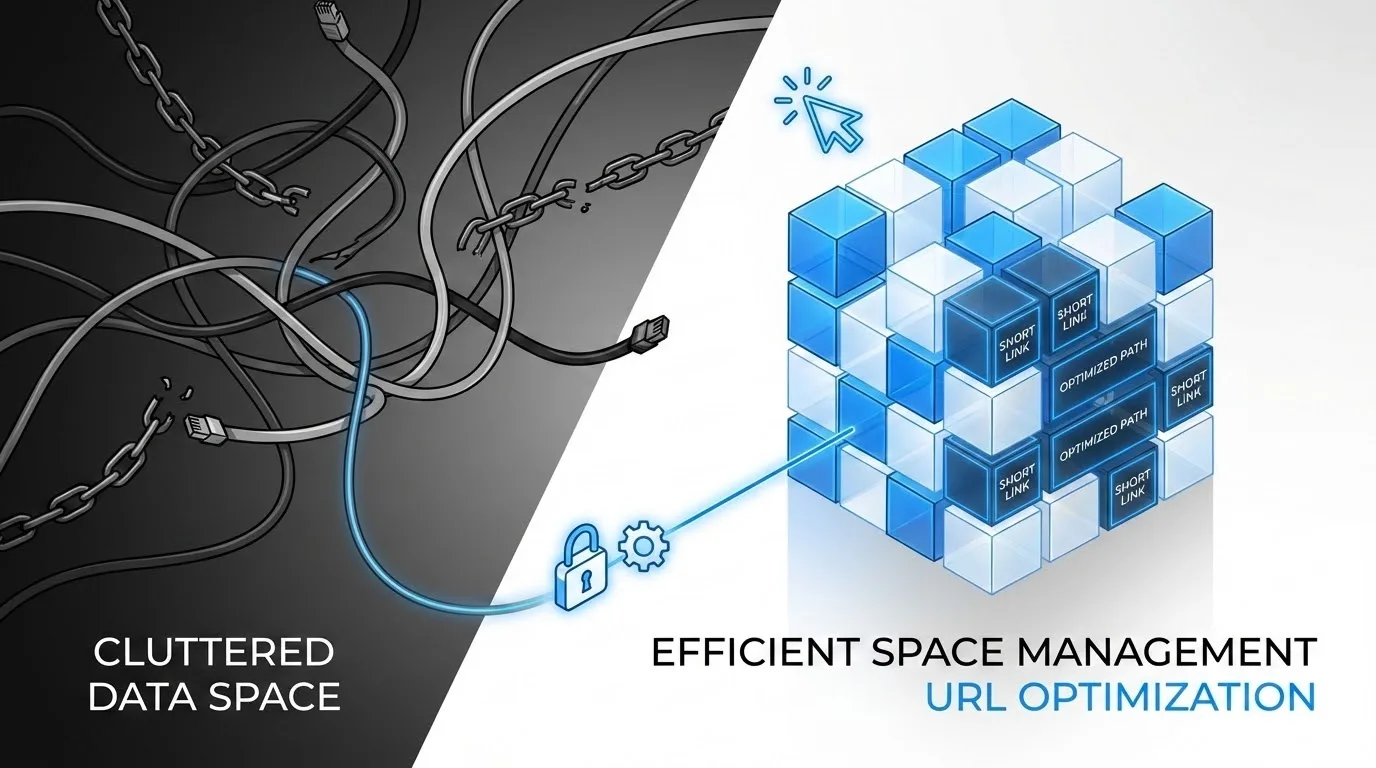
Custom Domains: Integrate for Brand Elevation
Ready to get started?
Join thousands of users who are already using our platform to manage their links efficiently.
Create Your Free AccountThe Architecture of Trust: Why Your Links Define Your Legacy
Imagine, for a moment, stepping into a truly luxurious high-end boutique. The lighting's just right, there's a subtle, inviting scent, and the staff? Absolutely impeccable. You find that perfect item, you make your purchase, and you feel a genuine connection to the brand's story. You're swept up in the experience. But then, as you turn to leave, they hand you your exquisite, high-value item—not in a beautiful, branded bag, but in a crumpled, generic grocery bag. The magic? Completely broken. The whole experience suddenly feels disjointed and cheap, doesn't it?
Here's the thing about the digital realm: your meticulously crafted content, your groundbreaking product, your impactful message—that's your luxury item. And the link you share to it? That’s its packaging. Far too often, we see visionary brands pouring immense energy into creating the perfect message, only to wrap it in a generic, unbranded URL. It’s a subtle disconnect, yes, but in today's economy, which is fiercely built on attention and, more importantly, trust, these subtle details aren't just details. They're everything.
This brings us directly to the game-changing power of Custom Domains. This isn't just some fancy technical feature; it's a profound act of brand sovereignty. By wisely integrating custom domains into your link management strategy, you instantly stop renting space on someone else's digital reputation. Instead, you start actively building invaluable equity in your very own. It's the powerful shift from merely being a participant in the overwhelming digital noise to becoming a clear, resonant signal of undeniable authority. And who doesn't want that?
Your URL is often the very first interaction a potential customer or audience member has with your campaign, your content, or your brand. Before they even glimpse your stunning landing page, your brilliant design, or your compelling copy, what do they see? The link itself. A custom domain ensures this crucial first impression screams ownership, security, and undeniable professionalism, right from the get-go.
What Exactly Are Custom Domains in Link Shortening?
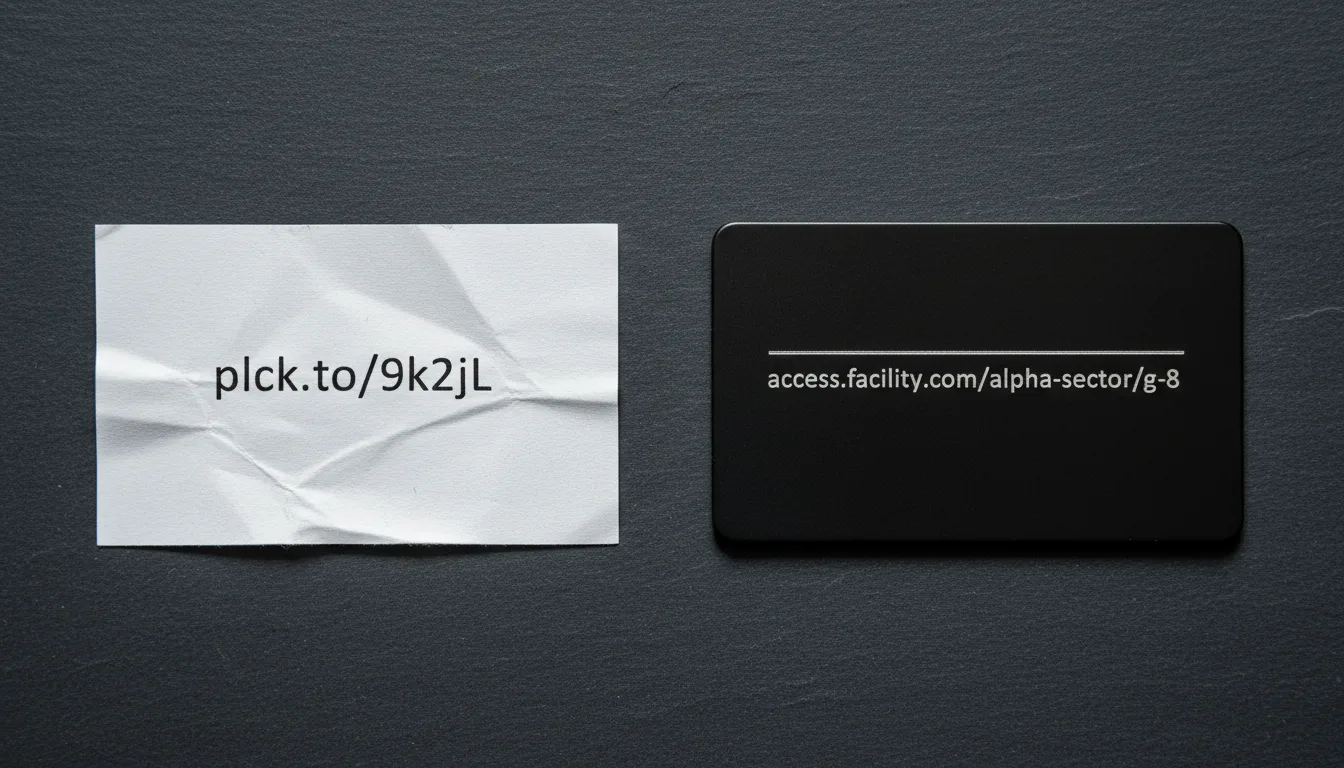
Let's break it down. At its very core, a custom domain feature allows you to ditch those generic, often suspicious-looking shortening service URLs (like planck.to/xyz123) and replace them with a URL that is, without a doubt, unmistakably *yours*. Think links.yourbrand.com/offer. See the difference? It's immediate, it's clear, and it inspires confidence.
Essentially, it's a powerful form of white-labeling. The underlying technology provider seamlessly fades into the background, allowing your brand to truly take center stage. You're still harnessing all the powerful analytics, retargeting capabilities, and robust link management infrastructure of a sophisticated platform. But to the outside world, to your audience, that incredible technology appears entirely proprietary to you. It's your secret weapon, wrapped in your brand's identity.
The Anatomy of a Branded Link: More Than Just a String of Characters
When you integrate a custom domain, you're not just creating a new address; you're building a structured, trustworthy pathway. A branded link, meticulously crafted via a custom domain, consists of three distinct yet harmoniously working parts:
- The Subdomain or Root Domain: This is the unshakeable anchor, the recognizable face of your link. It’s the
visits.nike.comthat tells you it's Nike, or the concisepepsi.cothat immediately identifies Pepsi. It speaks volumes, instantly telling the user exactly who is doing the talking and where they might be headed. - The Slash (Separator): Ah, the humble forward slash. This is simply the standard, universally understood divider that separates your branded domain from the specific destination or campaign identifier. It's the neat, tidy bridge.
- The Custom Slug: This is where your creativity and clarity truly shine! This is the descriptive tail of the link, such as
/summer-sale. Crucially, this replaces those random, often confusing alphanumeric strings you see with generic shorteners. Instead, you're providing human-readable intent, giving users a preview of what to expect, and building trust even before they click.
So, when you integrate a custom domain, you're essentially telling the internet's vast infrastructure, specifically the DNS (Domain Name System), to route traffic through your brand's trusted name while all the powerful processing, tracking, and redirection happens seamlessly through your link management engine. It’s like having a VIP entrance with your logo proudly displayed.
How the Integration *Really* Works (It's Simpler Than You Think!)
Don't let the technical jargon scare you off! Understanding the underlying mechanism behind custom domains actually demystifies the entire process and brilliantly highlights why it's such a robust and incredibly smart solution for any brand looking to truly grow. Think of this integration as a crucial, well-coordinated digital handshake between two key entities: your Domain Registrar (that's where you bought your website's URL, like GoDaddy or Namecheap) and your chosen Link Management Platform.
The DNS Connection: The Internet's Address Book
The real magic, the silent orchestrator of all this, happens via DNS (Domain Name System) records. To integrate a custom domain, you'll typically configure what's called a CNAME Record. Sounds techy, right? But it's actually quite straightforward.
Think of a CNAME like a permanent forwarding address at the post office, but for the internet. You're not actually moving your entire website to a new location; instead, you're simply creating a specialized, dedicated lane specifically for your short links. So, you might set up go.yourbrand.com. Now, when a user clicks a link that begins with that address, the internet's DNS lookup service sees the CNAME. It immediately understands that this particular address points to your link management service. From there, the service instantly and securely redirects the user to their final destination—all of this happening within mere milliseconds, so fast they won't even notice the behind-the-scenes genius at work!
When you're integrating a custom domain, it's absolutely crucial to ensure your SSL (Secure Sockets Layer) certification is expertly handled by your chosen link provider. Why? Because modern browsers are savvy and will actually "punish" outdated "http" links with annoying, trust-eroding security warnings. A fully integrated custom domain *must* support HTTPS to maintain that vital user trust and project an image of modern security.
The Strategic Benefits: Why This Effort is *Absolutely* Worth It
You might be wondering, "Why go through all this effort to configure DNS records and set up a custom domain?" That's a fair question! The answer is simple yet profound: because the return on investment regarding your brand's equity and digital presence is truly substantial. It doesn't just improve your links; it transforms them from mere functional utilities into incredibly powerful, trust-generating marketing assets that work tirelessly for you.
1. Skyrocket Your Click-Through Rates (CTR)
Let's face it: the internet is a skeptical place, and for good reason! Users have been painstakingly trained, through years of experience and unfortunate encounters, to cautiously avoid any suspicious-looking links. A generic link like planck.to/8xj9s tells the user precisely nothing about where they're going. It's an anonymous, somewhat unsettling alleyway. However, a clear, branded link like deals.mybrand.com/vip-access is transparent, inviting, and trustworthy. It's a brightly lit, familiar path. Studies consistently back this up, showing that branded short links can increase CTR by a remarkable margin—sometimes up to 34% compared to their generic counterparts. That's a massive difference just from a URL!
2. Supercharge Your Deliverability
This benefit is absolutely critical, especially if you're an email marketer or heavily rely on SMS campaigns. Think about it: generic public shorteners are, sadly, often abused by spammers. This nefarious activity can lead to those shared domains getting blacklisted by vigilant email providers. What does that mean for you? Your perfectly legitimate emails could end up straight in the spam folder, never reaching your audience. By integrating your own custom domain, you effectively isolate your reputation. You are no longer sharing a "reputation pool" with millions of other users, some of whom might be up to no good. Instead, you stand proudly on your own domain authority, significantly increasing the chances that your important messages hit the inbox, exactly where they belong.
3. Build Ironclad Brand Consistency and Recall
"A brand is the set of expectations, memories, stories, and relationships that, taken together, account for a consumer’s decision to choose one product or service over another." — Seth Godin
Seth Godin really hit the nail on the head, didn't he? Every single time a user sees your custom domain, even if they're just scanning their feed or inbox, it registers as a powerful micro-impression. Even if they don't immediately click, they've just seen your brand name again, reinforcing its presence in their mind. This consistent exposure tirelessly works to strengthen brand recall and loyalty. By integrating custom domains, you ensure that literally every touchpoint, even your smallest navigational tools, is singing in perfect harmony with your overarching brand voice and visual identity. It's truly a holistic approach to branding.
Real-World Examples: Witness the Evolution of a Link
To truly inspire you to make this incredibly smart switch, let's dive into some practical, real-world scenarios. We'll look at exactly how custom domain integration fundamentally changes the narrative and impact of a campaign across some of your most critical digital channels. You'll see the difference it makes in trust and professionalism.
Scenario A: The Social Media Bio
- Before Integration: You've poured your heart into creating a visually stunning Instagram feed, full of personality and incredible content. Yet, the single, precious link in your bio looks something like
planck.to/x7z99a. It feels automated, impersonal, and honestly, a bit out of place for such a carefully curated brand. - After Integration: That same link transforms into
shop.jessicadesigns.com/new-collection. Suddenly, it looks intentional, thoughtfully curated, and exudes a premium feel. It reinforces Jessica Designs' brand every single time someone sees it. Which one would *you* rather click?
Scenario B: The Critical SMS Blast
- Before Integration: You send out an urgent SMS message: "Your order is ready for pickup! Click here:
planck.to/99s8d". In today's world of rampant phishing scams, your customers might understandably hesitate, wondering if it's legitimate or a trick. - After Integration: The message becomes: "Your order is ready! Track here:
track.logistics-co.com/order-45". The domain now perfectly matches the company name, instantly validating the message's authenticity. Trust is built, clicks are made, and orders are tracked with confidence.
A major e-commerce retailer shared an inspiring insight: they witnessed a significant 25% increase in email click-through rates simply by making the switch. They moved from using a generic shortener to a fully branded custom domain (e.g., deals.store.com). It really highlights that the trust factor wasn't just *a* driver of this incredible growth; it was the *primary* driver.
Getting Started with Your Own Custom Domain Integration
Ready to take the plunge and claim your digital real estate? The good news is, embarking on the journey of custom domain integration is actually much easier than most people imagine. While it does require a brief technical setup initially, once it's established, it diligently serves your brand indefinitely, working silently in the background. Here's your inspirational roadmap to finally claiming your unique link real estate, using a powerful platform like Planck.to as the high-performance engine for your brand's new, elevated presence.
Step 1: Choose Your Digital Identity
Your first exciting step is to decide on the identity of your new short links. Will you leverage a subdomain of your existing, well-established website? For example, perhaps social.yoursite.com for all your social shares. Or, will you opt to purchase a completely dedicated "vanity" domain, something concise and catchy like yourbrand.link?
A little inspiration: Think about how iconic a dedicated short domain can become. Take nyti.ms for The New York Times – it's memorable, professional, and saves precious characters! On the other hand, using a subdomain maintains a strict, clear connection back to your main website, ensuring seamless brand continuity. The choice is yours, tailored to your brand's specific needs and aesthetic.
Step 2: The Digital Connection
Now, it's time to link things up! Simply log into your Planck.to dashboard. You'll find a dedicated and intuitive Custom Domains section waiting for you. Within this area, the platform will magically generate the specific DNS values you'll need. Don't be intimidated by these technical-sounding "data points"; they are simply the precise digital coordinates, the instructions, for your internet service providers to correctly route traffic. Planck.to makes this step incredibly straightforward for you.
Step 3: Verification and Activation – Go Live!
Once you've updated your DNS records with your domain registrar (using those values provided by Planck.to), there'll be a short "propagation period." Think of this as the entire internet updating its gigantic address book. It typically takes a few minutes to a few hours for these changes to fully disseminate across the globe. Once verified by Planck.to, the platform will automatically provision an essential SSL certificate for robust security, ensuring your links are always HTTPS secure. And just like that, you are live! You've successfully integrated your brand into the very fabric of the web, radiating trust and professionalism with every click.
Advanced Tips for Custom Domain Mastery
Alright, you've done the hard work of integrating your custom domain. Fantastic! Now comes the fun part: learning how to truly master this feature to elevate your brand to the absolute highest level. Let's unlock some advanced strategies.
Don't Lose Them! Master the 404 Redirect
Have you ever clicked a link only to land on a boring, impersonal "Page Not Found" page? It's frustrating, right? What happens if someone accidentally types your custom short link incorrectly, or if an old link expires? With a generic shortener, they'd likely land on a generic "Link Not Found" page for that service. That's a dead end, a lost opportunity, and a potential visitor gone forever.
But here's where custom domain integration truly shines! You gain the power to intelligently configure both your Root Redirect and your 404 Redirect. This means if a link is broken, expired, or doesn't exist, you can automatically, seamlessly bounce that user straight to your main homepage, a specific landing page, or even a branded error page. You never truly lose a potential visitor; you simply, gracefully guide them back to your main digital pathway. Genius!
Be Clear, Be Smart: Embrace Descriptive Slugs
This is one of the most underutilized powers of custom domain integration: the ability to completely control and edit the "back-half" of your link. Seriously, stop settling for random characters! Instead, make every character count by using Contextual Slugs.
Rather than a meaningless links.brand.com/5f8s9, create something instantly understandable and inviting, like links.brand.com/webinar-reg or planck.to/ebook-download. This not only respects your user's intelligence by giving them a clear preview but also brilliantly sets their expectations *before* they even click. It's another subtle nod to transparency and trust.
Consistency isn't just a buzzword; it's the undeniable hallmark of true professionalism. Once you've gone through the effort of integrating a custom domain, *use it everywhere*. We're talking Twitter, LinkedIn, Instagram, your email signatures, even your print media. Make your custom link structure a recognizable, integral part of your entire visual identity. It's about building familiarity and unwavering trust across all channels.
Conclusion: It's Time to Truly Own Your Digital Presence
There's no denying it: the digital landscape is more crowded and competitive than ever before. Attention spans are razor-thin, and trust? That's incredibly hard to earn and frighteningly easy to lose. In this challenging environment, every single detail, no matter how small it seems, counts for so much. And let me tell you, integrating custom domains is not merely a technical configuration you set and forget. Oh no, it's a powerful declaration of quality, professionalism, and unwavering brand integrity.
By consciously moving away from anonymous, generic links like planck.to/generic and confidently embracing your very own branded domain, you are sending a clear, unambiguous message to your audience. You're telling them that you genuinely value their security, that you are incredibly proud of the content and experiences you create, and most importantly, that you are here to stay, building a lasting legacy.
So, please, don't let your links be the weak link in your meticulously crafted branding strategy. It's time to integrate, customize, and elevate your entire digital presence. Your brand—the one you've poured your heart and soul into building—truly deserves to be named, known, and clicked with absolute confidence. Take control, own your links, and watch your trust and engagement soar!
Ready to get started?
Join thousands of users who are already using our platform to manage their links efficiently.
Create Your Free Account