Implement Device Analytics Webhooks: Expert Guide
Ready to get started?
Join thousands of users who are already using our platform to manage their links efficiently.
Create Your Free AccountEver felt like your marketing strategies are playing catch-up? In today's lightning-fast digital world, the gap between a user clicking something and you actually *using* that data can feel like an eternity. Traditional analytics often rely on batch processing or passive reports, which means by the time you see the data, those golden conversion opportunities? They've probably already slipped away.
But what if you could close that gap? What if you could react the very second a user interacts with your content? That's exactly where sophisticated technical teams turn to Webhooks.
This isn't just another techy guide. It's your authoritative resource, crafted specifically for engineering teams and technical marketers ready to level up their game. We're diving deep into Device Analytics Webhooks, showing you how to seamlessly integrate real-time device data – think Desktop, Mobile, Tablet – directly into your downstream applications. By shifting from that old, passive tracking model to a dynamic, event-driven architecture, your organization can literally adjust user experiences the instant a link is clicked. Imagine the possibilities!
Device analytics aren't just for looking back at what happened. When you couple them with webhooks, that device data transforms into a powerful trigger for real-time logic. This means you can make immediate routing decisions, like sending an iOS user to the App Store or a desktop user to a specific landing page, all based on their environment.
The Real-Time Engine: Architecting Device Tracking
Before we even think about integration, it's crucial to grasp the fundamental architectural shift that webhook-based analytics demands. Picture this: a user clicks one of your snappy shortened links, say planck.to/holiday-promo. In a standard HTTP request, your server registers the hit, and the user gets redirected to their destination. For the user, it feels instant – a synchronous process. But behind the scenes, getting that data into your analytics dashboard often happens *later* – asynchronously. There's a delay, however small, between the event and your awareness of it.
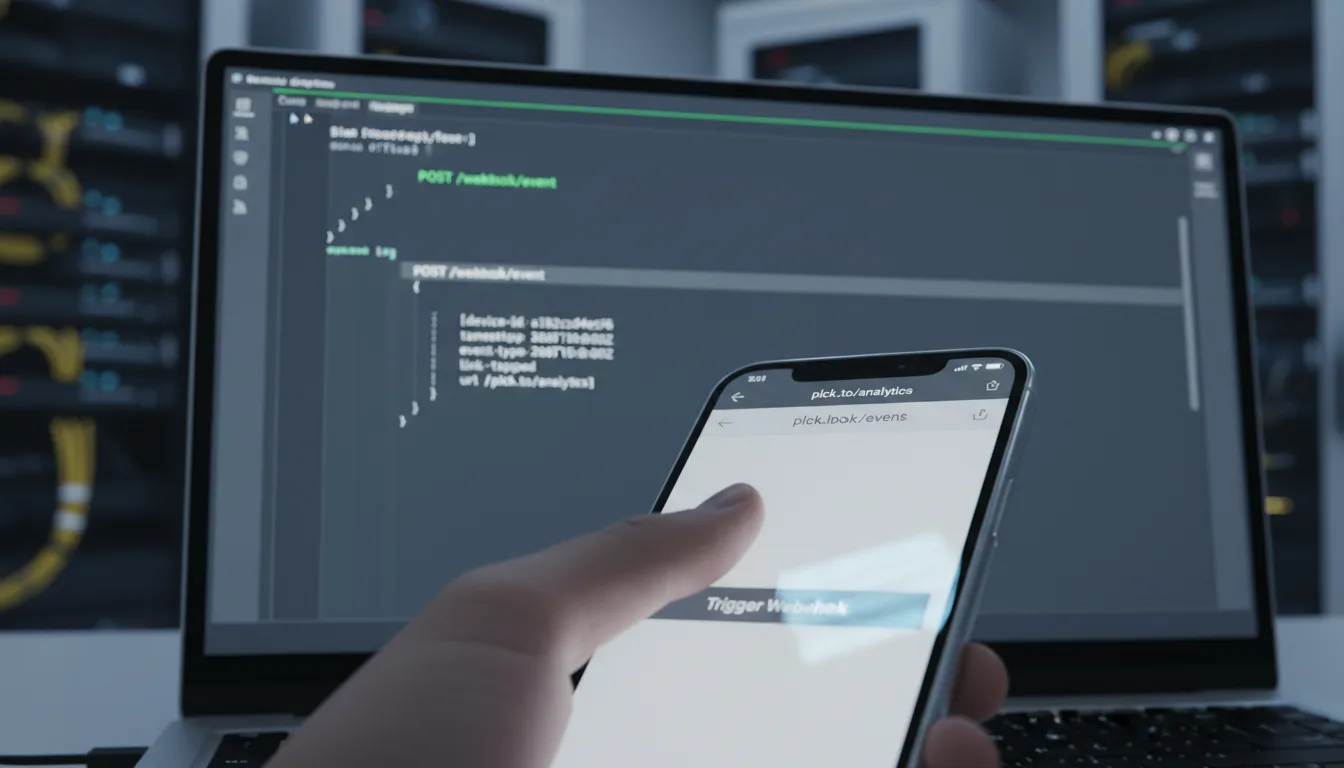
Now, here's where a webhook integration steps in like a digital interceptor. The very moment your link management service resolves that planck.to URL, it doesn't just redirect. Oh no. It simultaneously dispatches a powerful JSON payload directly to a configured endpoint on your server. This isn't just any data; it's a treasure trove of granular metadata, crucially including the Device Type, Operating System, and User Agent. All this, delivered in real time, the second the click happens.
Webhooks vs. API Polling: Why Real-Time Wins
You might be wondering, "Can't I just use an API to get this data?" Sure, you *could*. Many newer integrations start by polling APIs at regular intervals, constantly checking for new click data. But let's be honest, this approach is like constantly knocking on a door to see if anyone's home. It's resource-intensive, inefficient, and, most critically, inherently delayed.
Imagine your goal is to immediately update a CRM record or send a personalized push notification the instant someone clicks your mobile ad. If you're stuck with a 15-minute polling delay, that data is practically useless. The moment has passed. The user has moved on.
Webhooks, on the other hand, operate on a far more efficient "push" model. Instead of you repeatedly asking for data, the data is transmitted *immediately* the very second the event occurs. It's like having someone instantly tap you on the shoulder the moment a package arrives, rather than you checking your mailbox every five minutes. For high-volume links, this real-time delivery demands a robust receiving infrastructure on your end – one that can gracefully handle concurrent requests without breaking a sweat or adding latency.
Getting Ready: Prerequisites for a Smooth Implementation
Alright, you're convinced about the power of device analytics webhooks. That's fantastic! But before we dive into the nitty-gritty of configuration, we need to ensure your digital playground is properly set up. Think of these as your essential tools and access passes. Meeting these prerequisites is non-negotiable for a successful and headache-free integration:
- Publicly Accessible Endpoint: This is a big one. You absolutely need a server endpoint (a URL) that's open to the internet and capable of receiving POST requests. If you're thinking of running this on your local machine, remember that localhost environments won't work directly. You'll need a tunneling service (like ngrok) to expose your local setup to the web.
- SSL/TLS Encryption (HTTPS): In a production environment, security is paramount. Your webhooks should *always* be sent and received over HTTPS. Double-check that your receiving endpoint has a valid SSL certificate; anything less is a security risk.
- JSON Parsing Capability: The data coming in will be in JSON format. So, your backend application (whether it's built with Node.js, Python, PHP, Go, or anything else) must be configured to correctly parse those incoming JSON bodies. Without this, you'll just be staring at raw text!
- Platform Access: Finally, you'll need an active account with a link management provider, such as Planck.to, that offers robust granular device analytics and supports webhook configurations.
Seriously, don't skip this step. Always, always, *always* set up a staging or development environment for your endpoint first. Testing webhooks directly on a live production server is a recipe for disaster. You could accidentally clutter your database with test data or trigger logic errors if the payload structure isn't exactly what you expect.
Your Playbook: A Step-by-Step Integration Guide
Okay, with those prerequisites checked off, you're ready for the fun part: diving into the actual technical implementation. This section walks you through everything, from setting up your receiver endpoint to understanding the data payload and finally configuring it within your link management platform.
1. Designing Your Receiver Endpoint: The Data Welcome Mat
Your very first task is to code the endpoint that will gracefully "digest" all that incoming data. The most critical rule here? Your endpoint needs to acknowledge receipt *immediately*. We're talking about returning a 200 OK HTTP status code as fast as possible, *before* you even start processing any complex logic. Why? Because if your server takes too long to respond, the sending server might assume the webhook failed and retry sending the event, potentially leading to messy duplicate data on your end. Nobody wants that!
So, your ideal logic flow should look something like this:
- Receive the POST request from the webhook sender.
- (Optional, but highly recommended) Quickly verify the security signature to ensure the request is legitimate. More on this later!
- **CRITICAL:** Immediately return an HTTP 200 OK status back to the sender.
- *Then*, push the entire payload to a message queue (like RabbitMQ, Redis, or AWS SQS) for asynchronous processing. This keeps your endpoint lean and fast.
2. Analyzing the Device Payload: What Data Are You Getting?
When a user clicks on one of your links, like planck.to/spring-sale, the webhook payload delivered to your endpoint will contain a wealth of specific fields relevant to device analytics. While every platform might have slight variations, the standard schema typically includes these key pieces of information:
- event_type: This tells you what happened. Usually, it's "click."
- short_url: The exact shortened link that was clicked (e.g., planck.to/spring-sale).
- device_type: This is the absolute critical field for device analytics. Values typically include "mobile," "desktop," "tablet," or even "console."
- os: The operating system the user is on (think iOS, Android, Windows, macOS, Linux).
- browser: Which browser they're using (Chrome, Safari, Firefox, Edge, etc.).
Truly understanding and leveraging that device_type field is paramount. It's the variable that should trigger almost all your conditional logic. For instance, if the payload clearly indicates "device_type": "mobile" and "os": "iOS", your internal system can instantly tag this user as a potential high-value app installer, paving the way for hyper-targeted follow-ups.
3. Configuring the Webhook in Planck.to: Connecting the Dots
Once your beautifully crafted endpoint is live and ready to receive data, it's time to connect it to your chosen link management platform. If you're using a service like Planck.to, you'll typically navigate to the developer or integrations settings within your dashboard.
Here, you'll input your destination URL – that public endpoint you just built. Many platforms also offer the ability to filter which specific events trigger a webhook. For device analytics, you'll definitely want to ensure you're subscribed to "Link Clicks" or "Traffic Events." What's really cool is that some advanced configurations even let you filter at the source. For example, you could tell the platform to *only* send webhooks if the device type is "Mobile." This can drastically reduce the load on your server if you're solely focused on mobile attribution, making your system even more efficient.
A properly configured webhook will often fire a test payload immediately upon saving your settings. This is your cue! Make sure to check your server logs to confirm a successful receipt of this test event before you even think about pushing live traffic. It's the ultimate confidence check.
Beyond Basics: Advanced Implementation for Security and Scale
In the world of professional, enterprise-level digital marketing, merely "making it work" isn't enough. We need to talk about security and scalability. After all, you're exposing an endpoint to the public internet, and that creates a potential vulnerability. Without proper safeguards, malicious actors could flood your database with fake data, skewing your metrics and potentially crashing your system.
Implementing Signature Verification: Your Digital Bouncer
You might think, "Well, my webhook URL is secret, so I'm safe, right?" Wrong. Relying solely on the URL's secrecy is a rookie mistake. You absolutely, unequivocally, *must* implement signature verification. Think of it as a digital bouncer checking IDs at the door.
When a platform like Planck.to sends a webhook, it typically includes a special header containing a cryptographic signature (often HMAC-SHA256). This signature isn't random; it's generated using the raw payload body and your unique, shared webhook secret key. It's proof that the request truly came from the expected source.
On your server, you need to perform a few quick steps:
- Capture the raw request body *exactly* as it was sent.
- Using your stored secret key (which should be securely stored, by the way!), hash this raw body using the same cryptographic algorithm (e.g., HMAC-SHA256).
- Compare your calculated hash with the signature provided in the webhook header.
If those hashes don't match, you know the request didn't originate from your platform provider. It's a fake, and you should reject it immediately. No exceptions!
Handling Concurrency: Ready for the Flood
Let's be real: marketing campaigns are inherently bursty. You launch a viral email blast containing a hot new planck.to link, and suddenly you could be facing thousands of clicks per second. If your webhook receiver is configured to write directly to a standard relational database (like MySQL) in a synchronous fashion, you're heading for trouble. We're talking about table locks, timeouts, and a system that grinds to a halt.
Here's the harsh truth: Scalability isn't something you bolt on later; it's a fundamental prerequisite for effective event-driven analytics. You absolutely must decouple ingestion from processing.
The recommended, battle-tested architecture for handling this kind of volume involves an ingestion layer. Think of something like Redis, which acts as a super-fast, temporary holding area. This layer simply accepts the payload, pops it onto a queue, and immediately closes the connection. It doesn't do any heavy lifting. A *separate* worker process then patiently consumes these events from the queue, performing all the complex logic like updating user profiles, calculating conversion metrics, or triggering other actions. This way, your initial endpoint stays responsive, no matter how many clicks come flooding in.
Why Bother? Practical Use Cases for Real-Time Device Data
You've seen the technical setup, but let's get to the good stuff: *why* go through all this effort to set up webhooks for device analytics? The answer is simple: the immense value derived from immediate, actionable insights. This isn't just about data; it's about intelligence you can use right now.
1. Real-Time Deep Link Retargeting: Precision Marketing
Imagine you're distributing a critical link: planck.to/app-launch. With real-time webhook data, you're not just tracking clicks; you're building audience segments the second a click happens. This unlocks incredible precision.
If a user clicks from their Desktop? Instantly add them to your "Web Retargeting" list in your CRM. But if that click comes from a Mobile device (iOS or Android)? You can trigger a completely different workflow. Perhaps you check if they already have your app installed (using downstream deep linking verification). If not, you immediately serve them an ad for the *specific app store* relevant to their OS. Talk about hyper-personalization!
2. Fraud and Bot Mitigation: Protecting Your Budget
In the murky waters of digital advertising, bot traffic and click fraud are a constant threat, silently draining your marketing budget. Here's where device analytics become your frontline defense. Bot traffic often reveals itself through anomalous device headers – think of a Linux desktop OS suddenly claiming to be an iPhone, or an entirely empty User Agent string. These are red flags.
By ingesting webhook data in real-time, you can run immediate logic to flag IP addresses associated with these mismatched device types. For instance, if a single IP generates 100 clicks on your planck.to/offer link within a minute, all purporting to be different devices, your webhook logic can instantly identify this suspicious activity and blacklist that IP from any future campaigns. This protects your ad spend and ensures your data is clean.
When Things Go Wrong: Troubleshooting Common Integration Failures
Even with the most robust architecture and meticulous planning, webhooks can occasionally fail. It happens to the best of us! The key is to approach diagnosing these failures with a systematic, calm methodology. Don't panic.
Remember the word "idempotency." It's crucial in webhook handling. Sometimes, due to network jitter or other transient issues, the sender might not receive your 200 OK response and will resend the exact same event. Your system absolutely must be able to handle these duplicate event IDs gracefully without corrupting your precious analytics data.
Common Symptoms and Their Solutions
-
Symptom: 500 Internal Server Errors on the Sender Side
Likely Cause: More often than not, your application code is crashing when it tries to parse the incoming JSON. This could be due to an unexpected null value in a field likedevice_typethat your code isn't prepared for.
Fix: Go back to your parser. Implement robust error handling (think try-catch blocks) and ensure your schema validation is flexible enough to handle slight variations or missing data gracefully. -
Symptom: Timeouts from the Webhook Sender
Likely Cause: This usually means your endpoint is taking too long to respond. It's probably performing heavy operations like database writes or external API calls *before* it returns the essential HTTP 200 OK response.
Fix: Make your processing asynchronous. As discussed earlier, return that 200 OK status immediately, *then* push the data to a queue for background processing. -
Symptom: Missing Data (Webhooks aren't arriving at all)
Likely Cause: This is often a networking issue. Check your firewall rules or IP whitelisting settings. They might be blocking the webhook sender's IP addresses.
Fix: Consult the documentation for Planck.to or your chosen provider to identify the specific IP ranges used for sending webhooks. Then, make sure to whitelist those IPs in your firewall or Web Application Firewall (WAF) settings.
Conclusion: Embrace the Real-Time Advantage
Implementing Device Analytics Webhooks isn't just another technical chore; it's a true maturity milestone for your digital marketing infrastructure. It signals a powerful transition for your organization: moving away from slow, reactive reporting to embracing proactive, real-time engagement. By gaining an immediate, crystal-clear understanding of the exact device context behind every single click on your planck.to links, you unlock the incredible ability to tailor user journeys with surgical precision. This is marketing optimized for the modern age.
Yes, there's a technical overhead involved in setting up a secure, scalable listener. But trust us, the competitive advantage you gain from immediate data ownership and the power to react instantly far outweighs that initial effort. Whether your goal is to dramatically optimize mobile conversion rates, ruthlessly filter out bot traffic, or deliver truly personalized experiences, integrating device-level webhooks isn't just an option anymore. It's a fundamental requirement for any modern, data-driven link management strategy that truly aims to win.
Ready to get started?
Join thousands of users who are already using our platform to manage their links efficiently.
Create Your Free Account