Deep Dive into Planck Device Analytics Strategies
Ready to get started?
Join thousands of users who are already using our platform to manage their links efficiently.
Create Your Free AccountThe Game-Changer: Why Device Analytics Isn't Just a Metric, It's Your Secret Weapon
In the fast-paced world of digital marketing, we often hear that "a click is just a click," but let's be real—that couldn't be further from the truth. Every single click represents a complex interaction, deeply shaped by context, environment, and, crucially, user intent. As marketers, we typically obsess over the *source* of our traffic: "Which campaign brought them in? Was it social media or an email blast?" And yes, that's vital information.
However, if you're looking to elevate your game, intermediate and advanced digital strategists know there's another piece to the puzzle: how a user accesses your content is just as, if not more, crucial than *where* they came from. Think about it: are they clicking your links from a tricked-out, multi-monitor desktop setup, casually browsing on a tablet from their couch, or trying to navigate with one hand on their smartphone while squeezed onto a crowded commute?
This is precisely where Device Analytics steps up, transforming from a simple reporting metric into an absolute cornerstone of Conversion Rate Optimization (CRO). Imagine sending all these diverse users to the exact same heavy, desktop-optimized landing page. You're not just missing an opportunity; you're actively setting your budget on fire! It's like inviting someone to a black-tie gala and telling them to show up in sweatpants.
In this comprehensive guide, we're not just scratching the surface. We're diving deep into practical device analytics strategies. We'll move far beyond basic click counting to explore how you can interpret granular device-level data, master the art of optimizing user journeys based on hardware context, and troubleshoot those pesky, common tracking discrepancies. Our goal? To ensure your data isn't just plentiful, but pristine and genuinely actionable.
Getting Your Ducks in a Row: Prerequisites for Advanced Device Analytics
Before you even think about rolling out those sophisticated device-specific optimization strategies, you've got to ensure your tracking infrastructure is solid. I mean, rock-solid. Why? Because operating on assumptions instead of cold, hard data is the fastest way to derail your campaigns and waste precious resources. Let's make sure your foundation is ready.
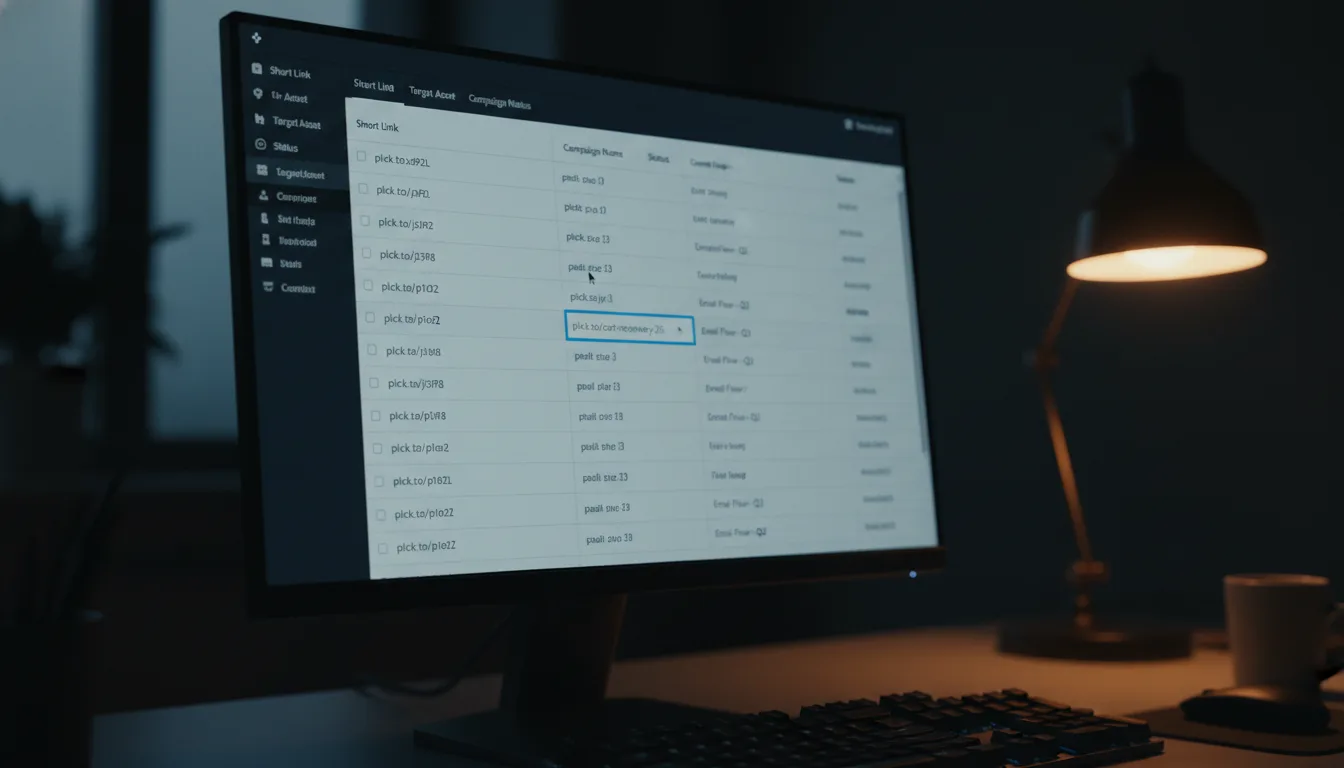
- A Robust Link Management Platform: You absolutely need a platform that can accurately capture device type, operating system, and browser data right at the moment of the click. Think of it as your digital detective. A sophisticated tool like Planck.to, for example, allows you to gather this incredibly granular data natively, often even before the user's browser has fully rendered your landing page. That's powerful stuff!
- Unified UTM Taxonomy: Device data truly shines when you cross-reference it with your campaign data. This means your UTM parameters (source, medium, campaign) must be consistently applied across *all* your shortened links. No shortcuts here, folks! Consistency is key for clear insights.
- Responsive Destination Assets: Here's the deal: all the device data in the world is utterly useless if you can't actually act on it. Your destination URLs must point to truly responsive assets or, even better, have dynamic routing capabilities. This allows you to serve up a tailored experience to different devices without a hitch.
- Defined Micro-Conversions: We know mobile and desktop users convert differently. It's just a fact. So, don't just track the big picture (like purchases). Make sure you're also tracking those crucial micro-conversions, like email sign-ups, content downloads, or video views. They tell a much richer story about user engagement across different devices.
Device analytics isn't just for fancy marketing reports. Its true purpose is to inform and refine your UX design. The ultimate goal of tracking a user's device is to proactively reduce friction in their very next interaction, making their journey smoother and more delightful.
Your Playbook: Mastering Device Analytics Strategies, Step-by-Step
Alright, infrastructure's in place? Excellent! Now, it's time to transform that raw device data into strategic, conversion-driving action. Follow this step-by-step methodology, and you'll be leveraging your link analytics for seriously improved performance in no time.
Step 1: Establish Your Traffic Baselines by Device
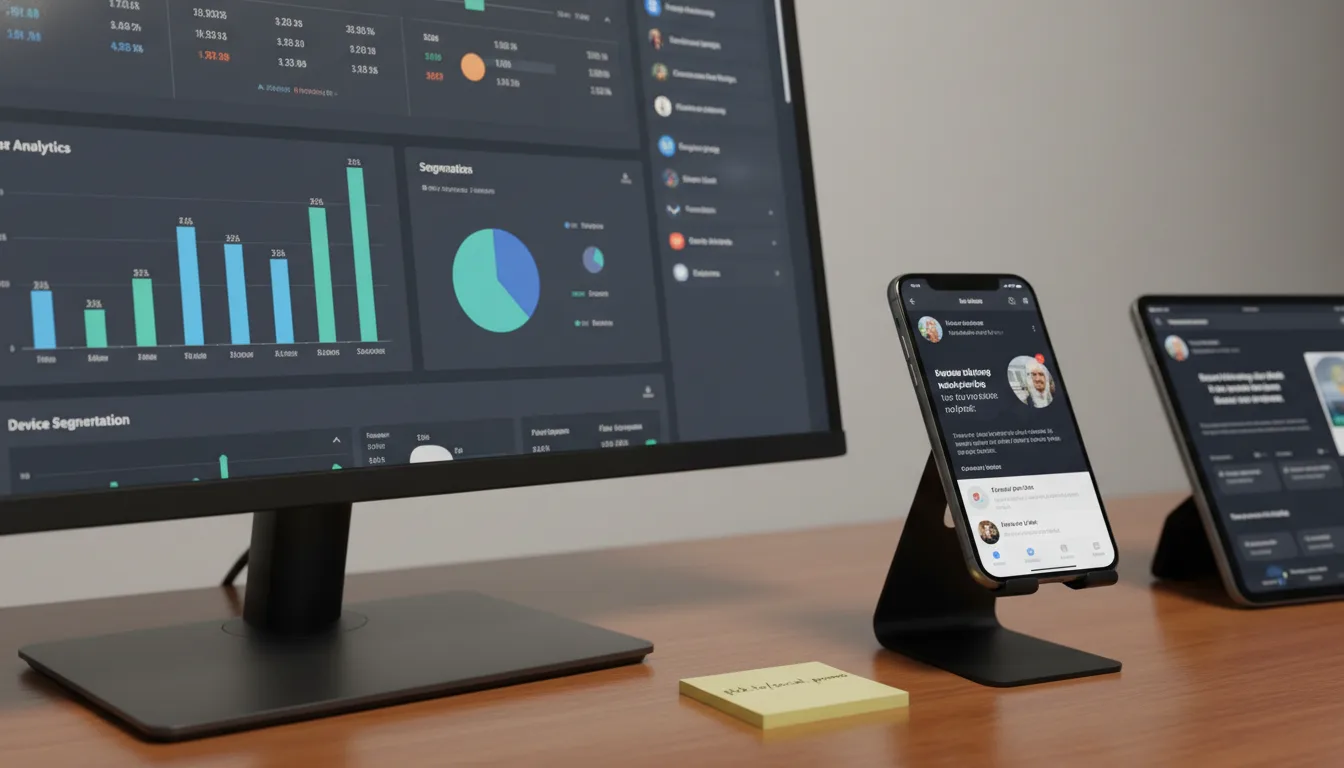
Your very first mission, should you choose to accept it (and you should!), is to audit your historical link data. Head into your link management dashboard and segment your total clicks over the past 90 days. But don't just look at the aggregate numbers. Go deeper. Break it down by device type: Desktop, Mobile, and Tablet. Then, take it a step further and analyze this breakdown by individual marketing channel.
For example, you might discover that your LinkedIn campaigns are predominantly driving desktop traffic (say, 60%), while your Instagram efforts are almost exclusively mobile-first (perhaps a whopping 98%). Establishing these baselines is incredibly powerful. Why? Because it allows you to set realistic conversion benchmarks for each channel and device. If you know a specific campaign, like the one promoted via planck.to/social-promo, is almost entirely mobile, you can pour all your energy into optimizing that destination specifically for small screens and intuitive touch interfaces. That's smart marketing!
Step 2: Map Device Data to User Intent
Here's a crucial insight: the device someone is using tells you a *lot* about their current intent and cognitive load. As an intermediate marketer, you've got to become a bit of a psychologist and map your analytics directly to the user's probable psychological state. It's not just about the device; it's about the mindset behind it:
- Mobile Devices (High Urgency, Low Attention): Think about it – mobile users are almost always on the move, multitasking, or just casually browsing during a quick break. They demand instant gratification: lightning-fast load times, super-easy navigation, and immediate answers. High-friction tasks, like trying to fill out a lengthy 10-field form, will absolutely decimate your conversion rates here. Keep it snappy!
- Desktop Devices (High Intent, High Attention): These users are typically settled at a desk, likely during work hours or dedicated research sessions. They're focused. They're prepared to dive into long-form content, compare complex features side-by-side, and complete more involved tasks like significant B2B software purchases. This is where you can present detailed information.
- Tablets (Leisure and Consumption): Ever notice how tablet traffic often spikes in the evenings and on weekends? That's because these users are usually in a relaxed, consumption-oriented mindset. They're perfect for unwinding with long-form video, exploring immersive product catalogs, or reading those in-depth articles you've been meaning to share.
Don't just look at device type; cross-reference your device data with the time of day. You'll almost certainly spot distinct patterns, like mobile dominance during morning commutes and desktop users taking over from 9 AM to 5 PM. Use this precious insight to schedule your link drops and content promotions with surgical precision.
Step 3: Optimize the Destination Experience
You've done the hard work of understanding the context. Now comes the exciting part: tailoring the destination itself! If your device analytics scream that a particular link is generating a flood of mobile traffic, it's time to put yourself in their shoes. Audit that destination page on a mobile device. Seriously, grab your phone and try it.
Is the call-to-action (CTA) immediately visible without endless scrolling? Are those touch targets big enough for thumbs, or are users accidentally tapping the wrong thing? And are you leveraging mobile-native features like Apple Pay or Google Pay to utterly eliminate checkout friction? These small details make a massive difference. Conversely, if a link like planck.to/enterprise-whitepaper is seeing heavy desktop traffic, you've got a golden opportunity. Ensure that landing page truly utilizes the extra screen real estate to showcase high-resolution charts, compelling detailed testimonials, and comprehensive feature matrices. Don't be shy; give them all the rich detail they're looking for!
This isn't just theory. By meticulously mapping device data to user intent and then optimizing the destination experience accordingly, smart marketers consistently report conversion rate lifts of 15% to 30%. The best part? They achieve this without even increasing their ad spend or needing more traffic volume. That's efficiency at its finest!
Strategic Examples in the Wild: Putting Device Analytics to Work
To truly grasp the transformative power of device analytics, let's peek into how different industries are using this data right now to drive tangible business outcomes. These aren't just hypotheticals; they're real-world victories.
Example 1: E-commerce and the Mobile Flash Sale That Actually Converts
Imagine an e-commerce brand launching an irresistible SMS marketing campaign for a flash sale. They use a snappy link like planck.to/weekend-flash. Because SMS is inherently mobile-first, their Planck.to analytics dashboard immediately shows that a staggering 99% of clicks are coming from smartphones. Armed with this crucial knowledge, the brand makes a brilliant move: they completely bypass their traditional, heavier homepage. Instead, the link routes users directly to a hyper-streamlined, mobile-only checkout page. They ditch the complex navigation headers and heavy lifestyle images, prioritizing a lightning-fast, one-click purchase flow. The result? A dramatic, almost unbelievable, decrease in cart abandonment. Pure genius!
Example 2: B2B SaaS and the Smarter Desktop-First Onboarding
Consider a B2B software company running LinkedIn ads to promote a complex, 30-minute interactive product demo. Initially, their link analytics show a roughly 50/50 split between mobile and desktop clicks. "Great!" they might think. But then they check their backend CRM and discover a shocking truth: only desktop users are actually completing the demo. The mobile experience, it turns out, is simply too cumbersome for such a detailed, time-intensive asset. Recognizing this friction, they pivot their strategy. Their updated mobile landing page no longer forces the full demo. Instead, it prominently offers a "Send this to my email for later" option. This brilliant move captures the mobile lead in the moment while smartly deferring the heavy interaction to a more suitable desktop environment. It's about respecting the user's context.
"Device analytics taught us that a mobile click isn't always ready to buy; sometimes, a mobile click is just window shopping for a desktop purchase later that evening."
Don't Trip Up! Common Mistakes to Avoid in Device Analytics
Even seasoned marketers can occasionally stumble when interpreting device data. Trust me, I've seen it happen! To save you from headaches and wasted budget, let's explore these costly pitfalls you absolutely want to avoid when building out your strategy.
Mistake 1: Ignoring Cross-Device Journeys (The Big One!)
This is arguably the most pervasive error in modern analytics: the failure to recognize and account for Cross-Device Attribution. Here's a classic scenario: a user clicks your shortened link on their iPhone while riding the train, browses your products for a bit, but then decides to wait until they're back at their laptop to input their credit card information. If you're *only* looking at last-click attribution, you might falsely conclude that those mobile links aren't generating any ROI. This couldn't be further from the truth! Always, always use device data to understand the *start* of the journey, even if the conversion happens elsewhere. It's a marathon, not a sprint!
Mistake 2: Treating "Mobile" as a Monolith (It's Not!)
Let's get one thing straight: not all mobile devices are created equal. A user struggling on a five-year-old budget smartphone connected to a sluggish 3G network is going to have a vastly different experience than someone blazing through on the latest flagship device with a crisp 5G connection. While your high-level device tracking might categorize both as simply "Mobile," it's crucial that your destination pages are truly optimized for the lowest common denominator. Prioritize lightning-fast load speeds and minimize asset sizes to ensure *everyone* has a decent experience, not just those with cutting-edge tech.
Mistake 3: Failing to Adjust Bids Based on Device Performance
If you're using shortened links in your paid social or paid search campaigns, then ignoring device data is akin to throwing money out the window. It's a huge waste of budget! If your analytics clearly show that tablet users convert at, say, half the rate of desktop users for a particular campaign, what should you do? Simple: actively apply negative bid modifiers for tablets in your ad platform. This smart adjustment will immediately maximize your Return on Ad Spend (ROAS) and ensure you're investing where it truly counts. Don't leave money on the table!
When Things Go Sideways: Troubleshooting Device Tracking Discrepancies
Ah, the joys of data! It's rarely, if ever, perfect. As an intermediate marketer, you'll inevitably bump into situations where your link tracking data doesn't quite align perfectly with your downstream analytics tools, like Google Analytics or Adobe Analytics. It's normal, but it can be frustrating. So, let's walk through how to troubleshoot the most common issues you're likely to encounter.
Problem: Link Clicks Exceed Analytics Sessions (The Classic Head-Scratcher)
You're checking your Planck.to dashboard and see a robust 1,000 mobile clicks reported for a specific link. But then you jump over to Google Analytics, and it's only showing 750 mobile sessions for that exact UTM parameter. Panic might start to set in! But hold on—this discrepancy, while jarring, is actually a normal technical reality for a few key reasons.
A "click" is recorded the millisecond a server processes your short link. Simple as that. However, a "session" is only recorded if the destination page *fully loads* AND its analytics JavaScript successfully *executes* in the user's browser. There's a critical difference in timing and execution here.
Step-by-Step Fixes & Verification:
- Audit Page Load Speed: Let's be honest, mobile users are notoriously impatient. If your landing page takes four whole seconds to load, a significant chunk of users will click that link (triggering your link analytics) but then hit the "back" button before your analytics script even gets a chance to fire. Prioritize optimizing your images, minifying code, and reducing server response times. Every millisecond counts!
- Check for Ad Blockers: Many privacy-focused mobile browsers and even network-level ad blockers are designed to prevent common analytics scripts (like Google Analytics) from firing. Server-side link redirects, on the other hand, are immune to this. This is a common, natural cause for link clicks to appear higher than downstream sessions.
- Bot Traffic Skew: Ensure your link management platform has robust bot filtering in place. Bots, scrapers, and social media preview generators will click links (often presenting as desktop user-agents), but they won't execute the JavaScript necessary to trigger a proper web analytics session. Good platforms automatically filter these out, giving you cleaner data.
Problem: Overrepresentation of Specific, Older OS Versions
Ever notice an unnatural spike in an outdated operating system popping up in your device data? It can be perplexing! This often happens when users click a link *inside* certain in-app browsers, like those built into the Facebook or X (formerly Twitter) apps. These built-in web views sometimes use modified user-agent strings, which can unfortunately skew your device data and make it look like everyone's still running a relic of an OS.
Prevention Tip: If your strategy leans heavily on social media traffic, you should seriously consider implementing deep linking protocols. Instead of forcing users to open a web page within a restrictive in-app browser, deep links intelligently route the user directly to your native app (if they have it installed) or, failing that, to their default system browser (like Safari or Chrome). The payoff? Much cleaner data and a vastly superior, more fluid user experience. It's a win-win!
Conclusion: Beyond the Click – Humanizing the Digital Experience
At the end of the day, truly mastering device analytics elevates your digital strategy from mere reactive tracking to powerful, proactive optimization. It's about recognizing that every click is made by a human being with a distinct set of behaviors, intents, and technical limitations, whether they're on a desktop, mobile device, or tablet.
By understanding these nuances, you gain the incredible ability to tailor your routing and landing page experiences, meeting your audience exactly where they are, in the precise mindset they're in. Remember, a robust link management infrastructure isn't just a nice-to-have; it's the absolute foundation of this entire strategy.
So, capture that data accurately, meticulously map it to user intent, consciously avoid the trap of ignoring those crucial cross-device journeys, and get comfortable troubleshooting those inevitable discrepancies between your clicks and sessions. Ultimately, device analytics isn't just about categorizing hardware or crunching numbers—it's about empathizing with your users and humanizing the digital experience to drive truly meaningful, measurable conversions. And that, my friends, is what truly separates the good marketers from the great ones.
Ready to get started?
Join thousands of users who are already using our platform to manage their links efficiently.
Create Your Free Account