Domains API: Your Complete Guide to Unlocking Automation

Ready to get started?
Join thousands of users who are already using our platform to manage their links efficiently.
Create Your Free AccountDomains API: Your Complete Guide to Unlocking Automation
Ever fantasized about a digital presence for your brand that just... works? We're talking about a world where your online identity isn't just consistent, but also dynamically responsive, effortlessly scalable, and always under your thumb. Picture this: all those tedious, repetitive tasks of managing your online domains simply vanish, replaced by seamless automation. This frees you up to focus on what truly matters – innovation, growth, and dreaming bigger. Sounds like a sci-fi dream, right? Well, it's not. This tangible reality is completely within reach, unlocked by the sheer power of a Domains API.
In today's vast digital landscape, especially when we talk about marketing and brand management, custom domains are the absolute bedrock of trust and recognition. They're what transform generic, easily forgettable links into powerful extensions of your brand's voice and presence. But here's the thing: as your operations expand and your brand grows, so does the complexity of keeping all those domains in line. That's precisely where an API steps in. It's not just another tool; it's a genuine catalyst for transformation, giving you the power to build, manage, and scale your brand's online footprint with an agility you've probably never experienced before.
What Exactly is the Domains API? Your Gateway to Unprecedented Control
Alright, let's break it down. At its very core, an API (Application Programming Interface) is essentially a set of predefined rules that allows different software applications to chat with each other. Think of it like a universal translator for your tech stack. It enables your internal systems to "talk" to another service, asking for specific actions to be taken and receiving information back in a language they both understand. The Domains API is precisely this kind of powerful interface, but it's specifically crafted for the programmatic management of your custom domains right within a URL shortening platform.
What does that mean for you? In essence, the Domains API hands you a direct, automated channel to add, configure, update, and manage all your branded domains. And the best part? You don't ever need to log into a clunky user interface to do it! It truly liberates you from the manual, often painstaking, process of setting up each domain individually, verifying DNS records, and then assigning them for link shortening. This isn't just about saving a few clicks here and there; it's a fundamental shift from constantly reacting to domain management issues to a proactive, intelligent, and fully automated approach.
The Domains API transforms your custom domains from static assets into dynamic, programmable components, allowing you to embed domain management directly into your existing workflows and systems for seamless operation.
Beyond Manual Management: Embracing the Vision of True Automation
Let's be real for a second. Traditionally, getting a new custom domain up and running is a multi-step saga. You purchase the domain, log into your URL shortener, manually type in the domain name, copy DNS records, update your domain registrar, and then... wait. Wait for propagation, wait for verification. Now, imagine doing that for dozens, hundreds, or even thousands of domains. The task quickly becomes not just daunting, but also incredibly prone to human error, and a massive drain on your precious time and resources.
The good news? The Domains API absolutely shatters these limitations! It unveils a vision where your next big marketing campaign, a critical product launch, a new client onboarding, or even internal processes can automatically provision and configure branded domains on the fly. This isn't just about being efficient; it's about being transformative. You'll be able to react faster to market changes, scale your efforts smarter, and maintain an absolutely impeccable brand presence across every single one of your digital touchpoints, all without breaking a sweat.
How the Domains API Works: The Mechanics Behind the Magic
The brilliance of a Domains API really comes down to one simple yet powerful idea: request and response. Essentially, your applications (whether it's a custom script you wrote, your CRM, or your marketing automation platform) send specific requests to the API. The API then processes these requests, does its thing, and sends back data or confirmation of actions taken. This whole conversation usually happens over standard web protocols, primarily HTTP/S, using familiar data formats like JSON. It's like ordering from a menu: you ask for what you want, and the kitchen (the API) prepares it and sends it back to you.
Core Operations: Your Comprehensive Toolkit for Domain Mastery
While the exact endpoints and parameters might differ slightly between platforms, a truly robust Domains API generally equips you with a powerful suite of core operations. These are your go-to tools for comprehensive domain management:
- Adding a Domain: You can programmatically register a brand new custom domain. Typically, you'll just send the domain name right to the API, and it handles the rest of the initial setup.
- Retrieving DNS Records: Once you've added a domain, the API doesn't just leave you hanging. It provides the crucial CNAME or A records that you'll need to configure with your domain registrar. This points your custom domain directly to the URL shortening service, making it ready for action.
- Verifying Domain Status: No more guesswork! You can query the API at any time to check if a domain's DNS records have properly propagated and if it's officially ready for use. This feature completely eliminates manual checks and those agonizing waiting games.
- Setting Default Domains: Need a specific custom domain to be the go-to for all new shortened links generated programmatically? The API lets you assign it as the default with ease, ensuring consistency.
- Updating and Deleting Domains: Your needs change, and so can your domains. You can effortlessly modify settings for existing domains or remove them entirely from your account when they're no longer needed, all through code.
- Listing All Domains: Want a complete overview? The API can retrieve a comprehensive list of every single custom domain associated with your account, complete with their current status and configurations. It's like having an always up-to-date inventory.
The Crucial Role of Authentication and Security
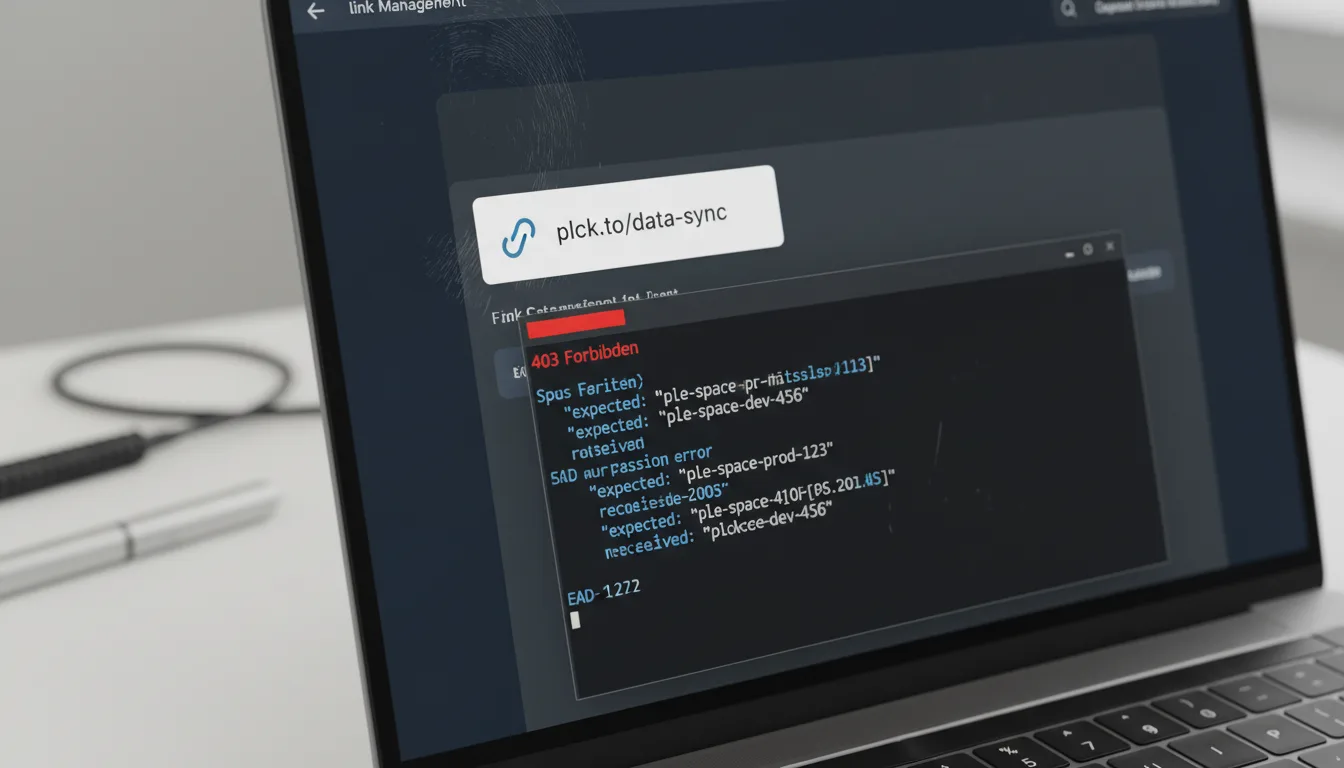
With such powerful functionality at your fingertips, robust security isn't just a nice-to-have; it's absolutely essential. That's why the Domains API typically uses an API key or OAuth tokens for authentication. These credentials are your digital keys, verifying that only authorized applications can actually make requests to your account. Protecting your API key is paramount, because it essentially grants programmatic control over your valuable domains. Treat it with the same care you would your most sensitive passwords!
Always store your API keys securely! Never, ever hardcode them directly into publicly accessible code. Instead, opt for environment variables or robust secure configuration management systems to keep them safe and sound.
The Unstoppable Benefits: Why the Domains API is an Absolute Game-Changer
Let's be clear: adopting the Domains API isn't just some incremental upgrade. It's a massive, strategic leap forward for any organization truly serious about scaling its digital presence and maintaining an ironclad brand. The benefits stretch far beyond simple efficiency, touching every single aspect of how your brand interacts online.
1. Command Unrivaled Scalability
Can you even imagine trying to manually manage hundreds, or even thousands, of unique branded domains? Think about it: different campaigns, countless clients, various product lines. Doing that by hand would be an absolutely insurmountable task, right? The API fundamentally transforms this daunting challenge into a golden opportunity. It empowers you to provision domains at scale, enabling rapid expansion of your digital footprint without piling on operational overhead. As your business blossoms and grows, your domain management system scales effortlessly right alongside it, without a hitch.
2. Forge Unwavering Brand Consistency
Every single link you share is an ambassador for your brand. Period. With the Domains API, you can guarantee that every shortened link, whether it's generated for a massive global campaign or a super-niche promotion, adheres to your precise branding guidelines. Say goodbye to generic short URLs that dilute your message and confuse your audience. Instead, every single link actively reinforces your identity, meticulously building trust and recognition. For example, instead of a generic short link like planck.to/abc123, every marketing push can proudly feature a custom domain such as campaign.mybrand.com/launch or product.ourcompany.co/promo. All of these custom domains are managed and provisioned seamlessly via the API, making consistency a breeze.
3. Embrace Unparalleled Efficiency and Speed
Here's a truth bomb: time is your most valuable asset. The API mercilessly eradicates all those tedious, error-prone manual steps involved in domain setup. What once took minutes, or even hours, per domain can now be accomplished in mere seconds, all programmatically. This dramatic surge in efficiency empowers your teams to deploy campaigns faster than ever, onboard new clients with incredible smoothness, and respond to exciting market opportunities with lightning speed. Imagine the competitive edge!
4. Cultivate Seamless Integration
The real superpower of an API lies in its ability to play nice with your existing technology stack. Imagine connecting your CRM, your marketing automation platform, your content management system, or even your bespoke internal tools directly to the Domains API. This creates a beautifully unified ecosystem where domain management becomes an inherent, natural part of your broader operational workflows, rather than a separate, disjointed, and often forgotten task. It all just flows.
5. Minimize Human Error, Maximize Reliability
Let's face it, manual data entry is a notorious culprit for errors. By automating the entire domain addition and configuration process, you drastically slash the potential for costly mistakes – typos in domain names, incorrect DNS records, or misconfigured settings. The API ensures that every single domain is set up correctly, consistently, and reliably, every single time. This builds a foundation of trust and stability for all your digital endeavors.
“The Domains API absolutely transformed our client onboarding process. We can now spin up fully branded short link domains for new clients in minutes, allowing them to kick off their campaigns faster and building immediate, unwavering trust from day one.”
Inspiring Real-World Examples: Where the Domains API Truly Shines
The beautiful thing about the Domains API is that its potential applications are as diverse and varied as the businesses that choose to leverage it. Let's dive into some compelling scenarios where this powerful tool doesn't just help, but becomes an absolutely indispensable asset:
Digital Agencies: Managing Client Portfolios with Grace at Scale
Consider a bustling digital marketing agency. They're often juggling campaigns for a multitude of clients, and each client typically needs their own unique branded links. Instead of the laborious process of manually adding and configuring domains for every single client, an agency can brilliantly use the Domains API to automate this entire workflow. When a new client comes onboard, their dedicated domain (like clientbrand.agency.com) can be programmatically added and configured in moments. All subsequent shortened links for that client would then automatically use this custom domain – think clientbrand.agency.com/campaign-name – maintaining impeccable consistency and powerfully reinforcing the client's brand. This also ensures that all reporting and analytics are perfectly tied back to the correct client domain, keeping everything crystal clear.
Large Enterprises: Departmental Autonomy Meets Centralized Control
In the intricate structure of a large enterprise, various departments – marketing, HR, sales, product development – might each require their own distinct branded short links. The API provides an elegant solution: the central IT or marketing team can efficiently manage a master list of domains while simultaneously empowering individual departments to provision and utilize their specific subdomains (e.g., hr.company.com, marketing.company.com) through automated processes. This smart approach ensures unwavering brand integrity across the entire organization while still providing the flexibility and autonomy each department truly needs to thrive.
Marketing Automation Platforms: Dynamic Campaign Deployment on Steroids
Imagine a cutting-edge marketing automation platform that doesn't just create new landing pages and associated content, but also dynamically provisions everything needed for every A/B test or new lead magnet. With the Domains API integrated, this platform could automatically set up a unique, branded short domain for each new campaign variation. For instance, a new email series might generate links like emailseries.product.com/welcome, with the domain emailseries.product.com being instantly added and configured by the API as an integral part of the campaign setup. This level of dynamic domain assignment ensures maximum relevance, unparalleled tracking precision, and an incredibly streamlined workflow.
SaaS Providers: Offering Branded Link Shortening as a Premium Feature
A smart SaaS company that provides content management or social media scheduling tools might be looking for ways to add even more value for its users. They could offer branded link shortening directly within their platform! By seamlessly integrating the Domains API, they can enable their users to add and manage their own custom domains (like customerdomain.co/post) straight through the SaaS application's interface. This means users get all the benefits of branded links without ever needing to interact directly with the underlying URL shortening service. It's a fantastic way to add immense value to the SaaS offering and dramatically enhance the user experience.
Getting Started with the Domains API: Your Automation Journey Begins Here
Embarking on your automation journey with the Domains API is an incredibly exciting step, and honestly, it's not as complex as it might seem! Here’s a streamlined, step-by-step approach to help you get started and hit the ground running:
1. Obtain Your API Key from Planck.to
The first, and truly most critical, step is to get your hands on an API key. This unique identifier is what authenticates all your requests, securely linking them to your specific Planck.to account. You’ll usually find this key nestled within your account settings or a dedicated API section of the Planck.to dashboard. Remember, treat this key like you would your most sensitive password – because it grants programmatic access and control over your valuable resources!
2. Dive into the API Documentation
Your official API documentation is going to be your absolute best friend and indispensable guide through this process. It meticulously details all the available endpoints (these are the specific URLs for different API functions), explains what parameters are required for each request, clarifies the expected response formats, and outlines the authentication methods. Seriously, dedicate some quality time to understanding the structure of both requests and responses for core domain management operations, like 'add domain' and 'get domain status'. It'll save you headaches later!
3. Basic Workflow: Adding and Verifying a Domain
Now, let's walk through a common and super practical sequence for getting a domain set up and ready:
- Send 'Add Domain' Request: Your script will kick things off by sending a POST request to the API. In this request, you'll include your custom domain name (something like myawesomedomain.com) and, of course, your trusty API key for authentication.
- Receive DNS Records: The API springs into action! It processes your request and then responds by providing you with the necessary CNAME or A records. These are what you'll need to configure with your domain registrar.
- Update DNS with Registrar: This is a crucial step. You'll either manually (for your very first setup and testing) or, ideally, programmatically via your registrar's own API, update the DNS records for myawesomedomain.com. The goal is to point them directly to Planck.to's infrastructure.
- Poll 'Verify Domain' Status: Once the DNS records are updated, you'll periodically send a GET request to the API's 'get domain status' endpoint, again specifying myawesomedomain.com. This allows your system to continuously check for DNS propagation and confirm successful verification.
- Domain Active: Hooray! Once the API confirms verification, your custom domain is officially active and ready to be used for shortening all your amazing links. For example, instead of a generic short link like planck.to/abcdef, you can now use something beautifully branded like myawesomedomain.com/product-promo.
When you're first getting started and just testing things out, tools like cURL or Postman are incredibly helpful. Use them to send requests and inspect the responses. This hands-on approach really helps you grasp the API's behavior before you start writing more complex integration code.
Advanced Strategies: Unleashing the Full Potential with the Domains API
You've got the basics down, which is fantastic! But here's where the true magic of the Domains API really starts to unfold: with advanced integration strategies. These clever approaches aren't just about tweaking things; they can significantly amplify your automation capabilities and boost your system's resilience to new heights. Ready to level up?
1. Webhooks for Real-time Status Updates
Instead of constantly pinging the API to check if a domain has finally been verified – which, let's be honest, can be inefficient and quickly gobble up your rate limits – why not embrace the power of webhooks? A webhook acts like a direct alert system, allowing the URL shortening platform to actively push notifications to your system whenever a significant event happens. This could be something like a domain being successfully verified, or perhaps encountering an unexpected error during setup. This approach enables real-time reactions and much, much more efficient resource utilization on your end.
2. Robust Error Handling and Smart Retry Mechanisms
In the digital world, stuff happens. Network hiccups, temporary service outages, or even just sending invalid data can lead to API errors. That's why it's absolutely crucial to design your integration with comprehensive error handling from the get-go. Make sure to implement retry mechanisms, ideally with exponential backoff, for any transient errors. And please, log all your API requests and responses! This invaluable data will be your best friend when it comes to debugging and troubleshooting, ensuring your automation flows remain resilient and reliable, no matter what.
3. Automated DNS Provisioning (When You Can!)
Now, this is the ultimate dream of automation! We're talking about not just adding domains to your URL shortener, but also automatically configuring the necessary DNS records with your domain registrar. Many modern registrars actually offer their own APIs. By intelligently integrating the Domains API with your registrar's API, you can achieve true end-to-end automation for domain setup. Imagine: your system adds the domain to Planck.to, retrieves those crucial CNAME/A records, and then immediately sends those records directly to your registrar, completely eliminating any manual DNS configuration steps. It's pure magic!
Combining the Domains API with a domain registrar's API creates a fully automated, end-to-end domain provisioning pipeline. This significantly reduces setup time, virtually eliminates potential errors, and drastically cuts down on human intervention.
4. Dynamic Domain Assignment for Truly Advanced Use Cases
Beyond simply adding domains, the API unlocks incredible possibilities for dynamic assignment logic. For instance, based on a user's subscription tier, their geographical location, or even the specific type of content they're sharing, your system could automatically select the most appropriate custom domain for generating their shortened links. This intelligent, context-aware approach ensures optimal brand presentation and a truly tailored user experience for every single interaction. It's about making your links smarter and more relevant.
5. API Rate Limiting: Be Aware, Be Prepared
Just like traffic rules on a highway, APIs often have rate limits. These are in place to prevent abuse and ensure fair usage for everyone. It's super important to understand these limits for the Domains API you're working with and design your API calls to stay comfortably within them. Implement smart strategies like queues, batch processing, and appropriate delays to effectively manage your request volume, especially when you're dealing with a large number of domains. It’s all about being a good API citizen!
When working with APIs, security is absolutely paramount. Always ensure you're using HTTPS for all API communications, and rigorously manage access to your API keys. If your API provider offers it, consider implementing IP whitelisting for an extra layer of rock-solid security.
Conclusion: Your Gateway to Unrivaled Automation and Brand Empowerment
The journey to digital mastery is a dynamic one, constantly pushing us towards innovation and greater efficiency. In this exciting landscape, the Domains API stands out as a true beacon for anyone ready to wholeheartedly embrace the future of branded link management. It's so much more than just a technical feature; it's a profound strategic enabler, empowering you to automate those tedious, repetitive tasks, scale your operations with unwavering confidence, and truly fortify your brand's presence across every single digital interaction.
By thoughtfully leveraging the Domains API, you're not just saving a few hours here and there; you're actively investing in a future where your brand's reach knows no bounds, your marketing efforts flow seamlessly, and your control is absolute. So, why wait? Embrace this incredibly powerful tool, weave it into the very fabric of your digital operations, and then simply watch as it transforms your digital strategy from manual labor into magnificent automation. The power to build, manage, and majestically elevate your brand's digital identity is now literally at your fingertips – just waiting to be unleashed!
Ready to get started?
Join thousands of users who are already using our platform to manage their links efficiently.
Create Your Free Account