Mastering Link Disabling: Guide to Total Traffic Control
Ready to get started?
Join thousands of users who are already using our platform to manage their links efficiently.
Create Your Free AccountEver feel like you're constantly chasing the digital tide? In the fast-paced world of digital marketing and online presence, agility isn't just nice to have – it's absolutely crucial. Campaigns launch, content evolves at lightning speed, and let's be honest, even the most carefully crafted strategies sometimes need an immediate course correction. What if you had the power to instantly hit 'pause' on a digital flow, redirect attention, or quickly safeguard your brand, all with a single click? Sounds like science fiction, right? Well, it isn't!
This kind of tangible control is exactly what link disabling offers. It's time to stop merely reacting to every digital ripple and start truly steering your ship with incredible precision. This isn't just a technical trick; it's a strategic superpower waiting in your digital arsenal.
In this comprehensive guide, we're going to illuminate the path to mastering link disabling. We'll transform it from a simple technicality into a powerful strategic asset. Get ready to unlock a whole new level of control, letting you manage your online traffic with unparalleled confidence and foresight. Let's embark on this journey to empower your digital presence like never before!
What is Link Disabling? Your Instant Control Digital Superpower!
Alright, so what exactly *is* link disabling? Think of it this way: it's the incredible ability to temporarily deactivate a shortened URL without actually deleting it forever. Imagine hitting the 'pause' button on a live TV show – that's essentially what you're doing with your digital campaigns, promotions, or any online resource you've linked to. You're not cutting the cord entirely; you're just temporarily stopping the traffic flow to its original destination.
Now, why do we call this a digital superpower? Here's the thing: in the digital world, permanence can sometimes be a real headache. Deleting a link is, well, permanent! It's irreversible. You could lose valuable historical data, orphan content, and create those super frustrating "404 Not Found" errors for anyone who still has that old link kicking around. Nobody wants that!
Disabling, however, is the graceful, non-destructive hero we need. It keeps the link perfectly intact within your management system, preserves all its data, but instantly stops anyone from reaching its original target. It's like having a remote control for your traffic.
The Critical Distinction: Disable vs. Delete – Why It Matters!
To truly master your digital links, you've got to grasp the fundamental difference between disabling and deleting. Trust us, it's absolutely crucial for strategic link management.
- Deleting a link: This is the nuclear option. When you delete a shortened URL, it's permanently wiped from your system. All that valuable associated data – clicks, geographical info, all of it – is gone forever. Anyone who tries to click that link? They'll hit an error page, every single time. It's essentially like demolishing a bridge; there's no going back!
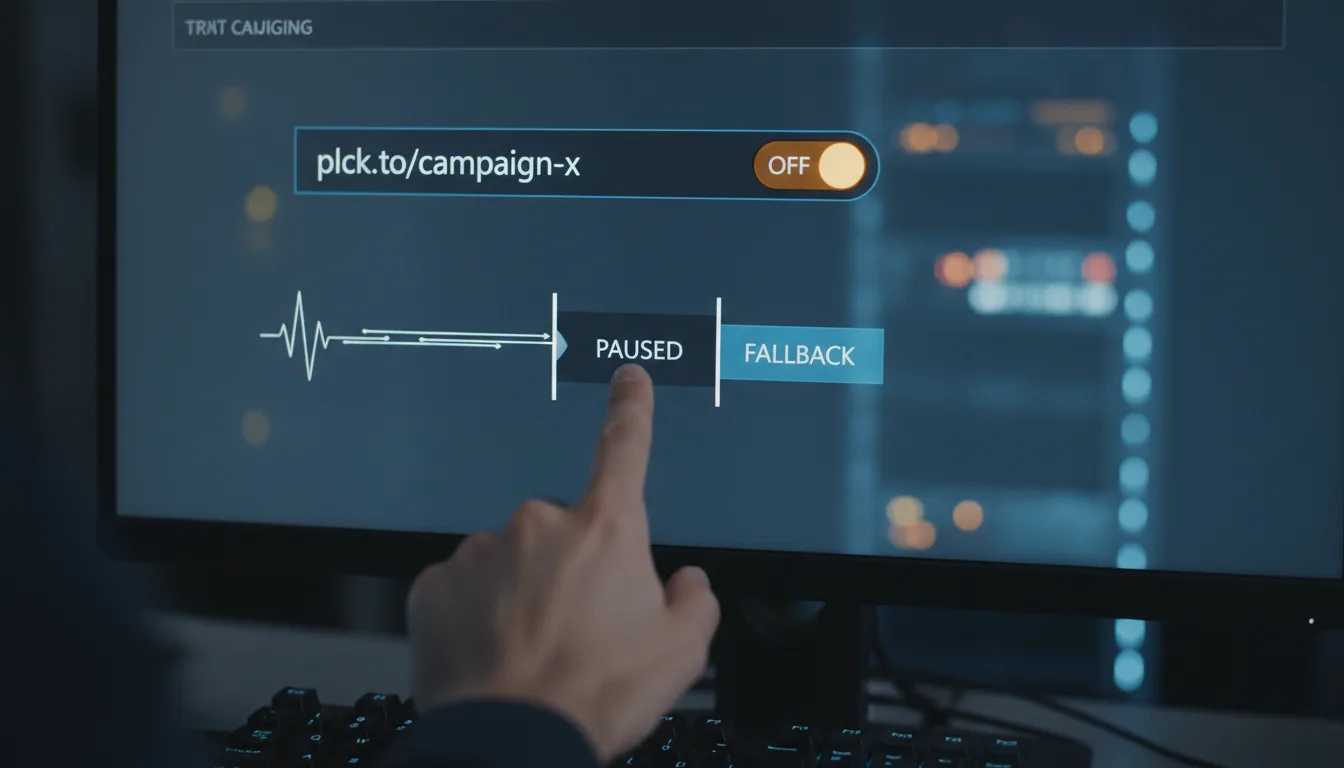
- Disabling a link: Ah, now this is the elegant solution. Disabling temporarily suspends the functionality of your shortened URL. The best part? The link *stays* in your system, its data is perfectly preserved, and you can reactivate it whenever you need to. When a link is disabled, clicks won't go to the original destination. Instead, they'll typically lead to a custom error page, a generic message, or even a designated fallback URL. Think of it like putting up a temporary "road closed" sign – traffic stops, but the road itself is still there, ready to reopen!
How Link Disabling Works: Precision, Power, and Your Fingertips
The real magic of link disabling? It's how incredibly simple it is to use, yet how immediate and impactful its effects are. When you opt for a robust platform to shorten your URLs, that shiny new shortened link (like planck.to/yourcampaign) isn't just a simple pointer. Nope, it's actually a smart intermediary, a sort of digital traffic cop that you can fully configure and manage. Pretty neat, right?
The Inner Workings: What Happens When a Link is Paused?
Let's pull back the curtain a bit and see what actually goes on behind the scenes when you decide to disable a link:
- Intercepting the Click: The moment a user clicks on a shortened link you've disabled (say, planck.to/limitedoffer), your clever link management platform instantly registers that click. But here's the kicker: it *doesn't* proceed with the original redirection. The traffic stops there.
- Diverting the Traffic: Instead of whisking the user away to the original, long URL, the platform seamlessly redirects them to a predefined alternative. This could be anything from:
- A basic "Link Disabled" or "Page Not Found" message.
- A custom, beautifully branded error page you've designed to keep your users engaged.
- Or even a different, *active* landing page – like your website's homepage, a relevant contact page, or a snazzy "coming soon" page.
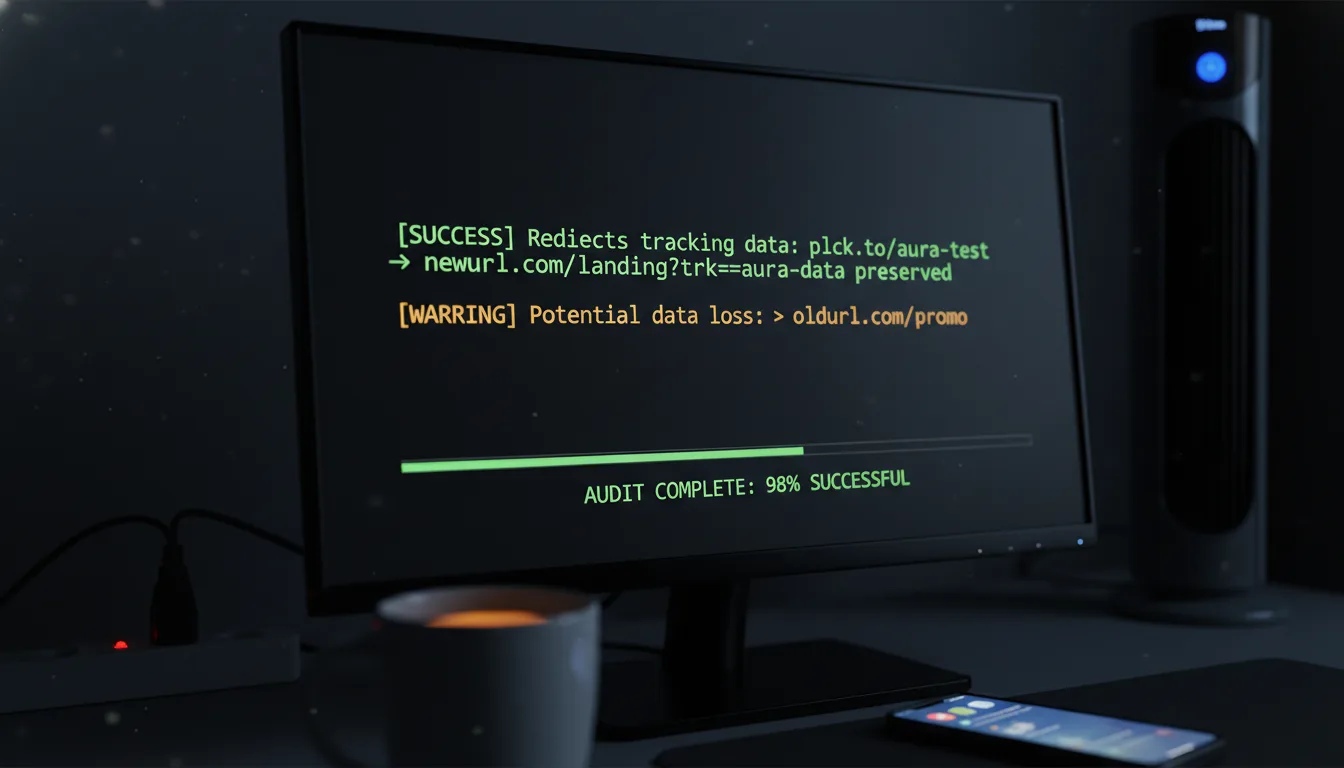
- Maintaining Data Integrity: This is where it gets really smart. Even when a link is disabled, the system continues to track every single click on that shortened link. Why is this invaluable? It helps you understand how many users *still* tried to access the link while it was paused, giving you crucial insights into residual interest or the lingering reach of older campaigns.
Simplicity & Lightning-Fast Execution
Today's top-tier link management platforms are engineered with user-friendliness in mind. Disabling a link typically takes just a few clicks within your dashboard – often it's as simple as flipping a toggle switch right next to the link's entry. This instantaneous control means you can react to unforeseen circumstances or pivot your strategy within seconds. Not minutes, not hours – *seconds*. How's that for agility?
“The true measure of control isn't just the ability to create something; it's the sheer power to adapt and protect what you've created, instantly.”
The Transformative Benefits: Why Mastering Link Disabling Changes Everything
Here's the cool part: embracing link disabling isn't just about sidestepping potential problems. No, it's about unlocking some seriously powerful strategic advantages that can empower your entire digital operation. It builds confidence, drastically reduces risk, and gives you the kind of flexibility you need to truly thrive in our ever-changing online landscape.
Unparalleled Campaign Agility & Optimization (Hello, Freedom!)
Just imagine the sheer freedom of being able to test, adjust, and pivot your marketing campaigns on a dime, without any long-term commitment. Guess what? Link disabling makes this dream a tangible reality!
- Pause Underperforming Ads Instantly: Is an ad campaign just not converting or, worse, draining your budget? You can instantly halt traffic to it! Just disable the associated link (planck.to/ad-promo-fail), take a moment to analyze, refine, and then reactivate it when it's ready to shine.
- Ultimate A/B Testing Control: Running A/B tests? You can quickly disable one variant of a landing page link (planck.to/variant-a) if it's clearly underperforming, or if you simply need to funnel all your traffic to a clear winner. It's control, simplified.
- Flawless Seasonal & Time-Sensitive Offers: For holiday sales or flash deals (e.g., planck.to/holidaydeal), you can activate promotions precisely when they start and disable them the very moment they end. This ensures exclusivity and guarantees your audience never sees outdated content.
Crisis Management & Damage Control: Your Digital Emergency Brake
When the unexpected rears its head – and let's face it, in the digital world, it always does – link disabling becomes your absolute first line of defense. It's your digital emergency brake!
- Stop Traffic to Problematic Content: Uh oh, did a blog post go live with an error? Is a press release containing inaccurate information? Or a product page showing the wrong price? No sweat. Disable the link (planck.to/press-error) immediately! This prevents further exposure while your team swiftly corrects the issue.
- Addressing Security Concerns: In the rare but critical event of a compromised landing page or a detected phishing attempt, disabling the link (planck.to/secure-link) acts as an instant stopgap. It's vital for protecting your users and, crucially, your brand's hard-earned reputation.
Optimized Resource Allocation & Stellar User Experience
It's not just about managing crises. Link disabling actually empowers a smarter, more efficient long-term strategy for your resources and a much better user experience.
- Smooth Content Updates & Site Maintenance: If a page needs to go down temporarily for maintenance, or if it's undergoing significant revisions, you can disable direct links to it (planck.to/product-refresh) and gracefully redirect users to an informative holding page. No more frustrated users!
- Preventing Outdated Information: Say goodbye to irrelevant content! You can automatically or manually disable links to old event pages, expired offers, or obsolete content. This ensures your audience *always* encounters fresh, relevant, and engaging information.
Real-World Scenarios: Where Link Disabling Truly Shines!
The true, game-changing power of link disabling isn't just theoretical; it becomes brilliantly clear when you apply it to the everyday challenges and those make-or-break moments in your digital journey. Let's dive into some inspiring, real-world scenarios where this feature absolutely shines.
Scenario 1: The Agile Marketing Campaign & The Unexpected Glitch
Imagine your team has just launched an exciting flash sale campaign. It's everywhere – social media, email, banner ads – all pointing to a sleek shortened link like planck.to/flash-sale-live. Things are humming along, clicks are coming in... then, halfway through, analytics reveal a critical bug on the product page, preventing purchases for some users. Panic sets in.
- Without link disabling: Oh, the scramble! You'd be frantically trying to create new links, updating every single social post (if that's even possible), and sending out correction emails. Meanwhile, valuable ad spend is pouring down the drain, and your customers are getting incredibly frustrated. It's a logistical nightmare!
- With link disabling: Breathe easy. You instantly disable planck.to/flash-sale-live. All new traffic is immediately redirected to a friendly, temporary "We'll be right back!" page. Your developers get to work, fix the bug, and within minutes, you simply re-enable the link. Suddenly, traffic flows smoothly to the now-functional product page. Minimal disruption, maximum control – problem solved!
Scenario 2: Content Management & Protecting Your Brand Integrity
Let's say a recent blog post (linked prominently via planck.to/latest-insight) contains a quote that, upon closer review, turns out to be inaccurate or, worse, potentially damaging to your brand's hard-earned reputation. And of course, it's already been shared widely across the web!
- Without link disabling: That inaccurate information continues to spread like wildfire, slowly but surely eroding trust and potentially causing a major PR headache. You might delete the post, but then all those existing links suddenly lead to frustrating broken pages. What a mess!
- With link disabling: You immediately disable planck.to/latest-insight. Any user who clicks it is now gracefully directed to a "Content Under Review" page. Your content team swiftly corrects the error, gets the post updated, and once it's flawless, you simply re-enable the link. Your brand integrity is protected, and the corrected information is seamlessly restored. Crisis averted, trust maintained!
Scenario 3: Event-Specific Access Control & Exclusive Content
You're hosting an exclusive online webinar, and the registration link (planck.to/webinar-reg) is designed to be active only for a very limited window. Once the registration deadline passes, you want to stop new sign-ups, but you still need existing registrants to be able to access their confirmation details or event resources.
- Without link disabling: You'd probably have to manually change the destination of the link, or even worse, delete it outright, which would cause endless confusion for everyone involved.
- With link disabling: At the stroke of the deadline, you disable planck.to/webinar-reg. New clicks are now redirected to a polite "Registration Closed" page. The brilliant part? For existing registrants, their unique access links (assuming they're different URLs, of course) remain perfectly active, ensuring a smooth, stress-free experience for them. It's precise, it's fair, and it's efficient!
Getting Started: Unleashing Your Link Disabling Superpower with Planck.to!
Ready to put this powerful feature into action? Your journey to mastering total traffic control truly begins with a powerful and intuitive link management platform. Let's walk through the incredibly simple steps to start leveraging the magic of link disabling right inside Planck.to, a platform specifically designed for ultimate flexibility and precise control.
Your Step-by-Step Guide to Disabling a Link
Taking command of your links is remarkably straightforward – seriously, it's easier than you might think!
- Log into Your Link Management Platform: First things first, access your Planck.to dashboard. Just use your usual credentials, and you're in!
- Navigate to Your Links Dashboard: Once you're logged in, you'll typically see a clear, organized list of all your created short links. Need to find a specific one? No problem! Use the search or filter options if you've got a lot of links.
- Locate the Disable/Enable Toggle or Option: For every single link, Planck.to provides super clear management options. Look for a prominent toggle switch, a button clearly labeled "Disable," or an "Edit" option that takes you straight to the link settings where this control lives.
- Confirm Your Action: To make sure you don't accidentally disable a crucial link, the platform might ask for a quick confirmation. Something like, "Are you absolutely sure you want to disable this link?" Just confirm your choice, and you're good to go!
- Verify the Change: This step is crucial! To ensure everything is working exactly as expected, copy that shortened link (for example, planck.to/test-link) and paste it into a new browser tab. You should now be directed to your disabled page or the fallback URL you set up, *not* the original destination. Success!
Need to Re-enable a Link? Just as Easy!
The beauty of disabling? It's not permanent! The process of re-enabling a previously disabled link is every bit as simple and quick:
- Simply head back to your Planck.to dashboard.
- Find the link you had previously disabled.
- Flip that toggle switch back to "Enabled" or click the "Enable" button.
- Confirm your action if prompted (just making sure!).
- And finally, test the link once more (e.g., planck.to/test-link) to ensure it's now beautifully redirecting to its original destination.
With these few, simple steps, you've gained an immense amount of power and unparalleled flexibility over your digital presence. It truly enables you to adapt and optimize with unprecedented ease, giving you the upper hand in every digital scenario.
Advanced Tips for Ultimate Traffic Control: Go Beyond the Basics!
While the basic act of enabling and disabling links is undeniably powerful, truly mastering this feature means leveraging its advanced capabilities. This is how you create a seamless, highly optimized user experience – even when some links are temporarily paused. Let's dig in!
Custom Disabled Pages & Smart Fallback URLs
Please, oh please, don't let a disabled link be a dead end for your users! Instead of sending them to a generic, boring "Page Not Found" error, get creative! Utilize custom disabled pages or intelligent fallback URLs. This is your chance to transform a potentially negative experience into a fantastic opportunity.
- Maintain Your Branding: Design a beautiful, branded page that politely explains *why* the link (planck.to/promo-expired) is currently inactive. This reinforces your brand identity, even during a pause.
- Provide Excellent Alternatives: Don't leave them hanging! Offer clear links to your homepage, a helpful contact page, or perhaps a related, active campaign that might interest them.
- Capture Those Leads: Here's a pro tip: include a sign-up form for future updates or a notification option for when the content becomes available again. Turn that pause into a potential lead!
This proactive, thoughtful approach ensures that even paused traffic contributes positively to your overall user engagement and strategic goals. It's smart, customer-centric marketing at its finest.
Scheduling Link Status Changes: Set It and Forget It!
For all those meticulously planned events, promotions, or content updates, manual toggling can quickly become inefficient (and a source of unnecessary stress!). Good news: advanced link management platforms often allow you to schedule link disabling and enabling. How cool is that?
- Automate Seasonal Campaigns: Set that flash sale link (e.g., planck.to/cyber-deal) to automatically enable precisely at 9 AM and disable itself at 5 PM. No more midnight alarms to turn things off!
- Flawless Content Releases: Schedule a link to your brand-new report to go live at the exact moment your press release hits the wire. Perfect timing, every time.
This kind of automation saves you precious time, eliminates the potential for human error, and guarantees perfect timing for all your critical digital events.
Seamless Integration with Analytics & Reporting
You shouldn't just disable a link and forget about it; you need to understand its impact! Any robust link management platform will provide you with analytics, even for disabled links.
- Measure Residual Traffic: How many users are *still* trying to access that disabled link (e.g., planck.to/old-event)? This data is gold! It helps you gauge the longevity and lingering interest in your promotions or content.
- Analyze User Intent: If you see a surprisingly high volume of clicks persisting on a disabled link, it might be a strong indicator of unmet demand, or perhaps that link has a much wider distribution than you initially thought, prompting further communication.
These deep insights are absolutely essential for refining your future strategies and communications, making them even more effective.
Team Collaboration & Best Practices for Smooth Sailing
For optimal results, ensure your entire team not only understands the incredible power of link disabling but also knows how to use it responsibly and effectively.
- Establish Clear Protocols: Define clear guidelines: when should links be disabled? Why? Having a standard procedure prevents guesswork.
- Communicate, Communicate, Communicate: If a link gets disabled, make sure all relevant team members are immediately aware. This avoids confusion and keeps everyone on the same page.
- Document Everything: Keep meticulous records of why a link was disabled, by whom, and when it was (re)activated. Good documentation is your best friend for audits and future reference.
Conclusion: Embrace the Power of the Pause, Master Your Digital Destiny!
So, there you have it. In the relentless, always-on flow of our digital world, the ability to simply pause, take a breath, reflect, and then precisely redirect traffic isn't just a nice-to-have convenience. No, it's a truly profound strategic advantage. Mastering link disabling empowers you to shift from merely reacting to every digital curveball to a truly proactive posture. It lets you adapt, protect, and optimize your online presence with an agility you might have only dreamed of before.
Think about it: Imagine the sheer confidence you'll feel launching a brand new campaign, knowing you have an immediate, reliable safety net in place if anything—and we mean *anything*—were to go awry. Picture the incredible efficiency of gracefully retiring an old promotion or an outdated piece of content without breaking a single historical link, keeping your digital footprint clean and professional. Envision the significantly enhanced user experience as you expertly guide your audience, even through temporary pauses, directly to the most relevant and up-to-date information available.
Link disabling, at its core, isn't just another technical feature on a dashboard. It's a powerful testament to the impact of thoughtful, intelligent digital management. It grants you the freedom to experiment fearlessly, the security to mitigate risks instantly, and the crucial flexibility to not just keep pace with, but actually *lead* the ever-evolving demands of your audience. Ultimately, it's about confidently taking command of your very own digital destiny, one perfectly managed link at a time.
Don't just launch your digital initiatives and hope for the best; truly *master* them. Embrace this incredible power of the pause, seamlessly integrate link disabling into your overarching digital strategy, and prepare to unlock a whole new level of control, peace of mind, and operational excellence in your digital journey. The future of precise, agile traffic management isn't just coming – it's already here, and it’s waiting for you to seize it!
Ready to get started?
Join thousands of users who are already using our platform to manage their links efficiently.
Create Your Free Account