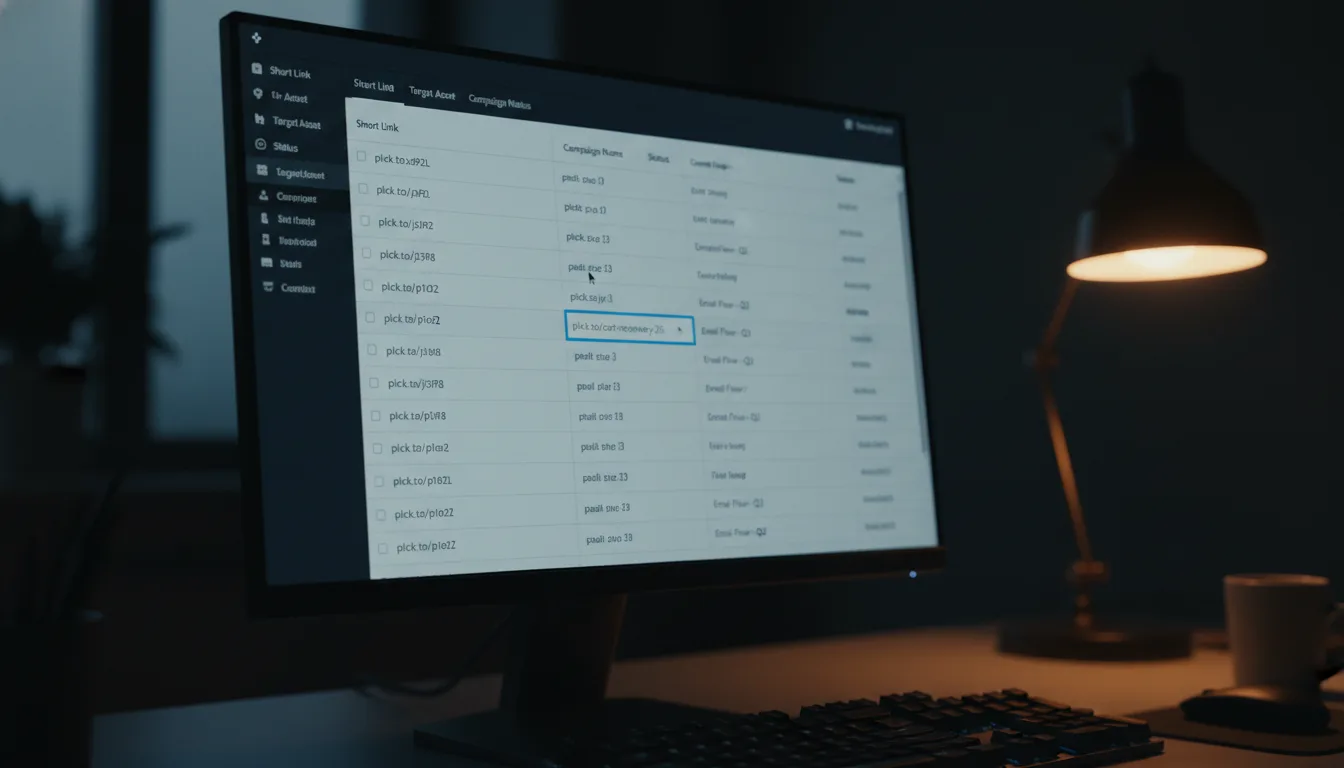
Organize by Space: Shorten & Simplify Your URLs

Ready to get started?
Join thousands of users who are already using our platform to manage their links efficiently.
Create Your Free AccountTame the Digital Chaos: Master Your Links with Spaces
Ever feel like you’re drowning in a sea of digital links? In today's lightning-fast digital world, managing your online presence can often feel like a high-stakes juggling act with a thousand tiny, yet incredibly important, pieces of information. Every marketing blitz, every captivating social media post, every product launch, and every meticulous client project seems to spawn a whole new galaxy of links. Without a robust, intelligent system guiding your hand, this digital deluge quickly threatens to devolve into an unmanageable, chaotic mess, costing you precious time, sparking frustrating errors, and ultimately obscuring the valuable insights hidden within your data.Just picture this common nightmare scenario: you’re desperately trying to unearth that one specific shortened URL for your crucial Q3 sales report, or perhaps you're on a quest to gather all the links tied to your latest product launch event from several months ago. Scrolling through an endless, undifferentiated list of seemingly identical links isn't just tedious; it's a soul-crushing productivity killer that drains your energy and wastes your most valuable resource: time. But what if there was a simple, profoundly intuitive way to group, filter, and instantly pinpoint every single link exactly when and where you need it? What if you could bring order to this digital universe?
Allow me to introduce you to **Link Organization by Space** – a truly powerful, game-changing feature meticulously designed to bring impeccable order and serene calm to your entire link universe. This isn't merely about making things *look* tidy; it’s about fundamentally transforming the very essence of how you manage your digital assets. It’s about catapulting your efficiency, fostering seamless collaboration, and unlocking a deeper, more profound analytical understanding of your online efforts.
What Exactly is Link Organization by Space?
At its very heart, "Spaces" (or Link Organization by Space, as it’s sometimes called) is an ingenious feature that empowers you to categorize and group your shortened URLs into logical, custom-defined containers. Imagine them not just as dedicated folders or simple tags for your links, but as dynamic, intelligent ecosystems perfectly integrated into your broader link management workflow. Instead of being confronted with a single, sprawling, and frankly overwhelming list of every shortened URL you've ever had a hand in creating, you now possess the power to craft distinct "Spaces" for different projects, individual campaigns, specific clients, various teams, or any other organizational structure that makes perfect sense for your unique workflow and business needs.Let me give you a few tangible examples to illustrate the point. You could, for instance, establish a "Summer Sale 2024" Space, dedicated solely to promotional links for that particular event. Perhaps you’re spearheading a new software release? A "New Product Beta" Space would keep all your testing and feedback links neatly separated. For ongoing content, a "Social Media Assets" Space or a "Client A Website Project" Space would ensure that everything from image links to landing pages is exactly where it should be. Each carefully crafted space acts as a semi-isolated, yet fully integrated, environment for a specific set of links, making it astonishingly easy to find, manage, and analyze them collectively as a coherent unit. When you go to create a brand-new short URL, you simply assign it to its relevant Space. This seemingly simple act isn't just a minor organizational tweak; it fundamentally transforms your entire link management experience from a frantic, chaotic hunt into an organized, instantly searchable, and deeply insightful database.
Why You Absolutely Need Spaces: Conquering the Menace of Link Clutter
Without a sophisticated system like Spaces, your link management dashboard can very quickly, and quite dramatically, become an overwhelming labyrinth of digital detritus. It’s like trying to navigate a city without street names or addresses – you know things are there, but finding them is a monumental task. Here are some common, infuriating pain points that Spaces not only addresses but elegantly solves:- Lost Productivity and Wasted Time: Picture this: You're under pressure, deadlines loom, and you're frantically scrambling for that one critical link you shortened weeks, maybe even months, ago. You scroll, you squint, you curse under your breath. These wasted minutes, which often stretch into hours across a week or month, aren't just frustrating; they're a direct hit to your productivity and a drain on your mental energy. Spaces eliminates this "needle in a haystack" problem by putting every link exactly where it belongs, accessible in mere seconds.
- Missed Opportunities and Stagnant Growth: Imagine launching a major marketing campaign. To truly gauge its success and iterate for improvement, you need to quickly gather all related links – social posts, email CTAs, landing pages. Without a cohesive system, this becomes an arduous data aggregation task. You might miss crucial trends, fail to identify underperforming assets swiftly, or overlook areas for immediate improvement, ultimately costing you potential conversions and growth. Spaces makes campaign performance review a simple, one-click action.
- Collaboration Headaches and Team Friction: In a team environment, sharing and finding relevant links should be seamless. But when links are scattered, team members often struggle to locate assets shared by colleagues. This leads to costly duplication of effort (creating new links for existing destinations), the embarrassing use of outdated or incorrect URLs, and a general slowdown in project momentum. Spaces acts as a universal, organized library that everyone on the team can navigate with ease and confidence.
- Data Obscurity and Lack of Insight: How do you accurately analyze the granular performance of a specific project, a unique initiative, or a niche segment of your audience if all its associated links are haphazardly scattered among hundreds, if not thousands, of others? Extracting meaningful insights becomes a data mining nightmare, hindering your ability to make data-driven decisions and truly understand what’s working (or not working) in your digital strategy. Spaces provides a clear, segmented view of analytics, giving you actionable intelligence for every project.
- Error Proneness and Brand Damage: Accidentally grabbing and using the wrong link for a critical campaign – perhaps an outdated offer, a broken page, or even a competitor's URL – can lead to embarrassing mistakes, customer frustration, and tangible losses in revenue or brand trust. The clearer your organization, the lower the risk of such costly blunders. Spaces significantly reduces this risk by ensuring only relevant, correct links are visible when you're focusing on a particular task.
- Scalability Issues and Impeded Progress: As your business or digital footprint inevitably grows, the volume of links you create will only increase. An unorganized, sprawling link system quickly becomes completely unsustainable, transforming from a minor inconvenience into a major bottleneck that chokes progress and innovation. Spaces provides a future-proof framework, allowing your link management to scale seamlessly alongside your ambition.
Spaces doesn't just address these issues; it tackles them head-on with elegant simplicity, empowering you to maintain perfect oversight and granular control, regardless of the sheer volume or complexity of links you need to manage. It's about working smarter, not harder.
How Spaces Work in Practice: Your New Organizational Superpower
Integrating Spaces into your everyday workflow is not only straightforward but remarkably intuitive. It's designed to feel like a natural extension of how you already think about organizing your work. Here’s a general, step-by-step idea of how this powerful functionality operates within a capable link management platform:1. Creating a Space: Your Digital Canvas
When you first log into your link management dashboard, your journey to organizational bliss typically begins with a clear, inviting option to create a "New Space." This is where you bring your vision of order to life. You’ll be prompted to give your Space a descriptive, easily recognizable name – something like "Q4 Marketing Blast," "Partnership Outreach," "Developer Docs," or "Client X - Social Strategy." You might even add a brief, helpful description to clarify its purpose for yourself or your team. Consider this the blank canvas upon which you’ll paint your organized link universe. Choose names that immediately communicate the Space’s purpose, making it effortless to identify later.
2. Assigning Links to a Space: The Magic of Categorization
This is where the real magic happens. Whenever you go to shorten a new URL, the link creation process will now include a crucial step: the option to assign that brand-new short URL to one of your meticulously crafted, existing Spaces. For instance, if you’re generating a concise link for a fresh blog post delving into "The Future of AI," you'd simply assign it to your pre-existing "Blog Content" Space. If you’re preparing a special, irresistible offer for the upcoming Black Friday frenzy, that link belongs squarely in your "Black Friday 2024" Space. This simple, habitual act ensures that no link ever floats aimlessly in a general, undifferentiated pool.
But what if you already have a trove of existing links that desperately need organizing? No worries at all! A robust link management platform understands that organizational transformations aren't always from a blank slate. You can typically edit existing links and assign them to a Space retrospectively, or even effortlessly move them between different Spaces if a project evolves, shifts its focus, or merges with another initiative. This invaluable flexibility guarantees that your link organization always remains current, accurate, and perfectly aligned with your dynamic business needs.
3. Filtering and Viewing by Space: Instant Access, Laser Focus
Once your links are thoughtfully assigned, your entire dashboard experience undergoes a profound transformation. Instead of confronting a single, dauntingly long, and unwieldy list of every link you've ever created, you now possess the power to instantly filter your view to see only the links belonging to a specific Space. Want to quickly review all the promotional links for your "Summer Sale"? Just select that Space from a convenient dropdown menu or a sidebar filter, and in the blink of an eye, only those precise, relevant links will appear before you, complete with their individual click analytics and performance data. This functionality makes reviewing campaign performance, making swift edits, or simply finding a specific URL for a particular task incredibly fast and astonishingly efficient. It’s like having a dedicated librarian for your digital assets.
Practical Use Cases: Bringing Impeccable Order to Your Digital World
Let’s delve into some concrete, real-world examples to vividly illustrate how various professionals and teams can leverage the power of Spaces to utterly revolutionize their link management practices.Marketing Teams: Campaign Management Extraordinaire
Marketing campaigns are, by their very nature, complex beasts, often involving a dizzying multitude of links: dedicated landing pages, engaging social media posts, enticing email newsletters, dynamic ad creatives, and so much more. Without the organizational rigor of Spaces, these vital links quickly become a tangled, impenetrable mess.
- Scenario: You're gearing up for the monumental "Holiday Season 2024" campaign, which will span multiple channels and touchpoints.
-
Solution: Immediately create a dedicated Space aptly named "Holiday Season 2024."
- Shorten distinct links for your main campaign landing page (e.g., planck.to/holidaysale).
- Generate separate, trackable links for each Facebook Ad variation (e.g., planck.to/holsfb1 for Ad Set 1, planck.to/holsfb2 for Ad Set 2).
- Craft unique, eye-catching URLs specifically for your Instagram Stories promotions (e.g., planck.to/holsigst1 for Story 1).
- Shorten specialized links for your critical email blasts, allowing for precise tracking (e.g., planck.to/hols-email1 for the initial announcement).
- Include crisp links to your compelling promotional videos (e.g., planck.to/holsvideo for the hero video).
- The Game-Changing Benefit: With all links neatly nestled within the "Holiday Season 2024" Space, you gain an immediate, panoramic view of all campaign-related assets. You can effortlessly monitor their individual performance metrics, compare the effectiveness of different channels, and make swift, data-backed adjustments without the agony of sifting through mountains of unrelated data. When the campaign beautifully wraps up, archiving its assets or generating a comprehensive performance report becomes a matter of mere seconds, not hours.
Product Managers: Streamlining Product Launches and Feedback Cycles
From the initial stages of beta testing to the exhilarating crescendo of a full product launch, product managers are constantly handling a multitude of links catering to diverse audiences and serving very specific purposes.
- Scenario: You're excitedly preparing for the launch of "Product X - Version 2.0" while concurrently gathering invaluable beta feedback from a select group of early adopters.
-
Solution: Establish two distinct, purpose-built Spaces: "Product X - V2 Launch" for public-facing assets and "Product X - Beta Testers" for internal and private resources.
- For "Product X - V2 Launch": Shorten all public-facing links such as the main product page (planck.to/prodXv2), the comprehensive press kit (planck.to/prodXpress), and any external marketing assets.
- For "Product X - Beta Testers": Shorten confidential links like the private beta sign-up form (planck.to/prodXbeta), the crucial feedback survey (planck.to/prodXfbk), and private technical documentation (planck.to/prodXdocs) accessible only to testers.
- The Game-Changing Benefit: This clear separation allows you to easily differentiate between public launch links and private beta links, eliminating any potential confusion or accidental leaks. You can monitor beta engagement and feedback data separately and meticulously, ensuring that every piece of valuable input is captured and addressed. Simultaneously, you can manage all official launch collateral with unwavering confidence and without any cross-contamination, ensuring a smooth, controlled release.
Content Creators: Organizing Your Ever-Growing Digital Library
Bloggers, dynamic YouTubers, insightful podcasters, and other passionate content creators are in a perpetual state of publishing a constant, ever-growing stream of compelling content. Each piece often requires multiple promotional links for distribution across various platforms.
- Scenario: You’re managing an exciting new blog series titled "Mastering Digital Marketing," which consists of many interconnected articles and resources.
-
Solution: Create a dedicated Space simply called "Digital Marketing Series."
- Each individual blog post within the series receives its own uniquely traceable short link (e.g., planck.to/dms-seo for the SEO post, planck.to/dms-smm for the Social Media Marketing post).
- Links to any enticing lead magnets directly related to the series are kept here (e.g., planck.to/dms-ebook for a downloadable ebook).
- Distinct links are generated for seamless promotion across different social media platforms (e.g., planck.to/dms-tw specifically for Twitter promotions).
- The Game-Changing Benefit: All related content is beautifully organized in one intuitive location. You can easily track the aggregate performance of the entire series, understand which posts resonate most, and effortlessly update promotional links as your strategy evolves. No more frantic hunting for the specific link for "Part 3" of your series when you want to promote it again months later.
Agencies & Consultants: Client-Specific Management with Precision
Agencies and consultants routinely juggle numerous clients, each with their own distinct campaigns, complex projects, and meticulously crafted branding guidelines. Mixing up client links is not just a minor oversight; it's a recipe for professional disaster and potential client dissatisfaction.
- Scenario: You're simultaneously managing diverse digital assets for "Client Alpha" (a Q3 marketing campaign) and "Client Beta" (a complete website redesign).
-
Solution: Create dedicated, isolated Spaces such as "Client Alpha - Q3 Campaign" and "Client Beta - Website Redesign."
- For Client Alpha: Shorten all campaign-specific links, ensuring they align with Alpha's branding (e.g., planck.to/alpha-ad1 for a specific ad, planck.to/alpha-lp for their landing page).
- For Client Beta: Shorten all project-specific links to design mockups (planck.to/beta-mock), the staging site (planck.to/beta-staging), and any client feedback forms.
- The Game-Changing Benefit: This rigorous organizational structure ensures strict separation of all client data. You can easily grant specific team members or even client teams access to particular Spaces if applicable, fostering transparency while maintaining control. Furthermore, generating comprehensive, precise performance reports for each client becomes effortless, free from cross-contamination of data. This level of professionalism and meticulous organization not only streamlines your internal processes but also significantly enhances client trust and satisfaction.
Internal Teams: Organizing Resources & Essential Documentation
Even within an organization, for purely internal use, links to shared documents, crucial onboarding materials, or collaborative team resources can quickly become scattered across different platforms and communication channels.
- Scenario: You're responsible for efficiently onboarding new employees and managing a growing repository of essential HR documents.
-
Solution: Establish two practical Spaces: "New Employee Onboarding" and "HR Documents."
- For Onboarding: Shorten links to the comprehensive welcome packet (planck.to/welcomepack), the vital IT setup guide (planck.to/itsetup), and links for team introductions or department overviews.
- For HR: Shorten links to up-to-date benefits information (planck.to/hr-benefits), the company policy manual (planck.to/hr-policy), and the secure payroll portal.
- The Game-Changing Benefit: New hires can effortlessly access all necessary information from a single, organized hub, significantly streamlining their initial experience and reducing cognitive load. HR teams can update documents in one central place, confident in the knowledge that the shortened links distributed remain consistent and functional, saving invaluable time and preventing widespread confusion. This fosters a more efficient and transparent internal environment.
Key Benefits of Embracing Link Organization by Space
The profound advantages of thoughtfully implementing Spaces extend far beyond the mere satisfaction of a tidy dashboard; they fundamentally transform your digital operations:- Unmatched Clarity and Laser-Sharp Focus: By precisely filtering your dashboard to reveal only the links within a specific Space, you instantly eliminate all extraneous distractions. This allows you to focus solely and intently on the links directly relevant to your current task, project, or area of responsibility, enhancing mental clarity and reducing cognitive overload.
- Dramatically Enhanced Productivity: Bid a joyous farewell to the era of endless scrolling and frustrating searches. With Spaces, you can instantly locate any link you need, whenever you need it, dramatically reducing wasted time, reclaiming precious minutes, and channeling your mental energy towards more strategic endeavors.
- Seamless and Streamlined Collaboration: In a team-oriented environment, Spaces acts as a universal, intuitive library. Teams can effortlessly navigate shared link assets, quickly identify relevant resources, and avoid duplication of effort. When everyone understands and utilizes the same Space organizational structure, finding and sharing information becomes truly effortless and efficient.
- Profoundly Improved Data Analysis: One of the most powerful benefits is the ability to view aggregate analytics for an *entire Space*. This provides a holistic, bird's-eye understanding of a specific campaign’s, project’s, or initiative’s overall performance. This consolidated insight allows for far more targeted optimization, truly data-driven decision-making, and a deeper comprehension of your strategies' impact.
- Significantly Reduced Errors and Enhanced Accuracy: A clear, impeccably organized system inherently minimizes the chances of accidentally using the wrong link. This critical reduction in error potential can literally save you from embarrassing public mistakes, costly broken customer journeys, or even substantial lost revenue, protecting your brand's reputation and your bottom line.
- Effortless Scalability for Sustained Growth: As your operations inevitably expand and the volume of links you create will only increase. An unorganized, sprawling link system quickly becomes completely unsustainable, transforming from a minor inconvenience into a major bottleneck that chokes progress and innovation. Spaces provides a future-proof framework, allowing your link management to scale seamlessly alongside your ambition.
- Superior Account Management and Governance: For sprawling agencies, large enterprises, or organizations with multiple departments, Spaces provides clear, distinct segregation of data. This makes it significantly easier to manage user permissions, enforce compliance, and generate precise, isolated reports for different clients, internal departments, or specific strategic initiatives, ensuring both security and accountability.
Getting Started with Spaces on Planck.to
If you're already leveraging the power of a robust link management platform, it’s highly probable that you have access to an organizational feature akin to Spaces. For users of Planck.to, implementing this organizational powerhouse is incredibly intuitive and designed for maximum ease of use. You simply navigate to the "Spaces" section located prominently within your user-friendly dashboard, proceed to create your desired custom categories, and then begin the simple process of assigning your links – either during their initial creation or by effortlessly editing existing ones. Planck.to is committed to making the management of your expansive digital footprint effortlessly streamlined, ensuring that whether you're a dynamic solo entrepreneur or an integral part of a sprawling enterprise, your links remain consistently in perfect, accessible order.Pro Tips for Mastering Your Spaces
To truly extract the utmost value from link organization and transform it into a competitive advantage, consider these expert recommendations:- Embrace Consistency in Naming: Establish a clear, logical, and consistent naming convention for all your Spaces from the very outset. For example, use patterns like "ClientName - Project," "Dept - CampaignType," or "Year - Event." This uniformity makes it instinctively easy for anyone (including future you!) to understand a Space's purpose at a glance, significantly reducing guesswork and improving searchability.
- Resist the Urge to Over-Categorize: While organization is key, don't fall into the trap of creating too many overly granular Spaces right away. Start with broader, more encompassing Spaces and only refine or break them down further as a genuine need arises. An excessive number of micro-Spaces can ironically become just as confusing and counterproductive as having no Spaces at all, diluting the very clarity you seek.
- Conduct Regular Reviews and Housekeeping: Make it a habit to periodically review your existing Spaces. Archive or logically delete old campaign Spaces that are no longer active or relevant to keep your dashboard perpetually clean, uncluttered, and focused on current initiatives. This routine maintenance prevents digital accumulation and maintains the system’s efficiency.
- Strategically Utilize Custom Domains: For an even higher echelon of organization and formidable branding, consider leveraging custom domains within your Spaces. For instance, you could configure brandname.planck.to/product for links within one specific Space, while utilizing anotherbrand.planck.to/promo for a different Space. This not only reinforces brand identity but also adds another layer of intuitive organization, especially for agencies managing multiple clients.
- Champion Team Education and Adoption: If you operate within a team, it is absolutely crucial to ensure that everyone involved fully understands and diligently adheres to your established Space organizational structure. Conduct a brief training session, create a simple guide, and encourage consistent usage. Collective adherence is the bedrock for maximizing the full, transformative benefits for the entire team.
Conclusion
In our increasingly interconnected and profoundly link-driven world, the ability to effectively manage, categorize, and strategically organize your shortened URLs is no longer a mere luxury—it has evolved into an undeniable, fundamental necessity for success. Link Organization by Space represents a pivotal, foundational feature that unequivocally empowers you to seize complete control of your invaluable digital assets, systematically eliminate digital clutter, supercharge your overall productivity, and gain deeper, more actionable insights into your online performance. By thoughtfully, consistently, and strategically implementing Spaces into your daily workflow, you're not merely organizing links; you are meticulously building a more efficient, inherently scalable, and virtually error-free foundation for all your present and future digital endeavors. Don't wait for chaos to reign. Take decisive action today and start transforming your overwhelming link chaos into a finely tuned, strategic advantage that propels your business forward.Ready to get started?
Join thousands of users who are already using our platform to manage their links efficiently.
Create Your Free Account