Pixel Integration: Sync Data for 30% ROI Growth

Ready to get started?
Join thousands of users who are already using our platform to manage their links efficiently.
Create Your Free AccountThe Data Disconnect: Why You’re Silently Losing 30% of Your Potential ROI
Here’s the thing about today's digital marketing landscape: data isn't just a buzzword, it’s the very fuel that powers growth. But what if I told you there's a significant "data leak" happening in almost every marketing strategy out there, quietly siphoning away your potential revenue? It’s true!
Think about it. You're constantly sharing fantastic content across social media, email newsletters, and even SMS campaigns. Every single one of those shares generates valuable click data. But here's the kicker: if that content lives on a third-party site – say, a glowing press mention, an engaging YouTube video, or a crucial industry report – all that precious interaction data usually vanishes into thin air the moment a user clicks away from your platform. Poof! Gone.
This isn't just a minor oversight; it’s a massive disconnection that fragments your entire customer journey. You know they clicked, which is great, but then what? You can't easily retarget them, you can't create powerful lookalike audiences based on that specific, high-intent interest, and you certainly can’t sync that rich behavioral data directly with your advertising platforms. It’s like gathering gold but having no vault to store it in.
So, what’s the solution? Industry benchmarks are screaming it: correcting this data asymmetry through what we call Pixel Integration can skyrocket your Return on Ad Spend (ROAS) by an incredible 30% or more. That's not just a small bump; that’s a game-changer for your bottom line.
In this comprehensive guide, we're going to dive deep. We’ll explore the fascinating mechanics of how data synchronization works through smart link retargeting, unpack its specific, measurable impact on your ROI, and show you exactly how to implement a pixel integration strategy. You'll learn how to turn every single link you share—yes, even those you don't own—into a powerful, always-on data-gathering asset. Ready to plug that leak and reclaim your missing revenue? Let's go!
What Exactly Is Pixel Integration and Data Sync?
Before we get too technical, let's strip away the jargon and get to the heart of how data actually flows. When we talk about a "pixel" in marketing, we’re not talking about a tiny dot on your screen. Instead, it’s a small, invisible snippet of code. These codes are generously provided by major advertising platforms like Meta (that's Facebook and Instagram), Google Ads, LinkedIn, or Twitter.
Traditionally, you’d place this little piece of code right into the header of a website you actually own. Why? Because when a user visits your site, the pixel "fires." Think of it like a tiny flare going off, sending a packet of data back to the advertising platform. This beautiful data sync then allows the platform to recognize that user and, crucially, serve them highly specific, relevant ads later on. This is the magic behind retargeting – showing ads to people who've already shown interest in you.
Here’s the fundamental snag with traditional pixel usage: it all boils down to ownership. You simply can't just slap your Facebook Pixel onto a high-profile New York Times article featuring your company, can you? That means you completely lose the ability to capture and sync data from the very people most interested in your hard-earned press coverage. What a missed opportunity!
But don't despair! This is where Link-based Pixel Integration swoops in to solve that frustrating ownership problem. Instead of trying to place code on a destination website you don't control, the pixel actually fires during the *redirect process* of a shortened link. Imagine it as a clever "data bridge," effortlessly syncing the user's valuable intent with your ad platform *before* they even land on the final content. It's brilliant, really.
The Speedy Mechanics of the Sync
When we talk about data synchronization in this context, we’re referring to a perfectly orchestrated sequence of events that unfolds in mere milliseconds. It’s a behind-the-scenes ballet of information:
- The Click Event: It all starts with a simple click. A user engages with your content and clicks on a shortened link, perhaps something like
planck.to/industry-report. - The Intermediary: Instead of going straight to the destination, the link management platform acts as a brief, invisible pit stop. It loads an incredibly lightweight, hidden container.
- The Fire: This is the crucial moment! Your specific tracking IDs (like your Facebook Pixel or Google Tag) execute their code within that invisible container, all happening in a blink.
- The Sync: Almost instantaneously, the user's browser sends a vital signal to your ad network: "Hey, listen up! User X just showed interest in Topic Y." This is the data capture!
- The Redirect: Finally, after the data has been securely synced, the user is seamlessly redirected to the original destination content, completely unaware of the powerful data magic that just happened.
The Undeniable, Data-Driven Case for Pixel Integration
So, you might be wondering, "Why bother with all this effort to sync data?" The answer, my friends, is beautifully simple and rooted in the cold, hard mathematics of conversion funnels. Here's the deal: "cold traffic"—those folks who are seeing your brand for the very first time—is historically expensive to acquire and notoriously difficult to convert. On the flip side, "warm traffic"—people who have already engaged with your content, even once—converts at a significantly higher rate.
It's pure common sense, right? Someone who's already clicked on an article you shared is far more likely to be interested in your offerings than someone who’s never heard of you. By cleverly utilizing pixel integration on your links, you’re not just tracking clicks; you are proactively transforming those cold, anonymous clicks into valuable, warm, and highly engaged audiences. Let's dig into the specific metrics and advantages this strategy delivers.
1. Drastically Reducing Your Cost Per Acquisition (CPA)
This is where your budget breathes a sigh of relief. Data consistently shows that retargeting audiences often boast a Cost Per Click (CPC) that is a staggering 50-60% lower than your typical cold prospecting campaigns. Think about that for a second! By seamlessly syncing link click data directly to your ad platforms, you're populating your "Custom Audiences" at lightning speed. This means you can swiftly pivot from spending big budgets on broad, less effective targeting to laser-focusing on users who have already raised their hand and proven their interest by clicking your links. More conversions, less spend – that's a win-win.
2. Skyrocketing Your Relevance Scores
Ad platforms aren't just robots; they’re trying to serve the most relevant content to users. That’s why they assign a "relevance score" (or quality score) to your ads. This score reflects how likely a user is to engage with what you're showing them. When you target a custom audience that you’ve meticulously built from actual link clicks, the relevance isn't just high; it's inherently *baked in*. And here's the best part: high relevance scores directly translate into lower ad costs and, crucially, better placement in those competitive ad auction algorithms. It’s like getting a VIP pass in a crowded room.
"Data synchronization isn't merely about tracking; it's about intelligently feeding the algorithm the precise signals it needs to find your ideal customers cheaper and faster than ever before."
3. Unlocking Cross-Platform Intelligence
One of the often-underestimated superpowers of pixel integration is its ability to enable magnificent cross-pollination of data. Imagine this scenario: you share a highly valuable industry report on LinkedIn, a platform known for its high B2B intent. Now, by embedding a Facebook Pixel within that very same link, you're not just tracking clicks on LinkedIn; you're syncing that valuable B2B intent data straight to Meta's ecosystem.
What does this mean for you? It means you can now efficiently retarget those potentially expensive LinkedIn leads on platforms like Facebook or Instagram, where the CPM (Cost Per Mille, or cost per thousand impressions) is often significantly lower. You're getting more bang for your buck by following your audience across their digital journey, regardless of where they first encountered your content.
Strategic Examples: Seeing Data Sync in Action
It's one thing to talk about theories and metrics, but how does this actually play out in the real world? To truly grasp how pixel integration impacts your bottom line, let’s walk through two distinct, relatable data-sync scenarios involving smart link management. These are situations you might encounter daily.
Scenario A: The E-Commerce Affiliate Bridge
The Challenge: Picture an e-commerce brand that sells its amazing products exclusively on Amazon. They're running brilliant ads to drive traffic to their Amazon listings. Sounds good, right? Not entirely. Amazon, understandably, doesn’t allow this brand to install their own Facebook Pixel directly on the product page. The result? The brand has absolutely zero data on who clicked their ad, showed interest, but ultimately didn't make a purchase. They’re flying blind after the click.
The Solution: This clever brand decides to get smart. They use a branded short link, something like planck.to/summer-sale, and here’s the magic: they integrate a Facebook Pixel directly into that link.
The Result: Now, the pixel fires *before* the user even touches Amazon's page. Instantly, the brand begins building a powerful "Link Clicks" custom audience within Facebook. What can they do with this? They can launch a hyper-targeted retargeting campaign on Instagram, showing a specific, engaging product video to every single person who clicked that original link but hasn't converted yet. This strategy brilliantly bridges the data gap between their ad efforts and the third-party marketplace, turning previously lost data into actionable insights and sales opportunities.
Scenario B: The Content Curator's Secret Weapon
The Challenge: Let's consider a SaaS company that prides itself on sharing high-value industry news to build authority and thought leadership. They share a link to a pivotal Gartner report, and the post goes viral, racking up an impressive 5,000 clicks. The marketing team celebrates this fantastic engagement, but then the sales team chimes in: "Great clicks, but we saw zero new leads!" Why? Because all that valuable traffic went directly to Gartner’s website, not the SaaS company's own site. The clicks were impressive, but the direct business impact was elusive.
The Solution: This SaaS company gets smart. They wrap the original Gartner URL in a tracked link of their own, for example: planck.to/gartner-trends. And, critically, they attach a LinkedIn Insight Tag to it.
The Result: Boom! Those 5,000 enthusiastic clickers are immediately synced to a highly engaged LinkedIn "Matched Audience." Now, the SaaS company can run an incredibly precise, sponsored InMail campaign, targeting this specific group. The message? A compelling case study titled "How We Solved the Problems Mentioned in the Gartner Report." The conversion rate on this campaign skyrockets because they're speaking directly to people who have already demonstrated a strong, documented interest in that exact topic. The intent data was captured and perfectly utilized, turning mere engagement into tangible lead generation.
In both of these powerful scenarios, the primary asset (the destination page) was not owned or controlled by the marketer. Yet, the invaluable data generated by the user interaction was successfully captured, synced, and most importantly, monetized. This is the true power of smart pixel integration!
Getting Started: Your Step-by-Step Guide to Implementing the Sync
Feeling inspired? Excellent! Implementing pixel integration might sound complex, but it's remarkably straightforward once you understand the systematic approach. Essentially, you're dealing with three key players here: your advertising platform (the Source of the Pixel), your chosen link management tool (The Carrier), and the destination content itself.
Here’s a clear, technical workflow to get this powerful setup running for you, utilizing a reliable link management infrastructure like Planck.to.
Step 1: Locate Your Pixel ID
Good news! You generally don't need to hunt down the full, intimidating JavaScript script code (that long block of text). In most cases, you'll simply need the concise Pixel ID.
- For Facebook/Meta: Head over to your Events Manager, then navigate to Data Sources. Your Pixel ID will be a distinct string of roughly 15-16 digits. You can’t miss it.
- For Google Ads: Go to Tools & Settings, then into Audience Manager, and finally Data Sources. Look for your Tag ID – it often conveniently starts with "AW-".
- *Similarly, you'll find equivalent IDs or codes for LinkedIn, Twitter, and other platforms within their respective advertising dashboards.*
Step 2: Configure Your Link Platform
Once you’ve got that precious ID in hand, the next step is to input it into your preferred link shortener. If you're using Planck.to, the process is incredibly intuitive.
- First things first: Log into your Planck.to dashboard.
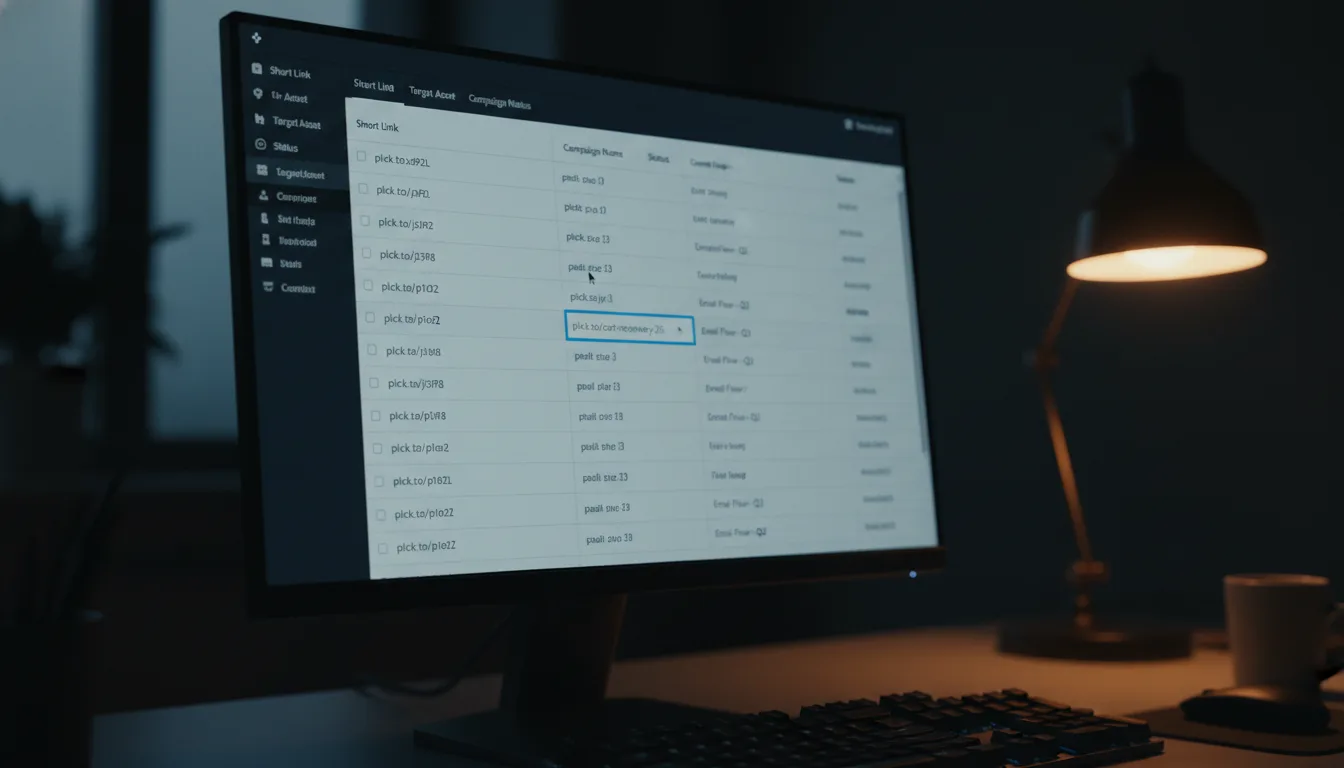
- Next, easily navigate to the "Pixels" or "Tracking" section. It's usually prominently displayed.
- Select the specific provider (e.g., Facebook, Google Ads, LinkedIn) and simply paste your Pixel ID into the designated field.
- Finally, give it a recognizable name, something like "Main Retargeting Pixel" or "LinkedIn B2B Audience" – this helps keep your data organized!
Step 3: Create the Smart Link
Now for the exciting part! When you're ready to shorten a URL, the key is to *actively select* the pixel(s) you want to attach to that specific link. It's not automatic, giving you full control over your data capture.
Always, always test your new smart link! A fantastic way to do this is by using a tool like the "Facebook Pixel Helper" Chrome extension (or similar tools for other platforms). Click your freshly minted planck.to link, and keep an eye on the extension icon. It should flash green, clearly indicating that a "PageView" event was successfully fired and synced before the redirect even completed. This confirms your setup is working perfectly!
Advanced Strategies: Layering, Segmentation, and Compliance
For those of you who are truly advanced marketers, simply firing a basic pixel is just the jumping-off point. To genuinely maximize that incredible 30% ROI potential, you need to think bigger. You need to layer your data strategies and segment your audiences with precision.
Multi-Pixel Layering: The Omnichannel Approach
Who said a link could only carry one pixel? Certainly not us! A truly sophisticated strategy involves firing *multiple* pixels simultaneously. Imagine the power: a single click on your link can trigger:
- A Facebook Pixel to meticulously build a consumer retargeting audience for Meta platforms.
- A Google Ads Tag to supercharge your display network retargeting campaigns.
- And perhaps even a Twitter Pixel to capture real-time conversation interest from your audience.
This powerful "omnichannel sync" ensures that no matter where your user roams next on the vast expanse of the web, your brand remains consistently visible and relevant. It’s about being everywhere your audience is, intelligently.
UTM Parameter Integration: The Dynamic Duo
While pixels are brilliant for tracking *users*, UTM parameters are indispensable for tracking *performance*. These two, my friends, should work in perfect tandem. Your shortened link shouldn't just fire pixels; it should always point to a destination URL that includes well-structured UTM parameters. This is how you get granular insight into where your traffic is truly coming from and how effective each source is.
Let's look at an example structure:
Your Public-Facing Link: planck.to/promo
The Actual Destination (with UTMs): yoursite.com/landing?utm_source=newsletter&utm_medium=shortlink&utm_campaign=spring_sale
By brilliantly combining Pixel Integration (which gives you rich User Data) with UTMs (which provide invaluable Source Data), you create an incredibly robust, closed-loop reporting system. This allows you to measure, optimize, and prove ROI like never before.
Privacy and Compliance (GDPR/CCPA): Stay on the Right Side of Trust
In this increasingly privacy-conscious era, blind tracking isn't just unethical; it’s a major liability. It’s absolutely crucial to remember that pixel integration deals directly with user data. Therefore, you *must* ensure your privacy policy explicitly discloses that you utilize third-party tracking technologies. Transparency builds trust, and trust is priceless.
Furthermore, it’s worth noting that different advertising platforms have their own ways of handling intelligent tracking prevention (ITP) built into browsers. High-quality link management tools are designed with this in mind. They optimize the loading speed of pixels, ensuring that critical data is synced swiftly and successfully before browsers with slower connections time out or, worse, block the request entirely. Always choose tools that prioritize both data capture and user privacy.
Conclusion: The Undeniable Data Advantage is Yours for the Taking
The stark difference between a run-of-the-mill marketing campaign and a truly high-performance, revenue-generating one often boils down to a single, critical factor: data fidelity. Seriously, if you're out there sharing links and *not* capturing the invaluable click data they generate, you are essentially letting precious intelligence slip through your fingers. Every single click isn't just a number; it represents a user actively raising their hand, expressing genuine interest in something you’ve shared.
By intelligently implementing Pixel Integration, you're not just closing a gap; you’re building a solid bridge between initial content consumption and ultimate conversion. You seamlessly shift your strategy from merely "hoping" the right people see your ads to "knowing" with absolute certainty that you're targeting genuinely engaged, interested users. The best part? The initial setup typically requires minimal technical effort—often it's as simple as copying and pasting an ID into your Planck.to dashboard. But let me tell you, the downstream effects on your ROI, the quality of your audience segments, and the relevance of your ads are nothing short of substantial.
It's time to fundamentally change how you view your links. Don’t just see them as simple transport mechanisms; start treating them as powerful, always-on data collection points. In today's hyper-competitive, data-driven world, the brand that consistently gathers and leverages the best audience signals is the brand that doesn't just survive—it absolutely wins.
Ready to get started?
Join thousands of users who are already using our platform to manage their links efficiently.
Create Your Free Account