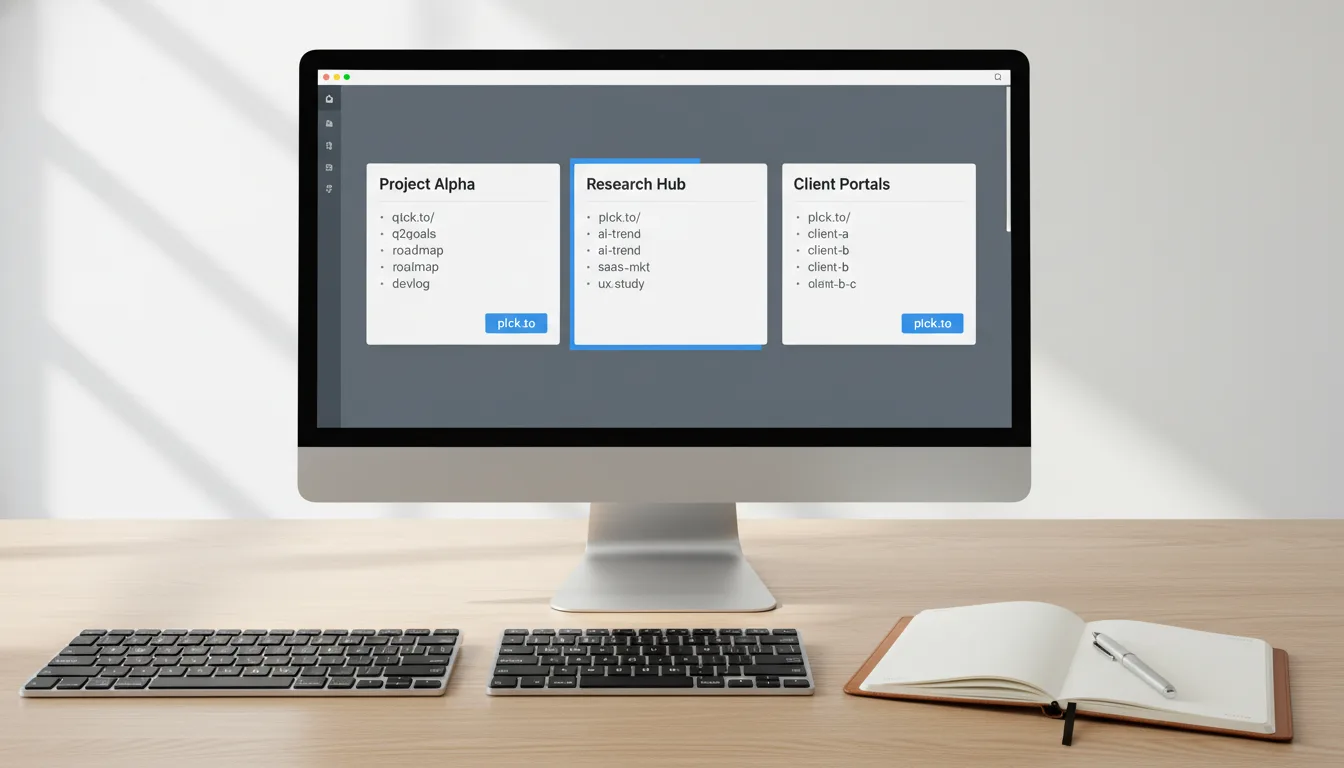
Solving Team Link Chaos: A Planck Collaboration Guide

Ready to get started?
Join thousands of users who are already using our platform to manage their links efficiently.
Create Your Free AccountIntroduction: Escaping the Black Hole of Team Links
Have you ever found yourself frantically scrolling through endless team chat histories, desperately trying to unearth that one crucial link? Or perhaps you’ve had to tap a colleague on the shoulder (or send a digital nudge, because, you know, modern workspaces!) to ask, "Hey, where does that updated Q3 pitch deck live again?" If you're nodding along right now, trust me, you’re not the only one! This scenario plays out in offices and remote teams worldwide, far more often than we’d like to admit.
In today's fast-paced digital world, links are truly the bridges that connect our ideas, our valuable assets, and our carefully crafted campaigns. But here’s the thing: when multiple people are creating, sharing, and constantly updating those links without a unified system, those essential bridges quickly devolve into a tangled, chaotic mess. Here's what we call this dreaded scenario: "link chaos." And let me tell you, it's a silent, insidious productivity killer. When marketing, sales, and HR teams operate in their own link silos, you inevitably end up with broken URLs, outdated documents circulating, confused clients, and worst of all, skewed analytics that make informed decisions impossible.
"Link chaos doesn't just waste precious time; it actively dilutes your brand's professionalism and fractures your team's fundamental ability to measure success collaboratively."
But hey, here’s some really good news: solving this frustrating problem doesn't require a complete overhaul of your entire tech stack, nor does it demand a massive budget. With the right strategic approach to link management, you can genuinely transform your team's URL workflow. Think about it: moving from a disorganized free-for-all to a streamlined, collaborative powerhouse. Sounds good, right? So, let’s dive into exactly how you can build a centralized, team-friendly link management system that keeps everyone on the exact same page, all the time.
Prerequisites: Getting Your Team Ready for Link Harmony
Before we dive headfirst into the nitty-gritty technical steps of organizing your team's URLs, we need to lay down a super solid foundation. You see, collaborative link management isn't just about the tools; it's about 20% tools and a whopping 80% team alignment. So, here's what you'll want to have firmly in place before you even start building out your shiny new system.
1. A Unified Mindset: It's 'Our Links,' Not 'My Links'
First things first, you've got to rally your team and get their buy-in. Everyone needs to truly understand and appreciate why personal, disorganized link creation is actually holding the entire group back. Think about it: when a team member uses a personal account to shorten a link, that data immediately becomes siloed. What happens if they go on vacation? Or worse, what if they leave the company? The team instantly loses access to that link’s routing and crucial analytics. Shifting this mindset from "my links" to "our links" isn't just a suggestion; it’s your very first, and arguably most important, hurdle to clear.
2. A Centralized Link Management Platform
You simply can't collaborate effectively if everyone's off using a different tool, can you? It's like trying to build a house when everyone has a different set of blueprints. You need a dedicated, professional platform specifically designed for teams. A platform that allows multiple users to securely log into a single workspace, share custom domains, and view aggregate analytics without any fuss. This ensures everyone's playing by the same rules and contributing to a shared, coherent data stream.
3. A Designated "Link Librarian" (or Two!)
While we absolutely want everyone to feel empowered to create links, a team greatly benefits from having one or two designated people acting as the Link Librarians. These point people become the guardians of your link ecosystem. They're there to ensure that those crucial naming conventions are being followed, tags are being used correctly and consistently, and that the entire workspace remains tidy and organized as it inevitably grows and scales. Think of them as the benevolent custodians of your digital pathways.
Seriously, don't even think about skipping this preparation phase. Establishing clear rules of engagement and getting everyone aligned before you invite 50 team members into a shared link workspace will genuinely save you countless hours of cleanup and headaches down the road. Trust me on this one!
Step-by-Step Instructions: Building Your Link Collaboration Hub
Alright, team's ready, platform's set – now comes the exciting part! You're about to build out your collaborative link environment. Follow these steps closely to ensure your setup is not only robust and scalable but also super easy for anyone on your team to understand and use.
Step 1: Establish Your Central Workspace
Your first move is to create that unified environment. If you're using a platform like Planck.to, start by setting up your primary organization account and seamlessly connect your brand's custom domain. Here's a pro tip: instead of inviting everyone as an administrator right off the bat, take a moment to map out what different departments actually need to see and access. Create dedicated workspaces or folders for various teams—perhaps one for Marketing, another for HR, and a separate one for Sales. This smart segmentation prevents your dashboard from becoming overwhelmingly cluttered with links that aren't relevant to every single individual. It keeps things tidy and focused for everyone.
Step 2: Create a Bulletproof Naming Convention
This, my friends, is arguably the single most critical step in collaborative link management. A well-crafted custom short link (also known as a link slug) should be instantly readable and understandable by anyone on your team, even if they didn't create it. If someone sees a link, they should immediately know what it does, where it goes, and why it exists. No guesswork, no confusion!
So, your mission here is to develop a crystal-clear, easy-to-follow formula for your entire team. A fantastic, universally applicable standard formula often looks something like this: [Department]-[Campaign/Asset]-[Year]. Let's look at some examples to clarify:
- Bad Example: planck.to/promo-link-88 (What even is this for?)
- Good Example: planck.to/mkt-summersale-2024 (Clearly Marketing's summer sale, 2024)
- Good Example: planck.to/hr-benefits-guide (Instantly recognizable as the HR benefits guide)
To make this super easy for everyone, create a quick, one-page "Cheat Sheet" document outlining your naming conventions. Then, pin it prominently to your team's Slack or Teams channel. This way, everyone has a super quick reference point before generating a new link!
Step 3: Implement Robust Tagging and Categorization
Even with fantastic naming conventions, trying to search through hundreds, or even thousands, of links can still become incredibly tedious. That's where tagging comes in! Use tagging to add another powerful layer of organization and discoverability. Tags allow your team to effortlessly filter links by channel (e.g., Facebook, LinkedIn, Email), by asset type (e.g., Webinar, Ebook, Video), or even by region (e.g., EMEA, NA, APAC).
The magic happens when everyone tags their links consistently. Suddenly, evaluating cross-channel performance becomes unbelievably easy. Imagine this: your marketing director can simply filter by the "Webinar" tag and instantly see the aggregate analytics for *all* webinar links created by *anyone* on the team. No more hunting around; just clear, actionable insights at their fingertips.
Step 4: Centralize Your UTM Parameters
For any marketing team worth its salt, short links and UTM parameters go hand-in-hand. They're like peanut butter and jelly for tracking. However, here's where things can get messy: if one person uses utm_source=facebook and another casually uses utm_source=FB, your Google Analytics reports will quickly become a muddled nightmare. It’s inconsistent, inaccurate, and completely unhelpful for proper attribution.
This is why you absolutely *must* use your link management tool to set standardized UTM templates. This crucial step ensures that no matter who creates the short link, the underlying tracking data remains pristine, uniform, and perfectly clean. Goodbye, data headaches; hello, crystal-clear analytics!
By strictly enforcing a standardized UTM structure behind all your shortened URLs, you'll instantly notice significantly cleaner data populating your analytics platforms. This makes ROI reporting not just easier, but also dramatically more accurate and trustworthy!
Real-World Collaboration Examples: How It Plays Out
To really bring this home, let's explore some real-world scenarios and see how this collaborative framework plays out across different departments. By establishing these shared practices, various teams can operate with incredible efficiency and synergy – it's truly powerful!
Marketing: Managing Multi-Channel Campaigns with Ease
Picture this: your company is launching a major Q4 feature update, and the marketing team is buzzing with activity. They're running ads across Twitter, LinkedIn, and Facebook, sending out a comprehensive newsletter, and even partnering with influencers. Traditionally, this could be a recipe for link chaos!
But with a centralized system, instead of the social media manager making all their links in isolation, the entire team collaboratively builds a structured set of URLs within their shared workspace:
- planck.to/q4-launch-tw
- planck.to/q4-launch-li
- planck.to/q4-launch-email
Because these are all housed in a shared environment, the marketing director can pull up a single, intuitive dashboard and instantly compare the click-through rates of all three channels side-by-side, in real time! This means they can make agile, instant budget allocation decisions, optimizing spend and maximizing campaign impact without missing a beat.
Human Resources: Keeping Onboarding Materials Always Up-to-Date
Let's shift gears to HR. The HR team loves to print out beautiful, glossy physical welcome packets for new hires. These packets include an essential link to the employee handbook. Here’s the perennial problem: the handbook inevitably gets updated every quarter, and its destination URL changes on the company intranet. This used to mean reprinting expensive packets or having frustrated new hires hit 404 pages.
Now, by collaborating on a single, centralized link like planck.to/welcome-handbook, the HR team can simply log into the platform and change the destination of that short link whenever the document updates. The brilliant part? The printed packets *never* go out of date, and the IT team doesn't have to be bothered with setting up complex website redirects. It's a simple, elegant solution that saves time, money, and a lot of headaches!
Sales Teams: Tracking Pitch Deck Engagement Like Never Before
Sales reps are constantly on the move, sending out countless pitch decks and pricing sheets. A collaborative link system empowers them to use memorable, professional links on the fly, such as planck.to/enterprise-pricing. But it gets even better! Because the entire team is sharing analytics, a junior sales rep can actually look at the click data for links sent by top-performing senior reps. This incredible insight helps them understand which collateral is genuinely generating engagement from prospects, allowing them to refine their own approach and improve their closing rates faster than ever.
Common Mistakes to Avoid: Don't Fall into These Traps!
Even with the best intentions and the most robust systems, collaborative link management can hit a few speed bumps. It's human nature, right? So, let’s be proactive and watch out for these common team pitfalls that could derail your efforts.
The "Set It and Forget It" Trap (It's a Real One!)
Here’s a hard truth: links have lifespans. Campaigns eventually end, promotions expire, and documents inevitably become obsolete. A major mistake teams often make is never cleaning up their workspace. This leads to a digital graveyard of outdated links. The solution? Schedule a quarterly "link audit" where your designated Link Librarian archives old links and tags them as inactive. This keeps your active dashboard sparkling clean and, crucially, prevents colleagues from accidentally using an expired promotional link, which could be a marketing disaster!
Ignoring Link Permissions: A Recipe for Disaster
While collaboration is fantastic, giving your entire 100-person company admin access to edit and delete URLs is, quite frankly, a recipe for disaster. One accidental click, and a critical link could be gone or redirected to who-knows-where. Instead, you need to utilize Role-Based Access Control (RBAC). Give the majority of your team "Creator" or "Viewer" rights, which allows them to make new links and view analytics. But, wisely restrict "Admin" rights to only those managers who truly need the power to edit or delete existing, critical links. This balance keeps things secure yet collaborative.
Vague Link Slugs: The Mystery Meat of URLs
When people are moving at a hundred miles an hour, they tend to get a bit lazy with custom link halves (what we call the "slug"). Creating a link like planck.to/update might seem fast and efficient today, but let's be honest, in six months, nobody on the team will have a clue if that was a product update, a policy update, or a software update. It becomes the mystery meat of your link library! Always, always push for descriptive, specific slugs over ultra-short, vague ones. Clarity is king here.
Troubleshooting Link Collaboration Issues: Your Quick Playbook
Let's be real, even with the best systems and the most aligned teams, occasional friction is inevitable when multiple people are working inside a link management system. So, here’s a quick troubleshooting playbook for the most common team-based link issues you might encounter.
Problem: "The link slug I want is already taken!"
Symptoms: A team member tries to create a custom short link (e.g., planck.to/webinar), but the system throws an error saying the alias is unavailable, even though they're sure they didn't create it.
The Fix: This is actually the most common sign of team growth, believe it or not! It means someone else in your organization already claimed that generic term. First, use your platform's search bar to quickly find out who created it and what it points to. To prevent this moving forward, enforce those naming conventions we discussed earlier. Instead of a generic /webinar, the team member should immediately pivot to using a more specific, date-specific format: planck.to/q3-seo-webinar. Problem solved!
Problem: Analytics Are Not Matching Up Between Platforms
Symptoms: Your short link analytics dashboard shows a fantastic 5,000 clicks, but your Google Analytics only reports 3,000 sessions for the exact same campaign. What gives?
The Fix: This discrepancy often happens in team environments for a couple of key reasons. First, remember that most short link platforms track raw clicks (which can include bots and multiple clicks from the same user). Google, on the other hand, tracks unique user sessions. That's a fundamental difference. Second, and this is crucial, double-check if the team member who created the link remembered to append those vital UTM parameters *before* shortening the URL. If the destination URL lacks UTMs, that traffic will frustratingly show up in Google Analytics as "Direct" rather than being correctly attributed to your specific campaign. A small oversight, but a big data headache!
Problem: Broken Links on Older Collateral (The Dreaded 404!)
Symptoms: Customers are complaining that links embedded in an old PDF, an evergreen email sequence, or even a printed brochure are leading to frustrating 404 error pages.
The Fix: The destination URL of the asset was likely moved, renamed, or deleted by the web team, but the marketing team wasn't notified in time to update the short link. This is precisely where centralized management truly shines! Don't recall the PDFs or try to fix the website structure (that's too much work!). Instead, simply log into your team's link management workspace, locate the broken short link, and click "Edit." Update the destination URL to the new, correct page. The best part? Every single old PDF, email, or brochure will instantly route correctly, and the end-user will never even notice a hiccup. It's magic!
Regular, proactive communication between your web administrators and your link managers is absolutely vital. If a major website migration or restructure is on the horizon, the link management team needs a heads-up so they can seamlessly redirect their high-performing short links, keeping your customer experience smooth and consistent.
Conclusion: Empowering Your Team with Organized Links
Solving team link chaos isn't just about making your URLs look a bit prettier or tidier; it's profoundly about removing frustrating friction from your team's daily workflow. Think about it: when everyone knows exactly where to find a link, how to properly format it, and how to track its success, you instantly eliminate hours of wasted time and significantly reduce that cross-departmental frustration that can plague even the best teams. It’s about operational efficiency, pure and simple.
By consciously treating your links as valuable, shared corporate assets—rather than disposable, individual shortcuts—you fundamentally build a culture of transparency, accountability, and data literacy within your organization. This powerful shift starts with establishing those core prerequisites we talked about, standardizing your naming conventions, and, crucially, utilizing a centralized platform to house and manage all your team's efforts. It’s a holistic approach that pays dividends across the board.
So, are you truly ready to stop scrolling through endless chat logs looking for lost URLs? Are you ready to reclaim those precious minutes and empower your team to work smarter, not harder? Then take that first step today. Gather your team leaders, outline your new link governance strategy, and start building a collaborative workspace that truly empowers everyone to share smarter, track better, and communicate clearer. Your team (and your analytics!) will thank you.
Ready to get started?
Join thousands of users who are already using our platform to manage their links efficiently.
Create Your Free Account