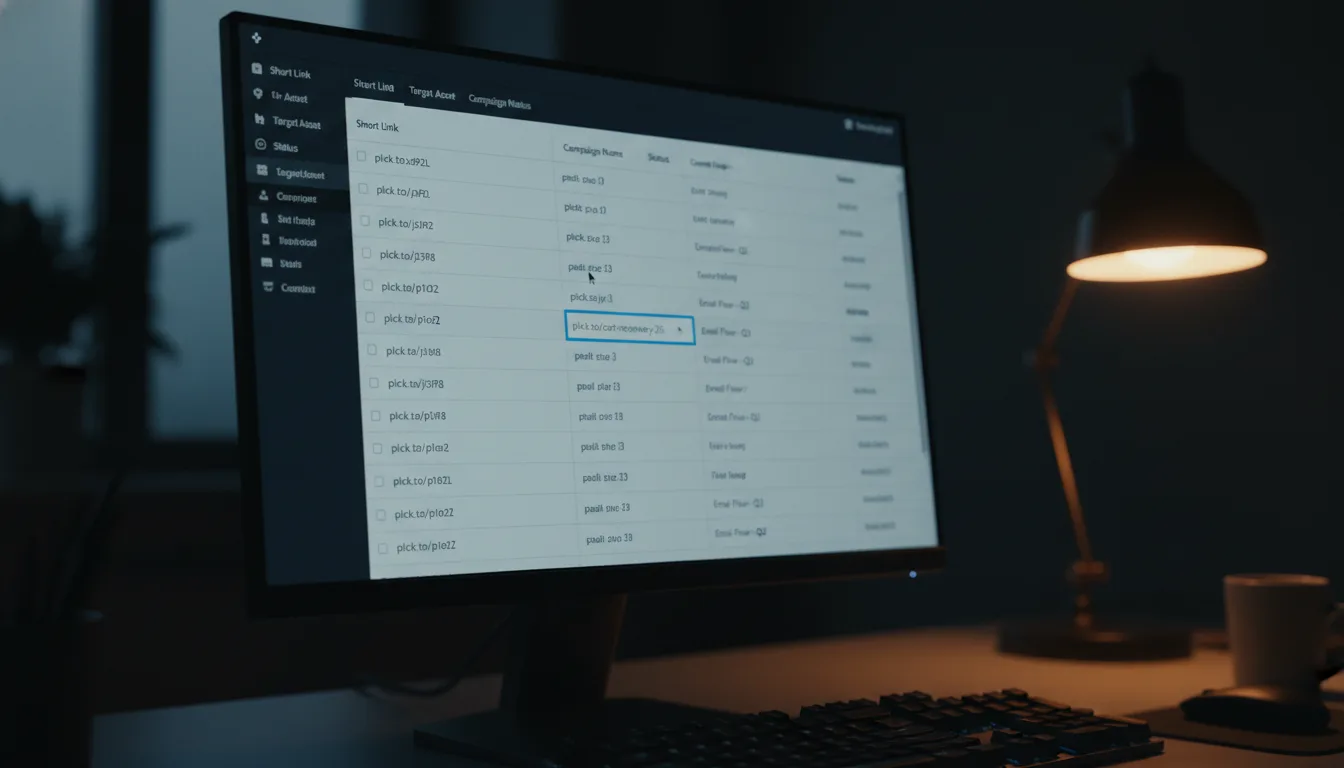
Why Your Time-based Analytics Are Lying to You: 5 Essential Fixes
Ready to get started?
Join thousands of users who are already using our platform to manage their links efficiently.
Create Your Free AccountWhy Your Time-based Analytics Are Lying to You: 5 Essential Fixes
You pour your heart and soul into a new campaign. Weeks of meticulous research into your audience, stunning creatives that stop scrolls, and a landing page so optimized it practically sings. You hit send on that email or schedule that post for the "perfect" time – 9:00 AM on a Tuesday, because, well, that's what the gurus told you. But then, 24 hours later, you check your analytics dashboard, and something just feels... off.
What gives? Maybe you're seeing a bizarre traffic spike at 3:00 AM, when everyone in your target audience should be tucked in, dreaming. Or perhaps your click-through rate (CTR) graph looks flatter than a pancake, despite your social media engagement numbers being through the roof. Even worse, those "peak" traffic times seem to be wildly shifting day to day, with zero rhyme or reason.
Sound familiar? What you're experiencing, my friend, is a failure of Time-based Analytics. We often talk about the importance of knowing *who* clicked your links, but honestly, understanding *when* they clicked is just as critical. It's the secret sauce for optimizing ad spend, fine-tuning your content schedule, and truly understanding user behavior. When this crucial data goes haywire, you're not making informed decisions; you're essentially navigating by a mirage, not measurable metrics.
Don't worry, you're not alone. In this practical troubleshooting playbook, we're going to dive deep into why your time-based data often misleads you. We'll uncover the tell-tale symptoms of broken tracking and, most importantly, arm you with five actionable fixes to get your temporal data accurate and, well, *actually* actionable.
The Root of the Problem: That Annoying Temporal Disconnect
Here's the thing: the core issue isn't usually that your data is completely missing. More often than not, the problem is that it's being misattributed or misinterpreted in relation to time. Time-based analytics are designed to give you a clear view of click patterns across specific dates and time ranges, helping you pinpoint those precious peak engagement windows. But when this fundamental mechanism stumbles, you lose the ability to accurately connect your marketing actions (like sending that perfectly timed email) with your audience's reactions (clicking the link within it).
A failure in time-based analytics is rarely a mysterious "glitch" in your software. Almost always, it boils down to a configuration error involving timezones, incorrect granularity settings, or simply not filtering out external noise like pesky bots.
Is Your Data Misbehaving? A Quick Symptoms Checklist
Before we roll up our sleeves and dive into the solutions, let's do a quick diagnostic. Walk through this checklist. If you find yourself nodding along to two or more of these symptoms, then it's a clear signal: your time-based analytics strategy needs an immediate intervention.
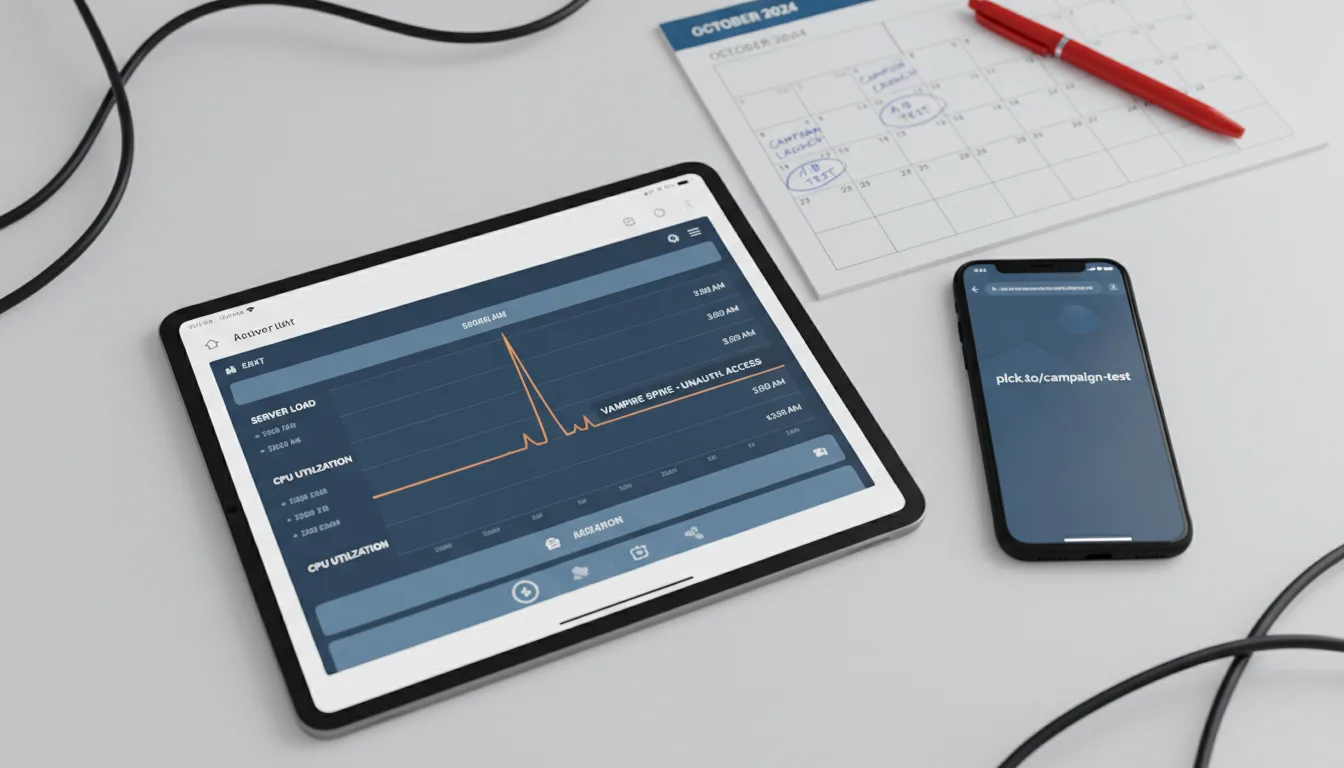
- The "Vampire" Spike: Are your highest click volumes consistently popping up between 1:00 AM and 4:00 AM, no matter where your target audience lives? That's a classic sign.
- The Time-Travel Effect: Ever seen clicks recorded on your dashboard hours *before* you actually sent that email or hit publish on that blog post? Yep, time travel isn't real, but bad data can make it seem like it is.
- The Flatline: Does your engagement graph look like a steady, low-level hum of activity with absolutely no distinct peaks, even right after a major campaign launch? Your data might be too quiet.
- The Weekend Gap: Does your data mysteriously vanish or drop to near-zero specifically on weekends, even for B2C campaigns that should be buzzing with activity? Something's off.
- Drifting Peaks: Does your "best time to post" seem to subtly shift forward by 1-2 hours every few months, even though your strategy hasn't changed a bit? That's a red flag.
So, Why is This Happening? The Usual Suspects
You might be wondering, "Why, oh why, is my precious data behaving this way?" Well, after years in the trenches, I can tell you the culprits are almost always one of these common issues:
- Timezone Misalignment: This is a big one. Think about it: your server's time (often UTC) vs. your user's local time vs. *your* local analyst time. It's a recipe for confusion.
- Bot Traffic: Automated crawlers and preview bots are constantly poking your links at their own scheduled intervals, and they don't care about your marketing strategy.
- Granularity Issues: Are you looking at your data in 24-hour chunks when you really need hourly insights? Or vice-versa? It matters.
- Platform Caching & Previews: Sometimes, social media platforms "click" your link to generate a preview card, triggering a "click" event that isn't actually a human interaction.
Your Troubleshooting Playbook: Step-by-Step Fixes
Alright, you've identified the symptoms, and you know the likely causes. Now it's time to get down to business. Use these five fixes to recalibrate your analytics and get your data back on track. We'll start with the most common technical error and then move into some more advanced filtering techniques.
Fix #1: Standardize Your Timezone Configuration Across the Board
Let's be honest, this is the single most frequent culprit behind wonky time-based analytics. Imagine this scenario: your super-smart link management platform records all its data in UTC (Coordinated Universal Time). Meanwhile, you're sipping coffee in New York (EST), and your audience is enjoying tea in London (GMT). See the potential for mayhem?
If you send out an important email blast at a crisp 9:00 AM EST, your dashboard might end up recording that huge spike in clicks at, say, 2:00 PM UTC. If you don't consciously factor in that time difference, you could easily (and incorrectly!) conclude that your audience is more responsive to afternoon content. That's a decision based on flawed data, and nobody wants that.
Always, always configure your reporting dashboard to align with the timezone of your primary target audience. Not your personal timezone. If your company is based in the US but you're targeting customers in Tokyo, make sure you're viewing your data in JST (Japan Standard Time).
The Fix:
Dive into your link management settings. Look specifically for the "Reporting Timezone" or "Account Timezone" option. Some advanced platforms, like Planck.to, even offer granular per-link or per-workspace timezone settings. If you have those, adjust them to precisely match the target demographic for each specific campaign. And here's a crucial step: ensure *all* your analytics tools – Google Analytics, your social media insights, and your link manager – are synchronized to the *exact same timezone*. This consistency is what allows for accurate, reliable cross-referencing.
Fix #2: Filter Out "Preview" Clicks and Pesky Bot Traffic
Ever shared a link on Slack, LinkedIn, or even iMessage and watched in amazement as it instantly generated a fancy "preview" card with an image and title? It's pretty cool, right? But here's the catch: for that preview to appear, the platform's bot actually had to "click" your link to fetch all that juicy metadata. It's not a human, it's a bot doing its job.
So, if you post a link on Twitter at 8:00 AM, don't be surprised if you see 50 clicks registered at 8:00:01 AM. Those aren't eager followers; they're Twitter's bots verifying your link. This kind of automated activity can seriously skew your "Time to First Interaction" metrics, making your data look far more active than it truly is.
"Let's be crystal clear: optimizing your content schedule based on bot activity is quite possibly the fastest way to utterly waste your marketing budget. Bots don't buy products, they don't convert, and they certainly don't care about your brand."
The Fix:
Get analytical with your user agent data. Genuine human traffic typically originates from well-known browsers like Chrome, Safari, or Firefox. Bot traffic, on the other hand, often clearly identifies itself (think "Twitterbot," "Facebot," or "Slackbot"). The smartest move here is to use a robust link management tool that either automatically filters out known bot traffic from your main dashboard or, at the very least, allows you to easily toggle between "Unique Clicks" and "Total Clicks." Always, and I mean *always*, focus on Unique Clicks when you're trying to gauge real human interest and engagement over time. That's where the real insights lie.
Fix #3: Adjust Your Data Granularity to Match Your Goals
This is a surprisingly common pitfall. Many marketers make the mistake of looking at their data either too broadly or too narrowly for the campaign they're running. Think about it: if you're executing a sizzling 24-hour flash sale, staring at "Daily" click statistics is practically useless. You need that granular "Hourly" breakdown to understand the immediate impact and decay. Conversely, if you're nurturing a long-term, evergreen SEO campaign, "Hourly" stats will just be noisy clutter; what you really need are "Weekly" or "Monthly" trends to spot bigger shifts.
The Fix:
It's all about matching your analytics granularity to the specific lifecycle and objectives of your campaign. Here’s a quick guide:
- Flash Sales / Email Blasts: For these quick-hit campaigns, set your view to Hourly. You absolutely need to observe the immediate click spike and the subsequent decay rate of the link, which typically happens within 2-4 hours.
- Social Media Posts: Go for a Daily view (or even 4-hour blocks if your platform offers them). This accounts for social algorithms that might show your post to different segments of your audience hours after you first publish it.
- SEO / Evergreen Content: Here, a Weekly or Monthly view is your best friend. You're looking for broader seasonal trends, content longevity, and sustained traffic, not fleeting immediate reactions.
Fix #4: Ruthlessly Eliminate Redirect Chains
When it comes to time-based analytics, speed isn't just a nice-to-have; it's absolutely essential. Think about what happens if your beautifully crafted short link first redirects to another short link, which then bounces to an HTTP page, which *then* finally lands on an HTTPS page. What you've just created is a dreaded "Redirect Chain," and it's a silent killer of accurate data.
This sneaky chain reaction causes two major headaches:
- Latency: Each redirect adds a tiny fraction of a second, which, when compounded, can frustrate users. Many might simply close the tab before the final analytics pixel even has a chance to fire. No pixel, no data.
- Data Loss: Even worse, critical tracking parameters (like those all-important timestamps or your carefully constructed UTMs) can sometimes be stripped away or mangled during multiple redirects. Poof! Your valuable data vanishes into the ether.
The Fix:
It's time for a thorough audit of all your links! Make sure your branded short link (for instance, planck.to/offer) points directly to its final destination URL. Seriously, no detours. Actively avoid "daisy-chaining" links from different providers or even multiple redirects within the same platform. A direct, clean path ensures that the timestamp of the initial click aligns perfectly with the timestamp of the actual site visit. This simple step can dramatically improve your data accuracy.
Fix #5: Employ Contextual Benchmarking (Stop Comparing Apples to Oranges!)
Sometimes, the data you're seeing is technically correct, but your interpretation of it is completely off because you're inadvertently comparing "apples to oranges." You might jump to conclusions, thinking your time-based analytics are failing because, say, your Tuesday post garnered 50% fewer clicks than your Monday post, even though you published them at the exact same time. It feels like a failure, right?
However, what if Monday was a national holiday, and Tuesday was a regular, busy workday? Suddenly, the temporal context is vastly different! Failing to factor in these external time-sensitive elements can lead to what we call "False Negatives." You'll mistakenly conclude that a particular time slot is inherently bad, when in reality, it was just a bad *day* or week due to external circumstances beyond your control. That's a huge waste of potential optimization.
The Fix:
Integrate your time-based analytics with your comprehensive marketing calendar. Make it a habit to annotate your charts. When you're analyzing peak times, be sure to exclude any obvious outliers caused by things like national holidays, major breaking news events, or even website downtime. Instead of fixating on a single data point, look for the *average* performance of a specific time slot over a more extended period—think 4-6 weeks. This broader perspective will give you a much clearer, more reliable picture.
Once you consistently filter out bots, align your timezones, and average your data over a month or more, you'll likely discover something truly insightful. That elusive "peak engagement window" will reveal itself as a consistent, predictable 2-hour block (say, 10 AM - 12 PM) rather than those frustrating, random spikes you were seeing before. That's real, actionable data!
Okay, It's Fixed... Or Is It? Verification Steps
You've diligently applied all five fixes. Great job! But how can you be absolutely sure that your time-based analytics are finally accurate and telling you the truth? It's time for some rigorous testing. Follow this verification protocol to confirm your efforts have paid off:
- The "Real-Time" Test: Grab a device that isn't on your filtered IP list (your smartphone on cellular data is perfect). Click one of your own links. Now, immediately check your analytics dashboard. Did the click register? Is the timestamp correct down to the minute? And is the timezone *exactly* what you configured?
- The Cross-Reference: Don't just rely on one tool. Compare your link management analytics with data from Google Analytics 4 (GA4). Head over to the "Real-time" section in GA4. If your link manager proudly states that 100 clicks came in at 12:00 PM, GA4 should show a correlating spike in "Users" or "Sessions" at that identical time. Discrepancies here indicate lingering issues.
- The Decay Curve Check: Post a link to a high-volume channel where you expect immediate engagement. What you *should* see is a sharp initial rise in clicks, followed by a clear peak, and then a gradual, logarithmic decay curve. If your graph looks like a jarring square wave (instant on, instant off) or a chaotic, random scatter plot, then I'm afraid tracking issues still persist.
Beyond the Fixes: Prevention Tips for Future Campaigns
Now that you're armed with the fixes, let's talk about staying ahead of the game. To make sure you don't encounter these frustrating issues with your next big campaign, it's wise to adopt a proactive, strategic approach to link management from the get-go.
Always Use Campaign-Specific Links
This might seem obvious, but it's often overlooked. Never, ever use the same generic link across different time slots if you're trying to measure temporal performance. For instance, if you're testing whether morning emails outperform afternoon emails, you absolutely must create two distinct, unique links for each variation:
- For your morning send:
planck.to/newsletter-am - For your afternoon send:
planck.to/newsletter-pm
By segregating your links in this way, you inherently bake the distinction into the URL itself. This eliminates the need to meticulously filter a single, messy dataset by time later on. It makes analysis so much cleaner!
Standardize Your UTM Parameters
This is a foundational best practice for any serious marketer. Always, always tag your links with consistent UTM parameters. When you're using a sophisticated platform like Planck.to, you'll often find options to automatically append these parameters, saving you a ton of manual effort. A key point: if temporal data is absolutely critical for a specific test, ensure your utm_campaign includes a date or time reference. For example, utm_campaign=spring_sale_launch_0900 clearly indicates the campaign and the launch time, making your data even more insightful.
Understand and Monitor "Dark Social" Traffic
It's crucial to acknowledge that time-based analytics on private channels – think WhatsApp groups, Slack channels, or direct emails – will naturally behave differently from public social media platforms. Clicks from these "dark social" channels often happen days, or even weeks, after the initial share, simply because users might not check their messages immediately. Don't be fooled into treating these "delayed clicks" as a tracking failure; instead, recognize them as an inherent feature of how these channels operate. Adjust your expectations and analysis accordingly.
Wrapping It Up: Master Your Audience's Rhythm
Ultimately, time-based analytics is an incredibly powerful tool. It's designed to help you truly discover the unique rhythm of your audience. When it's working flawlessly, this data becomes a beacon, revealing exactly when your customers are awake, attentive, and most crucially, ready and eager to engage with your content and offers. But let's be real: when timezones start drifting, when relentless bots invade your data, or when your granularity settings are all wrong, this valuable data quickly devolves into dangerous, misleading noise.
The good news is that you don't have to settle for that noise. By methodically tackling the five fixes we've outlined above—standardizing your timezones, filtering out those pesky bots, meticulously adjusting your data granularity, cleaning up any messy redirect chains, and applying crucial contextual benchmarking—you possess the power to transform that cacophony of noise back into a clear, actionable signal. So, please, don't just tolerate "flatlines" or inexplicable "midnight spikes" in your reports. Take charge! Calibrate your tools, rigorously verify your data, and start making those timing decisions that don't just feel right, but actually *move the needle* for your business.
Ready to get started?
Join thousands of users who are already using our platform to manage their links efficiently.
Create Your Free Account